A plumber’s best marketing is a job done well, but nobody sees a job done well unless it is filmed. The burst pipe fixed before the ceiling collapsed, the bathroom refit finished in three days, the water heater installed before winter, the drain cleared in twenty minutes: all of that happened behind a closed door, and the next customer will never know about it. A short video changes that. A thirty-second before-and-after clip of a tap replacement, a one-minute explainer on why a drain keeps blocking, a testimonial from a customer whose kitchen is working again, a seasonal reminder to lag exposed pipes before the first frost: these are the videos that fill a plumber’s diary, and they do not need a film crew. This guide compares 7 of the best AI video tools for plumbers, with real prices checked on 22 November 2026, so a plumber can build a stack that fits one van, one month of posting, and a real monthly budget.
The short verdict: start with Opus Clip Starter at $15 a month for cutting short clips from longer job walkthroughs, and CapCut Free for finishing the before-and-after Reels on a phone between jobs. That starter stack costs $15 a month, or about $1.25 per video across a month of 12 videos. Add Descript Hobbyist at $24 a month on monthly billing when the explainers pile up and need transcript editing, and HeyGen Creator at $29 a month when customers need the same instruction video in a second language. Buying the cheapest paid plan of all seven tools costs $155.99 a month, or about $13.00 per video across the same 12-video month. The free route costs $0, but watermarks, short export windows and hard caps on free credits make it a testing route, not a business routine.
One honest warning before the list, and it matters for plumbers because a customer’s home is private and a plumbing job is a promise: never use AI to fake a repair, a before-and-after result, or a job you did not do. A tap that was never fixed, a leak that never stopped, a bathroom you never fitted, a result you did not deliver: all of these are misleading claims, and a customer who books on them will complain on delivery day. Never film inside a customer’s home, bathroom or kitchen without that customer’s written consent, and never show an address, a child, or a valuable item in a public clip. An AI avatar must never pretend to be the real plumber on a customer-facing video, because a local trade business wins trust by a real person showing up; avatars are only for clearly labelled second-language instructions or internal training. Check local advertising rules before publishing any claim, and keep customer names, addresses and job details out of every tool below, because none of the seven publishes a plumber data agreement on the pages checked for this guide, and a video is general information, never personal advice for one home’s plumbing.
Quick comparison table
| Tool | Best for | Cheapest paid plan | Free option |
|---|---|---|---|
| CapCut | Before-and-after Reels with captions | $19.99 a month | Yes |
| Opus Clip | Short clips from long job walkthroughs | $15 a month | Yes, 60 credits a month, watermarked |
| Descript | Explainers edited by editing the transcript | $24 a month | Yes, 60 minutes a month, watermarked |
| HeyGen | Second-language instruction videos | $29 a month | Yes, 3 videos a month |
| Synthesia | Technician training and safety videos | $19 a month | Yes, 500 credits a month, watermarked |
| Pictory | Blog posts and tips turned into video | $29 a month | 14-day trial only |
| InVideo | Seasonal promos and offer videos | $20 a month | Free plan exists, limits not listed |
All prices are in US dollars, before tax, and were checked on 22 November 2026. Prices change often, so confirm at checkout. Prices with a caveat are noted under the tool below.
1. CapCut: best for before-and-after Reels with captions

CapCut is the editor most plumbers already have on a phone, and it is built for short vertical video: trending templates, auto captions, effects and sounds that match what is performing on Reels and TikTok right now. For a plumber, its two most useful features are auto captions in more than 20 languages, including bilingual captions and translation, because a Reel filmed in one language is often watched in another, and auto beat sync, which cuts clips to the music automatically. Film the leak, the fix and the finished tap, and CapCut turns it into a finished Reel before the plumber leaves the house. The Pro plan adds 1,200 AI credits a month, all premium templates, 1 TB of storage and Seedance video generation, and one Pro account unlocks Pro on phone, desktop and web. A 7-day free trial of Pro needs no credit card, and the free plan exports with no watermark, so a before-and-after Reel can be cut on site and posted before the van leaves the street.
Price: the Pro plan costs $19.99 a month as shown on the official pricing page. Pro includes 1,200 monthly AI credits, 1 TB of cloud storage, all premium templates and Pro features, AI video generation, and 4K export at 60 frames per second. The annual price is $179.99 a year, about $15 a month. The Teams plan costs $12.49 a month per seat and adds a Brand Kit plus Pro features for every seat. The Ultra plan costs $79 a month with 8,645 AI credits for heavy AI generation work. The free plan costs $0 and covers basic editing tools and free templates, and a video cut from your own footage can export with no watermark on Free.
Caveat: CapCut’s own page warns that displayed prices are for reference only and the final price appears after sign-in, and prices can vary by region, device and current promotions. A cheaper $9.99 a month Standard tier exists in the mobile app only and is not sold on the website, so this guide does not quote it as a web price. The annual price of $179.99 a year comes from prior verified checks and was not shown on today’s fetch, so confirm it at checkout.
Best for: a plumber who films on site, edits the same day, and needs finished vertical before-and-after Reels with captions and beat-synced cuts for Reels, TikTok and Shorts before leaving the customer’s street. Limit: it is a single-account editor, not a video generator, so it cannot create the footage itself, only edit what you already filmed or generated elsewhere, and the AI credits are a monthly pool that runs out if you generate a lot of video.
2. Opus Clip: best for short clips from long job walkthroughs
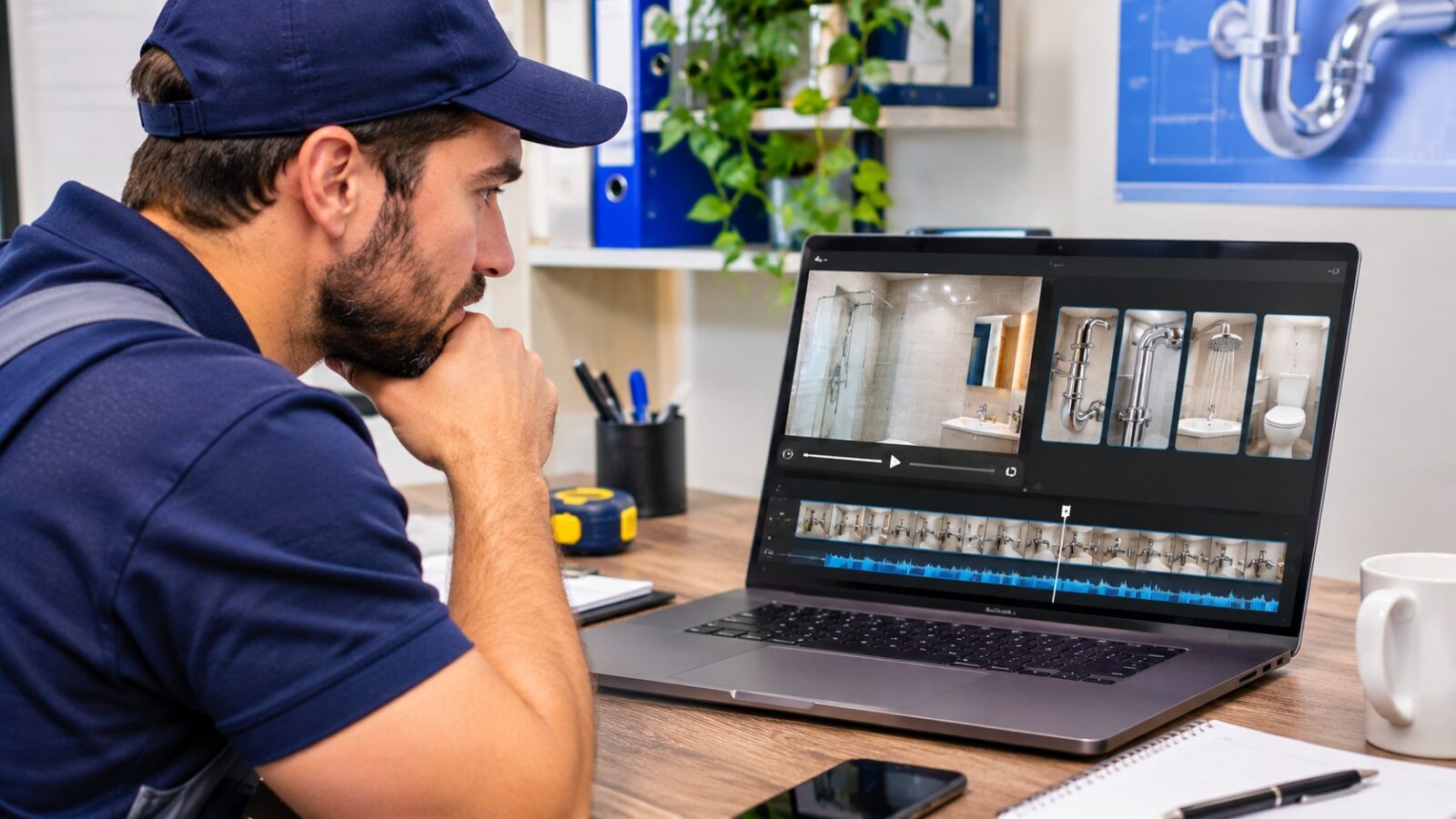
Opus Clip is the clipper in this list. A plumber films one long walkthrough, a ten-minute bathroom refit tour, a full water heater replacement, a drain survey from start to finish, and Opus Clip finds the best moments, cuts them into vertical clips, adds animated captions, and scores each clip with a Virality Score so the plumber posts the strongest one first. For a plumber, that is the exact job: one filming session on a real job becomes a week of posts, instead of one post and a dead camera roll. The Starter plan is the cheapest paid plan in this list and the cheapest way to lose the watermark, with 150 credits a month and a built-in editor. The Pro plan adds a scheduler for six social accounts, two seats, 100 GB of storage, AI B-roll, dubbing and export to Premiere Pro and DaVinci Resolve, so a small firm can queue a month of clips in one sitting.
Price: the Starter plan costs $15 a month on monthly billing only, with 150 credits a month. The Pro plan costs $29 a month, or $14.50 a month billed annually at $174 a year, with 300 credits a month per pack. The Free plan costs $0, with 60 credits a month, a watermark on captions and clips, and clips that stop being exportable after 3 days. The Business plan uses custom pricing. One credit is roughly one minute of source video processing.
Caveat: the official pricing page, read on 22 November 2026, confirms the headline prices, Free $0, Starter $15 a month, Pro $29 a month, Business custom, but the credit figures above come from multiple independent November 2026 checks of the official pricing page, most recently 4 November 2026, and all of them agree. Starter has no annual option, so it stays $15 a month even on a yearly stack, and Starter exports 9:16 clips only with no scheduler, so a plumber who wants to queue posts needs Pro. Confirm the current figure at checkout.
Best for: a plumber who films one long walkthrough per job and wants a week of short vertical clips from it, with captions and a virality ranking, without re-editing the same footage five times. Limit: it only cuts what you filmed, so a week with no filming is a week with no clips, and the free plan’s three-day export window means a clip left unexported is a clip lost.
3. Descript: best for explainers edited by editing the transcript

Descript is the explainer tool in this list, and it works backwards from every other editor: you edit the video by editing its transcript. A plumber records a two-minute explainer on why a drain keeps blocking, reads the transcript, deletes the rambling sentence, and the video is fixed, with no timeline scrubbing and no re-recording. For a plumber, that is the fastest way to make a clear video, because the hard part of an explainer is the words, not the footage. Descript also removes filler words, cleans up the audio with Studio Sound, and turns one recording into short clips with Create Clips, so the same explainer becomes a Reel, a Short and a Google Business Profile video. The Hobbyist plan is the entry paid plan, with 10 media hours a month and watermark-free 1080p export. The Creator plan adds 4K export, 30 media hours and full Underlord access, and the Business plan adds dubbing in more than 30 languages with proofreading, which matters for a plumber whose customers speak more than one language.
Price: the Hobbyist plan costs $24 a month on monthly billing, or $16 a month billed annually, with 10 media hours a month, 400 AI credits a month, and watermark-free 1080p export. The Creator plan costs $35 a month on monthly billing, or $24 a month billed annually, with 30 media hours a month, 800 AI credits a month, and 4K export. The Business plan costs $65 a month on monthly billing, or $50 a month billed annually, with 40 media hours a month, 1,500 AI credits a month, and Brand Studio. The Free plan costs $0, with 60 media minutes a month, 100 one-time AI credits, and 720p watermarked export. All prices are per person per month.
Caveat: the official pricing page, read on 22 November 2026, shows the plan names and allowances, 10, 30 and 40 media hours, 400, 800 and 1,500 AI credits, but no dollar figures in the fetched text, so the dollar figures above come from multiple independent November 2026 checks of the official pricing page, and all of them agree. Descript bills per person, so a second editor is a second subscription. Confirm the current figure at checkout.
Best for: a plumber who explains things on camera, drain care, leak checks, water heater settings, winter pipe protection, and wants the edit to be as simple as deleting a sentence from a document. Limit: it is metered in media hours, so a plumber who uploads hours of raw job footage will burn the allowance fast, and the free plan’s 60 minutes a month is a test, not a posting routine.
4. HeyGen: best for second-language instruction videos

HeyGen is the avatar tool in this list, and for a plumber its job is narrow and valuable: the same instruction video in a second language. A plumber records one short video explaining how to shut off the water in an emergency, then HeyGen translates it, lip-syncs the avatar, and delivers the same message in Spanish, Urdu or Polish, with the plumber’s own voice cloned or a stock presenter. For a plumber working in a multilingual town, that is the difference between a customer who understands the emergency shutoff and one who floods a kitchen while waiting for a callback. HeyGen also builds a digital twin of the owner, so a short script becomes a presenter-led video without a filming day, and its translation covers more than 40 languages. The honest limit matters here more than anywhere else in this guide: an avatar must never pretend to be the real plumber on a customer-facing video, because a local trade business wins trust by a real person showing up, and a customer who meets a stranger at the door after watching a familiar face will feel misled. Use the avatar for clearly labelled instructions and translations, and film yourself for every testimonial, every before-and-after result, and every video that asks a customer to trust you.
Price: the Creator plan costs $29 a month on monthly billing, or $24 a month billed annually, with a monthly credit allocation to spend across features. The Pro plan starts at $49 a month and scales in tiers up to $4,300 a month, with only the credit allocation changing between tiers. The Business plan costs $149 a month plus $20 per seat per month. The Free plan costs $0, with up to 3 videos a month and limited trial access to premium features like Avatar 6 and lip-sync translation. Monthly subscribers’ unused credits roll over for one more month, and annual subscribers’ credits accumulate until renewal.
Caveat: the figures above come from the fresh fetch of the official pricing page on 22 November 2026, including the FAQ that states the Creator price in plain words. Credits are spent per video and per feature, and the cost of a video varies with the model, the duration and the complexity, so a month of long translated videos needs a higher tier. Check the commercial licence and the consent rules for a digital twin before using your own likeness, and label every avatar video as AI-generated.
Best for: a plumber whose customers speak more than one language and who needs the same emergency instruction, the same aftercare video, and the same seasonal reminder in two or three languages without filming each one three times. Limit: the avatar is a presenter, not the plumber, so it must never carry a testimonial, a before-and-after claim, or a promise about a real job, and the credit maths mean a month of long videos needs Pro.
5. Synthesia: best for technician training and safety videos

Synthesia is the training tool in this list. A plumbing firm hires a new technician, and instead of the owner repeating the same safety briefing for the fifth time, the technician watches a consistent training video: how to isolate a water supply, how to handle a gas-adjacent job safely, how to talk to a customer at the door, how to photograph a job for the record. Synthesia’s presenters deliver the script in more than 140 languages, the videos carry the firm’s branding, and the same training plays identically for every new hire, which is exactly what a small firm needs when the owner is out on jobs all day. The new Syren agent builds a video from a description, and the Studio editor handles the standard presenter-led format. The Starter plan is the cheapest paid plan here for training, with 1,250 credits a month and 125+ avatars. The Pro plan adds 5 personal avatars, branded video pages and interactive videos, and the Business plan adds the controls a larger firm needs.
Price: the Starter plan costs $19 a month on monthly billing, or $14 a month billed annually at $168 a year, with 1,250 credits a month. The first month is $9. The Pro plan costs $89 a month on monthly billing, or $59 a month billed annually at $708 a year, with 6,000 credits a month. The first month is $49. The Basic plan costs $0, with 500 credits a month, 10 minutes of Studio video creation or dubbing, and a Synthesia watermark. A Black Friday and Cyber Week offer runs from 23 November to 7 December 2026 for new customers and free plan users upgrading to a paid plan.
Caveat: the figures above come from the fresh fetch of the official pricing page on 22 November 2026. The page now prices everything in credits, and one minute of Syren video typically uses 1,000 to 2,000 credits, so the credit pool buys fewer minutes than the plan names suggest. The Black Friday offer starts tomorrow, 23 November, so the price on the page today is the regular price, and the offer terms apply only to new customers and free plan users. Confirm the current figure at checkout.
Best for: a plumbing firm that hires technicians and needs the same safety briefing, the same customer script, and the same job standard delivered identically to every new starter, in any language, without the owner repeating it. Limit: it is a presenter-led training tool, not a marketing tool, so a Synthesia video will never win a customer the way a real before-and-after clip does, and the credit maths mean a month of long training videos needs Pro.
6. Pictory: best for blog posts and tips turned into video
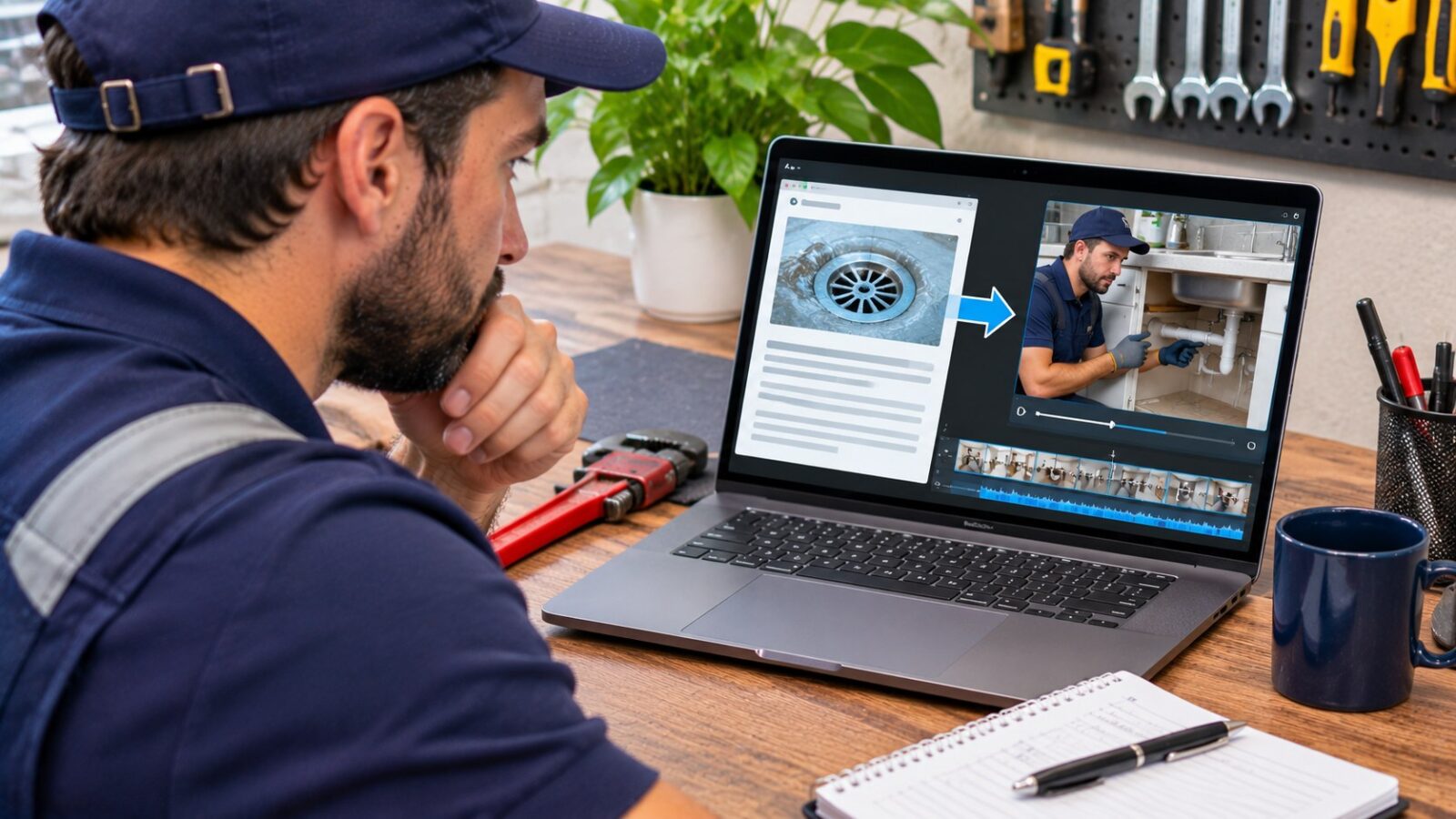
Pictory is the repurposing tool in this list. A plumber already has the words: a blog post about drain care, a tips page about winter pipe protection, a service page about water heater replacement. Pictory turns that text into a finished video, matching scenes to stock footage from Getty Images and Storyblocks, adding a voiceover in a natural voice from ElevenLabs, and exporting in vertical, square or landscape formats from the same project. For a plumber, that is the cheapest way to keep posting, because the writing already exists and the video is built from it in minutes. The Starter plan is the entry paid plan, with unlimited videos, 1080p export, and 24,000 credits a year on annual billing. The Professional plan triples the credits and adds cloned avatars, voice clones and custom brand fonts, and the Teams plan adds shared brand assets and collaboration for a small firm.
Price: the Starter plan costs $29 a month on regular pricing, with a Black Friday offer of $14.50 a month on monthly billing or $12.50 a month billed annually. The Professional plan costs $59 a month regular, with a Black Friday offer of $29.50 a month monthly or $17.50 a month annual. The Teams plan costs $199 a month regular, with a Black Friday offer of $99.50 a month monthly or $59.50 a month annual. A 14-day free trial includes 300 credits and up to 3 videos. Annual plans grant all credits upfront.
Caveat: the figures above come from the fresh fetch of the official pricing page on 22 November 2026, and the Black Friday offer is live on the page today, so the regular price is shown struck through beside the offer price. The offer price is a limited promotion, so this guide quotes the regular $29 a month as the Starter price in the stacks, and treats the Black Friday price as a saving, not the standard cost. Stock footage looks generic, so a Pictory video should never pretend to show your own job; use it for tips, explainers and seasonal reminders, and film your own footage for every real result.
Best for: a plumber with a website full of useful words, drain care tips, winter checklists, service pages, who wants those words turned into finished videos for Reels, TikTok and the Google Business Profile without filming anything new. Limit: the footage is stock, so it cannot show your work, your van, or your customer, and the Black Friday price will not last, so budget on the regular $29 a month.
7. InVideo: best for seasonal promos and offer videos

InVideo is the promo tool in this list. A plumber runs a winter offer, free pipe lagging check with every boiler service, or a spring offer, drain clearance at a fixed price, and InVideo builds the promo video from a short prompt: pick a template from more than 5,000, add the offer text, the phone number and the booking link, and export a vertical ad for Reels and TikTok and a landscape cut for the website. For a plumber, that is the seasonal workflow: four promos a year, each built in an evening, each with the same branding, each pointing at the phone. InVideo’s Seedance models generate the moving footage, its timeline editor finishes the cut, and its stock library covers the shots a plumber did not film. The Starter plan is the entry paid plan, with 400 credits a seat a month and 200 GB of storage. The Plus plan adds Seedance 2.5 in 1080p and 4K, 2,000 credits, and 600 GB, and the Max plan adds 8,000 credits and 2,000 GB for a firm that posts daily.
Price: the Starter plan costs $20 a seat a month on monthly billing, or $10 a seat a month billed annually. The Plus plan costs $30 a seat a month billed annually, with 2,000 credits a seat a month. The Max plan costs $125 a seat a month billed annually, with 8,000 credits a seat a month, and a Black Friday offer of pay for 12 months and get 24. Unused credits do not roll over to the next month.
Caveat: the figures above come from the fresh fetch of the official pricing page on 22 November 2026. The page shows the annual prices, $10, $30 and $125 a seat a month, and the monthly Starter price of $20 a seat a month is confirmed in the page text. InVideo is priced per seat, so a second person is a second seat, and the credit cost per video varies with the model and the resolution, so a month of long Seedance videos needs Plus. Confirm the current figure at checkout.
Best for: a plumber who runs seasonal offers and needs a finished promo video fast, winter pipe protection, spring drain clearance, summer boiler checks, with the offer, the phone number and the booking link baked in. Limit: the templates look like templates, so a promo should never pretend to be a real job, and the credits do not roll over, so an unused month is money spent on nothing.
A worked example: one plumber, 12 videos
Take a plumber with one van who posts 12 videos a month: 4 before-and-after job clips, 3 short explainers, 2 customer testimonial clips, 1 seasonal promo, 1 technician intro, and 1 Google Business Profile video. Here is how the month runs on the starter stack and on the full stack.
On the starter stack, Opus Clip Starter at $15 a month cuts the 4 before-and-after clips and the 2 testimonial clips from the longer job walkthroughs filmed that month, with captions and a virality ranking, and CapCut Free finishes the 3 short explainers and the technician intro on the phone between jobs and exports them with no watermark. Total: $15 a month, about $1.25 per video. The seasonal promo is a static post, and the Google Business Profile video is one of the before-and-after clips reused, which is slower but costs nothing.
On the full stack, Opus Clip Starter cuts the 4 before-and-after clips and the 2 testimonial clips, CapCut Pro finishes the 3 explainers and the technician intro with premium templates and captions, Descript Hobbyist edits the explainers by transcript and cleans the audio, HeyGen Creator translates the emergency shutoff explainer into a second language, Synthesia Starter builds the technician training video for the new starter, Pictory Starter turns the drain-care blog post into the Google Business Profile video, and InVideo Starter builds the seasonal promo from a template. The cost builds up like this: $19.99 for CapCut, $34.99 after adding Opus Clip, $58.99 after adding Descript, $87.99 after adding HeyGen, $106.99 after adding Synthesia, $135.99 after adding Pictory, and $155.99 after adding InVideo. Total: $155.99 a month, about $13.00 per video across the 12-video month.
On annual billing, the same seven cheapest plans cost $119 a month: CapCut about $15, Opus Clip $15, Descript $16, HeyGen $24, Synthesia $14, Pictory $25 and InVideo $10, because Opus Clip has no annual option and is kept at its $15 monthly price, and Pictory is kept at its regular $25 annual price rather than the Black Friday offer. That is about $9.92 per video across the same 12-video month. CapCut’s annual figure is $179.99 a year, about $15 a month, and Pictory’s regular annual Starter price is $25 a month.
Which of the best AI video tools for plumbers is right for your business
A plumber working alone should start with the starter stack: Opus Clip Starter plus CapCut Free, $15 a month. Film one walkthrough per job, let Opus Clip cut the clips, and let CapCut finish them on site. Add Descript Hobbyist at $24 a month when the explainers pile up and the transcript edit saves an hour a week, because an explainer that takes ten minutes to fix is an explainer that actually gets posted. Add HeyGen Creator next when customers need the same instruction in a second language, because an emergency shutoff video a customer understands is worth more than any promo. Add Synthesia Starter next when the firm hires its first technician, because a consistent safety briefing is cheaper than a repeated one. Add Pictory Starter next when the website’s blog posts deserve to become videos, because the words already exist. Add InVideo Starter last, when the seasonal offers need a finished promo video, because four promos a year is a small job that should take an evening, not a weekend.
Frequently asked questions
Can a plumber use AI video tools without filming anything?
Yes, for explainers, tips and promos, but not for real jobs. Pictory can turn a blog post into a tips video, InVideo can build a seasonal promo from a template, and HeyGen can deliver an instruction video in a second language, which covers explainers, seasonal reminders and aftercare. A before-and-after clip, a testimonial or a finished job has to show what actually happened, so film that yourself, with the customer’s written permission, and use CapCut to finish it. A customer who books on an AI-generated job will complain on delivery day.
Is it honest to use an AI avatar for a plumbing business?
It can be, if it is labelled and limited to the right job. An avatar that explains how to shut off the water, in a second language, with a clear label that it is AI-generated, is honest and useful. An avatar that pretends to be the real plumber, that carries a testimonial, or that claims a job the business did not do, is misleading, because a local trade business wins trust by a real person showing up. Film yourself for every testimonial, every before-and-after result, and every video that asks a customer to trust you. Our separate guide to the best AI video tools for electricians covers a similar honesty rule for another trade.
Can I film inside a customer’s home?
Only with that customer’s written consent. A bathroom, a kitchen or a boiler cupboard is private, and a video that shows a customer’s home, their belongings, their children, or their address without consent is a privacy problem as well as a trust problem. Get the consent in writing before the job, keep it on file, and film only the work itself: the tap, the pipe, the fitting, the finished result. Never show a house number, a letter on the table, or a child in the background.
Do I need to show my face on camera?
No, but it helps. Hands, tools, pipes and before-and-after results make a perfectly good video, and many plumbers post for years without ever showing their face. A face builds trust faster than hands do, because a customer books a person, not a pair of hands, so a short intro video, even thirty seconds, is worth filming once. If you never want to appear, use Descript for voiceover explainers and Pictory for tips videos, and let the work speak.
What does a plumber video stack cost per month?
The starter stack in this guide is $15 a month, about $1.25 per video across 12 videos. The full stack of all seven cheapest paid plans is $155.99 a month on monthly billing, or $119 a month on annual billing. Start with the starter stack and add one tool at a time as the videos earn their keep.
Conclusion
A plumber does not need a film crew. It needs 12 honest videos a month: before-and-after clips that show the work, explainers that answer the questions customers actually ask, a testimonial that shows a customer happy with the result, and a seasonal promo that fills the diary before winter. The best AI video tools for plumbers in this guide cover those jobs for $15 a month to start, or $155.99 a month for the full stack, with real prices checked on 22 November 2026. Start with Opus Clip and CapCut, add Descript when your explainers pile up, and add HeyGen when your customers need the same message in a second language. Film your own jobs, let AI cut the clips, and never let a generated video pretend to be a job you did not do.
Related guides
- best AI video tools for landscapers
- best AI video tools for cleaning services
- best AI video tools for florists
- best AI video tools for restaurants
- best AI video tools for small businesses
- AI video editing tools for YouTube
- how to make faceless YouTube videos with AI
- best free AI video tools for beginners
- how to create AI shorts and reels
- AI voiceover for videos