Google Genie 4 launch is the biggest AI video news of the week, and it changes what an AI video tool can be. On 18 November 2026, Google started rolling out Genie 4 inside a rebuilt Project Genie to eligible Google AI Ultra subscribers, and a day later, on 19 November, it opened the same model to developers through the Gemini API and Google AI Studio. This is not another clip generator. Genie 4 builds a world you can walk through, steer with your keyboard, and change with a typed prompt while it is still running, with sound that follows the scene. Here is what changed, what it costs, and who can actually try it.
What the Google Genie 4 launch actually is
A normal AI video tool takes a prompt, renders a finished clip, and hands it over. Genie 4 works the other way round. It is a world model, which means it generates an environment frame by frame while you act inside it. You start with a text prompt, a reference image, or both, then move with the WASD or arrow keys while the model predicts what comes next, many times per second, for as long as the session runs.
Google DeepMind first showed Genie 4 on 27 October 2026 as a research preview for a small group of trusted testers. The Google Genie 4 launch on 18 November turned that preview into something paying subscribers can open in a browser, and the 19 November release turned it into something developers can build with. That is a fast journey from research demo to real product, just 22 days, and it tells you Google sees interactive worlds as a serious direction, not a side experiment.
The headline feature is live steering. While you explore a world, you can type a new prompt and the world changes without restarting. Google gives three examples in its announcement: shift the weather, drop in a character, or redirect the action. A sunny village can turn snowy mid-walk. A quiet street can gain a marching band. For creators, that is a different kind of control from anything in a normal video generator, where a change means a new render and a new wait.
The second headline feature is sound. Genie 4 is the first model in the Genie line to generate audio natively, in the same pass as the picture, instead of adding a soundtrack afterwards. Google describes it as real-time native audio that adapts as the scene unfolds, from ambient soundscapes to character dialogue. Walk into a forest and the birdsong changes. Talk to a character and it answers in a voice that fits the scene. That matters because silent AI video has always needed editing and a separate audio step, and Genie 4 removes both for short interactive scenes.

What is new in Project Genie
Project Genie is the browser experiment where subscribers meet Genie 4, and the 18 November update rebuilt it around four things: the new model, better Genie 3, a creation agent, and a community gallery.
Genie 4 sits in the model picker as the highest-fidelity option, with the best visuals, physics, and native audio in the series. Google calls it its most realistic and interactive world model yet. It streams at 720p and 24 frames per second with synchronized stereo audio, according to Google’s developer documentation, so the picture is sharp enough for a browser demo but clearly below the 4K output of a finished clip from a tool like Veo 3.1.
Genie 3 is still there, and it got useful upgrades of its own. Sessions now run for up to 3 minutes per generation, up from 60 seconds, and you can link multiple worlds together for longer journeys. You can also seed new worlds from 360-degree panorama images, and trigger real-time in-world events with natural-language prompts while you explore. If you want the longest single run, Genie 3 is still the pick. If you want the best-looking world with sound, Genie 4 is the pick.
The new Project Genie agent changes how a world gets built. Instead of writing one careful prompt, you describe your vision in plain conversation and the agent orchestrates Google’s multimodal models to set the look of the world, then pairs it with a custom background score matched to the mood. Gemini models can also join the session while you explore, watching what is on screen, suggesting where to go next, or triggering in-world events automatically as your journey unfolds.
The community gallery is the social side of the update. It brings together curated worlds and work from the community, and you can publish your own worlds for others to explore and remix. Google’s examples show the range: “Living Memory” turns personal photos into explorable spaces, “Dino Field Guide” builds prehistoric habitats from 360-degree panoramas, and “Rock Paper Scissors” pits themed objects against each other on a desk with Gemini acting as a real-time referee. Two creator collaborations lead the launch, “Villa Giallo”, an atmospheric room-by-room mystery inside a gothic manor made with creative technologist Will, known as BLVCKL!GHT, and “The Life of Ants”, which lets you navigate a complex colony from an ant’s perspective, made with filmmaker Anand Gandhi.
Genie 4 for developers: the Gemini API route
For developers, the bigger news may be the 19 November release, because Genie 4 is now callable from code. It runs through the Gemini API’s Interactions API and inside Google AI Studio, where an interactive canvas and starter apps let you try the model’s behaviour before writing code. You start a session from a text prompt, a reference image, or both, then steer it with keyboard actions or text prompts while it streams.
The specifications come from Google’s own documentation. The stream is a continuous 1280 by 720 world at 24 frames per second in 16:9, with synchronized 48 kHz stereo audio. The first frame takes about 5 to 9 seconds to appear. Keyboard actions take effect in roughly 0.2 to 0.5 seconds, while text prompts pass through world planning and take about 1 to 2 seconds to show on screen. That delay is the price of a model that has to think before it changes the world.
The cost is metered by the second, and it is not cheap. Google’s official pricing page lists Genie 4 video output at $17.50 per 1 million tokens, with stereo audio included in that rate. At 240 video tokens per frame and 24 frames per second, that works out to approximately $0.10 per second, or about $6.05 per minute, according to Google’s own calculation on the pricing page. Input costs $1.50 per 1 million tokens for text or a reference image. There is no free tier for Genie 4, and it needs a paid-tier Gemini API key. One billing detail matters: closing a browser tab does not immediately stop server generation, so you must call complete() to end a session and stop the meter. A full two-minute session costs about $12.10 at the standard rate.
Google names three uses for the API in its announcement: prototyping interactive experiences, visualising designs for spatial concepts, and training robotics and AI agents. Advertising is not among them. That framing is honest. At about $0.10 a second, with a hard session cap of 120 seconds, Genie 4 is a prototyping tool for now, not a way to serve finished video to an audience.

Who can try Genie 4 now
Access is tiered, and most readers will not get in on day one. Here is where it stands after the Google Genie 4 launch.
Eligible Google AI Ultra subscribers can open the new Project Genie experience in the browser now. Ultra is Google’s top subscription plan, so this is the most expensive door in. Google says “eligible” subscribers, and it has not published the exact eligibility rules, such as which countries are included, so the only reliable check is to open the Project Genie page while signed in to an Ultra account and see whether the new experience is there.
Google AI Pro members cannot use the new experience yet, but they can join a waitlist on the same page. Google has not given a date for wider access, so Pro members should expect to wait.
Developers have a second door. Anyone with a paid-tier Gemini API key can call the genie-4 model through the Interactions API, or try it in Google AI Studio. That route is open now, but it is metered at about $0.10 a second, so a few test sessions are cheap and a long experiment is not.
The honest limits
Google is unusually open about what Genie 4 cannot do yet, and the limits matter more than the demo clips suggest.
The biggest limit is memory. Genie 4 does not hold a persistent 3D scene. It simulates frames over a rolling window of recent history, so objects outside that window can change when you look back. Google’s documentation warns that looking away from an object for 8 seconds or more, or turning a full 360 degrees, can cause landmarks, doors, or buttons to shift or reset. Visual stability may degrade after 60 to 90 seconds, and sessions stop at a hard cap of 120 seconds. In practice, that means the first minute of a world is the most reliable part, and a world is a place you visit, not a place you keep.
The output is fixed at 720p in 16:9 at 24 frames per second. Portrait 9:16 output and configurable frame rates are not supported, so vertical short-form video is not what this model is for. Connections outside North America, Western and Central Europe, and East Asia will also see higher steering latency and possibly lower frame rates, because Genie 4 serves from data centres in the United States, Western Europe, and Japan. Readers in Pakistan should expect a slower response to keyboard input than the demos show.
There is no live microphone or webcam input, no tool calling, no Google Search grounding, and no way to resume a session after it ends. Prompts or reference images showing identifiable real people, public figures, or copyrighted brand IP can be blocked at startup or cut off mid-stream. Readable text is still unreliable: signs, gauges, clocks, and exact object counts drift as the camera moves. And every video and audio output carries SynthID watermarking, with all inputs and outputs passing through safety screenings.
None of that makes Genie 4 a failure. Google calls Genie 3 and Genie 4 world models in the frontier research space, and the announcement lists camera latency, intricate physical interactions, real-time audio precision, and long-term scene permanence as active challenges. The honest reading is that this is a research-grade tool with a real product wrapped around it, and creators should test it as such.
What it means for video creators
For the readers of this site, the practical question is simple: does Genie 4 change how you make videos? The short answer is not yet, but it opens a new kind of work that did not exist last month.
First, it is a pre-visualisation tool. A filmmaker or advertiser can walk through a scene, change the weather, move a character, and test a mood in minutes, before spending anything on a real shoot or a finished AI render. A two-minute interactive session costs about $12 through the API, which is cheap next to a location scout or a reshoot, and far faster than rendering a dozen clip variations to find one that works.
Second, it is a prototyping tool for interactive content. Game designers, educators, and trainers can test whether a world feels right before building it properly in a game engine. A museum could prototype a walk-through exhibit. A teacher could build a historical street a class can explore together. The gallery’s remix feature means a creator can also start from someone else’s world and adapt it, which lowers the barrier further.
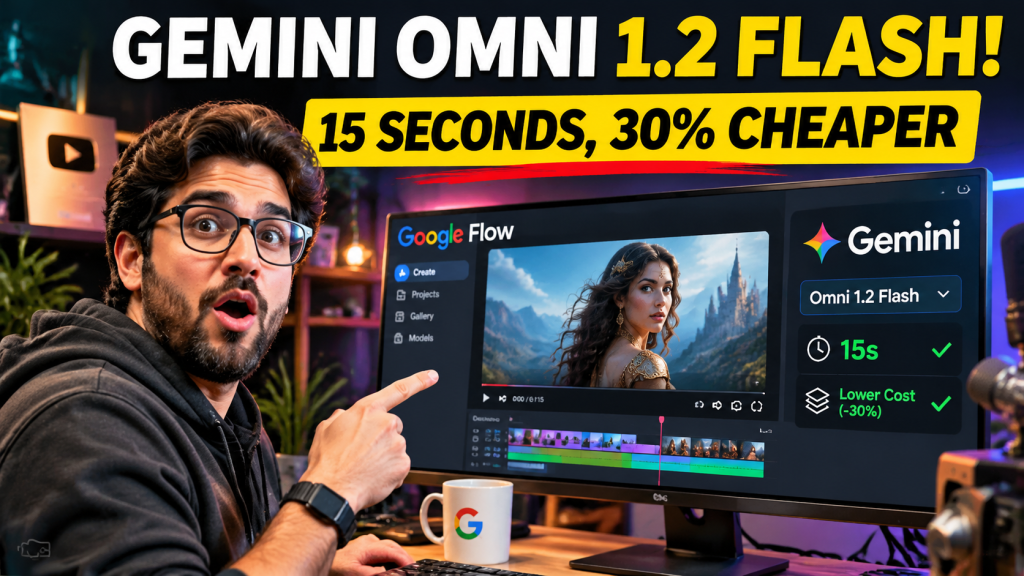
Third, it is not a replacement for clip generators. If you need a finished 15-second video for a client, a tool like Gemini Omni 1.2 Flash is still the right choice, because it renders a polished clip you can download and edit. We covered that model when Google made it generally available on 5 November, and it now makes 15-second clips with native audio at about $0.07 a second. Genie 4 makes a live, temporary world instead. The two tools do different jobs, and Google’s own documentation draws the same line, describing Genie 4 as unlike offline clip generation with Gemini Omni 1.2 Flash. If you want a clip, use Omni. If you want a place to walk through, use Genie 4.
That distinction also explains the pricing. Omni 1.2 Flash costs about $0.07 a second for a finished, downloadable clip. Genie 4 costs about $0.10 a second for a live stream you cannot keep. The extra cost buys interactivity, not quality, and creators should choose on that basis.
Google Genie 4 launch vs Gemini Omni 1.2 Flash
| Genie 4 | Gemini Omni 1.2 Flash | |
|---|---|---|
| What it makes | An interactive world you explore live | A finished video clip you download |
| Output | 720p, 16:9, 24 fps, live stream | Up to 15 seconds, up to 4K with upsampling |
| Audio | Native, real-time, adapts to the scene | Native audio in the clip |
| Control | Keyboard movement plus mid-session text prompts | Prompt and edit, then re-render |
| Session limit | 120 seconds hard cap | 15 seconds per clip |
| Cost | About $0.10 per second | About $0.07 per second at 720p |
| Free tier | No | Paid tier only |
| Best for | Prototyping worlds and interactive scenes | Finished clips for clients and social posts |
The table makes the trade clear. Genie 4 is for exploring an idea. Omni 1.2 Flash is for delivering a video. Most creators will use both, for different jobs, and that is exactly how Google has positioned them.
Bottom line
The Google Genie 4 launch matters because it moves AI video from finished clips to living worlds. You can now step inside a generated scene, change it while you explore, and hear it respond, all from a browser. The access is narrow, the sessions are short, the price is about $0.10 a second, and the worlds drift and forget, so this is a tool for prototyping and experimenting, not for delivering finished video. But the direction is clear. Google went from a research preview on 27 October to a subscriber product on 18 November and a developer API on 19 November, and that speed suggests more access and longer sessions are coming. If you have an Ultra subscription, try Project Genie now. If you have a Pro plan, join the waitlist. If you are a developer, a few dollars of API credit buys a real sense of what interactive video feels like, and that sense is worth having before everyone else catches up.
More AI video news from Zideo Ai
- Gemini GIF Creation: Make Custom GIFs With Omni 1.2 Flash
- Pika Enact Live Directing: Move Actors and Cameras in Real Time
- Kling Image 4.0 Launches with Native 8K and 10 Images Per Prompt
Sources
- Google blog, 18 Nov 2026: Genie 4 is now available in Project Genie: https://blog.google/innovation-and-ai/models-and-research/google-deepmind/genie-4-now-available-project-genie/
- Google developers blog, 19 Nov 2026: Genie 4 now available through the Gemini API: https://blog.google/innovation-and-ai/technology/developers-tools/genie-4-in-gemini-api/
- Google Gemini API pricing, Genie 4 section: https://ai.google.dev/gemini-api/docs/pricing
- Google Genie 4 documentation: https://ai.google.dev/gemini-api/docs/genie