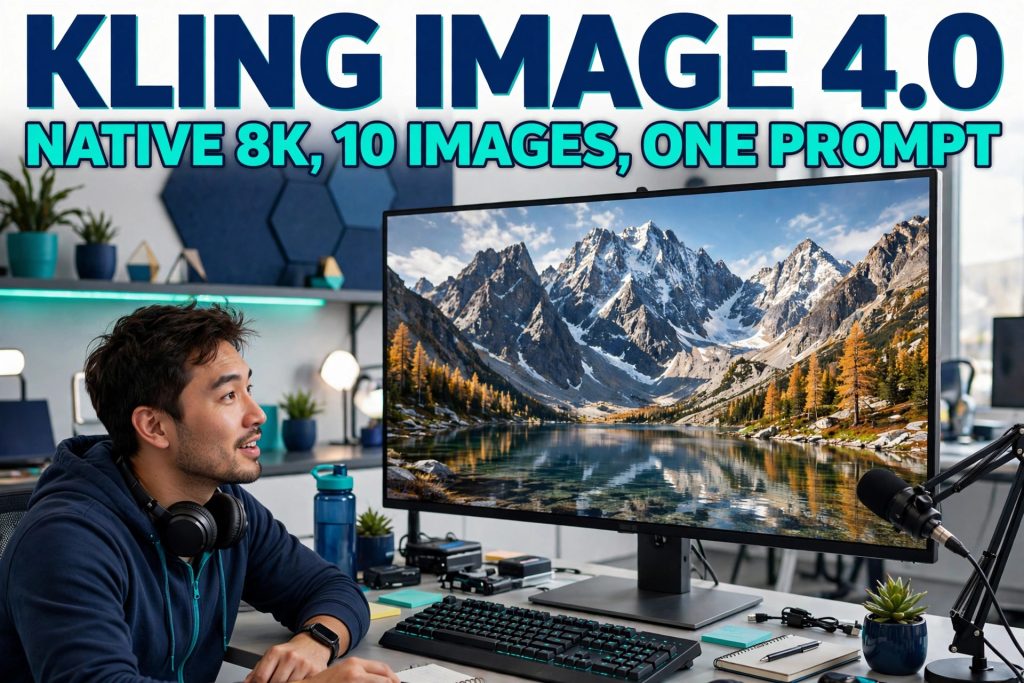
Kling Image 4.0 is here, and it is the biggest AI video news of the week. Kling AI announced the new image model on 17 November 2026, and it matters for video creators because the image is where most AI videos now start: the first frame, the storyboard, the product shot and the poster. Kling Image 4.0 generates still images at native 8K resolution, renders up to 2,000 characters of text inside one image, and turns a single prompt into a set of up to 10 matching images. This post covers that launch, plus the Kling 4.0 video specs behind it, Beeble’s SwitchX 3.0 update for video-to-video work, and Runway’s new speed test of eight video models through its API.
What Is New in Kling Image 4.0
Kling Image 4.0 is an image model, not a video model, but it is built for the same creators who make videos. Kling describes it as photographic in look, with soft lighting, lifelike textures and fine detail, and says it captures subtle facial expressions and places subjects naturally in their surroundings. In group portraits the model varies faces, body types, ages and poses, so a cast does not end up looking like the same person copied ten times.
The headline feature is resolution. Kling Image 4.0 supports AI image generation at native 8K resolution, which Kling says is a first in the industry. The point of 8K is not the number on its own. Fine detail in skin, fabric, product materials and landscapes stays sharp in close-up views and heavy cropping, which is what makes an image usable for large-format displays, outdoor advertising and digital campaigns, not just a social post.
The second headline feature is text. Kling Image 4.0 can place up to 2,000 characters in a single image and keep the text legible, even small text in posters. Creators can edit the text content and font styles inside a generated image, choose from a built-in library of more than 70 preset fonts, or upload a font reference image to guide the style. Text generation works in English, Japanese, Korean, Spanish, Portuguese, simplified Chinese and traditional Chinese. If you have ever watched an AI image generator misspell a poster headline, you will know why this matters: a poster, a thumbnail or a product label is useless with garbled text.
The third headline feature is sets. With one prompt, Kling Image 4.0 can generate up to 10 related images that keep the same subject and visual style while varying framing, camera angles and content. Kling says the model plans the set as a whole instead of generating each image separately. That fits three jobs video creators do every week: storyboards, where shots and narrative flow need to match; e-commerce, where one product needs several angles and selling points; and presentations, where layouts and information need to stay consistent across slides. The model also builds long-form e-commerce product pages and brand website visuals, with text and images editable on separate layers, so a revision does not mean regenerating the whole page.
One independent check backs the launch claims. According to the latest Artificial Analysis image leaderboard, Kling Image 4.0 Preview holds a leading position in both text-to-image and image editing, and its text-to-image results rank third in UIUX Design scenarios. A leaderboard position is not a review, but it is a useful signal that the model is competitive with the best image models available today.
The Video Model Behind It: Kling 4.0 and Kling 4.0 Flash
Kling Image 4.0 follows the recent launch of Kling 4.0, the company’s latest video generation model. Kling’s own release notes say Kling 4.0 became available to everyone on 15 October 2026. The specs, from the same official page, are:
- Clips of 3 to 30 seconds in a single generation.
- Resolution at 720p, 1080p or 4K.
- Up to 10 keyframe images to steer the story beat by beat.
- Omni Reference with up to 15 assets in one generation: up to 10 images, 5 videos and 7 elements, including a voice reference.
- Two-channel stereo audio with lip sync, in Chinese, English, Japanese, Korean, Spanish, Portuguese, German, French, Hindi and more.
- Text generation inside video, plus video editing from up to 5 input clips.
- MCP and CLI support, so agents can run Kling 4.0 workflows.
Two things are still coming, not live. Kling’s release note says 10-bit HDR output at 1080p and 4K is coming soon, and video extension up to 2 minutes in total is also coming soon. Treat both as a roadmap, not a feature you can use today.
Beside the full model sits Kling 4.0 Flash, the faster and cheaper tier. Flash makes clips of 3 to 20 seconds at 720p in 8-bit SDR, and Kling opened it to all users on 4 November 2026. Kling’s API price list puts Flash at $0.094 per second at 720p, against $0.157 per second for the full Kling 4.0 at the same resolution, so Flash costs about 40% less per second. Flash is the draft model: generate fast and cheap, check the idea, then render the final version in the full model. For a closer look at how Kling 4.0 compares with Google’s Veo 3 and Runway, see our Veo 3 vs Runway vs Kling comparison.
Beeble SwitchX 3.0: Change the World, Keep the Performance
Beeble announced SwitchX 3.0 on 10 November 2026, and it is a different kind of AI video tool. SwitchX is a video-to-video model: you film a real performance, then change the background, the lighting and everything around it, while the performance itself stays untouched. Beeble built SwitchX 3.0 on MiniMax H3 and rebuilt it with its own dataset and architecture for one job, video-to-video for professional production.
The core idea is what Beeble calls Source-Locked Rendering. The model uses your alpha matte to lock your performance pixel for pixel, frame for frame, so only the light and the world around it change. A presenter filmed in an office can end up in a subway car, with the same performance, the same timing and the same movement.
SwitchX 3.0 brings four updates over version 2.0:
- Up to four reference images in one job: a wide shot of the set, a prop, a floor plan or a storyboard, and the model builds them into a single shot.
- Dynamic backgrounds: the generated world moves instead of sitting still, so traffic passes, crowds walk, snow falls and fireworks go off behind the performance.
- Camera tracking: handheld, orbit and running shots stay locked to the world with no markers and no matchmove, which is the manual tracking work this replaces.
- Tighter prompt control: you can describe what happens in the scene, how it moves and when, for example pigeons taking flight as an actor runs past, or ceiling lights turning on one by one as someone approaches.
Output goes up to 4K with 10-bit colour, the frame count matches your source footage exactly, and the aspect ratio never changes. Those three details are what make a model usable in real VFX work, where a clip has to cut back into an edit without a re-conform. SwitchX 3.0 is available now in the Beeble cloud app, as a node in the Canvas or on the standalone SwitchX page.

Runway Tests Which Video Models Are Fastest Through an API
Runway published a speed test on its developer blog on 18 November 2026, and it answers a question creators ask every week: how long do you actually wait for a clip? Runway generated the same 5-second clip 15 times through the Runway Dev API for each of eight models and reported the median generation time, from the start of generation to the finished clip.
The results, with Runway Dev list prices current on 18 November 2026:
- MiniMax H3 Max: 3 seconds, $0.08 per second at 768p. A 5-second clip costs $0.40.
- Runway Gen-4 Turbo: 14 seconds, $0.05 per second. A 5-second clip costs $0.25.
- Grok Imagine Video 1.5 Lite: 23 seconds, $0.03 per second. A 5-second clip costs $0.15.
- Gemini Omni 1.2 Flash: 39 seconds, $0.07 per second. A 5-second clip costs $0.35.
- Veo 3.1 Fast: 41 seconds, $0.15 per second with audio. A 4-second clip is its shortest.
- Seedance 2.0 Mini: 1 minute 53 seconds, $0.15 per second.
- Seedance 2.0 Fast: 1 minute 59 seconds, $0.24 per second.
- Seedance 2.5: 2 minutes 22 seconds, $0.30 per second. A 5-second clip costs $1.50.
Two honest notes come with the table. First, these are medians from Runway’s own tests, not guarantees: generation time varies with the prompt and the lab’s capacity at the time. Second, speed and quality pull in opposite directions. Seedance 2.5 is the slowest model in the test and also the one that ranks first for image-to-video on Artificial Analysis as of 10 November 2026. Runway’s own advice is to draft fast and render slow: generate previews with a fast model, and send only the approved prompt to Seedance 2.5 or the model that ranks highest for the job. If you want the cheaper side of that trade, our earlier news post on Gemini Omni 1.2 Flash covers Google’s $0.07 per second model in detail.
What This Means for Creators
If you make thumbnails, posters or product shots, Kling Image 4.0 is the story to test first. Native 8K and legible text fix the two reasons AI images usually fail in real work: they fall apart when cropped or printed large, and they misspell the words on the page. The 10-image set feature is the quieter win. A storyboard or a product page that keeps one character or one product looking the same across ten frames saves more time than any single pretty image.
If you generate video on Kling, use Flash the way Kling intends it. Draft in Flash at $0.094 per second, approve the idea, then render the keeper in the full Kling 4.0. The 30-second single take and the 10 keyframes are the reasons to pay the higher rate: they buy you a complete scene instead of a clip you have to stitch.
If you shoot real footage and want AI backgrounds, SwitchX 3.0 is built for you, not for prompt-only creators. The test is simple: shoot a green screen take, run it through SwitchX, and check whether the performance still feels like your actor. If the lock holds, you have a location you never had to hire.
If you build apps or automations on video APIs, Runway’s table is a planning tool. A 3-second median means a user can watch a preview arrive inside a session. A 2-minute median means the same feature needs a queue, a notification and a different interface. Pick the model for the wait your user will accept, not just for the quality score.
What Still Needs Work
Kling Image 4.0 has no published price in the launch announcement, so check Kling’s pricing page before planning a budget around it. Kling 4.0’s 10-bit HDR and 2-minute video extension are both still marked coming soon in Kling’s own release notes. Runway’s speed figures are medians from its own API, so your times will differ, and the fastest model in the test, MiniMax H3 Max, ranks seventh for text-to-video on Artificial Analysis, which is a reminder that fast and best are not the same thing. None of these are reasons to ignore the news, but they are reasons to test before you commit.
FAQ
When did Kling Image 4.0 launch?
On 17 November 2026, announced by Kling AI. It offers native 8K output, up to 2,000 characters of text in one image, and up to 10 cohesive images from a single prompt.
Is Kling Image 4.0 a video model?
No. It is an image generation model. It matters for video creators because it makes first frames, storyboards, posters, thumbnails and product shots, which are the starting points for most AI video work.
How long are Kling 4.0 video clips?
Kling 4.0 generates clips of 3 to 30 seconds in one pass. Kling 4.0 Flash, the faster tier, makes clips of 3 to 20 seconds at 720p.
What is Beeble SwitchX 3.0?
A video-to-video model that changes the environment around a filmed performance while keeping the performance locked to the source. It supports up to four reference images and outputs up to 4K with 10-bit colour.
Which video model is fastest through an API?
In Runway’s test published 18 November 2026, MiniMax H3 Max was fastest with a median of 3 seconds for a 5-second clip, followed by Runway Gen-4 Turbo at 14 seconds and Grok Imagine Video 1.5 Lite at 23 seconds.
How We Checked This Post
Every fact in this post was checked against an official source on 18 November 2026: Kling AI’s own launch announcement for Kling Image 4.0 and Kling’s own release notes for Kling 4.0 and Kling 4.0 Flash specs; Beeble’s own announcement page for SwitchX 3.0; and Runway’s own developer blog for the speed test and prices. The Kling 4.0 Flash launch date and API price are Kling’s published figures as reported identically by several independent sources. Prices and speeds are the companies’ stated figures, not independent test results. For tool comparisons and tutorials, see our guides to the best AI video generator tools and our Veo 3 vs Runway vs Kling comparison.