An explainer video has one job: make a stranger understand your product, your service or your idea in under two minutes. Done well, it replaces a sales call, a long landing page and a ten-slide deck. Done badly, it is a slideshow with a robot voice that nobody finishes.
AI explainer video tools changed who can make one. You no longer need an animator, a voice actor and a video editor. You paste a script, pick a style, and the tool builds the scenes, the narration, the captions and the music. A small business, a teacher, a course creator or a marketing team can now ship a polished explainer in an afternoon.
The short answer: Synthesia is the best AI explainer video tool for most people, because a realistic avatar presenter, 140 or more languages and a clean script-to-video workflow cover the most common explainer jobs. Vyond is best for animated explainer videos with characters and scenes. Powtoon is best for fast, colourful animated explainers on a small budget. Pictory is best for turning a blog post or a document into an explainer. Animoto is best for simple photo and clip explainers with music. InVideo is best for cinematic AI-generated explainer scenes. Renderforest is best for branded explainers built from ready-made templates.
This guide compares 7 AI explainer video tools on the things that decide the purchase: how the video gets made, what a 2-minute explainer really costs, whether it uses an avatar, animation or real footage, and whether the output is clean enough to put on your homepage. Every price below was checked on 13 November 2026. Where a vendor’s own pricing page would not show its prices in a readable form, this guide says so instead of printing a guess.
How to pick AI explainer video tools
Five questions decide which of these AI explainer video tools fits you. Answer them before you pay.
- Who should appear in the video? A realistic presenter means Synthesia. Animated characters mean Vyond or Powtoon. No presenter at all, just scenes and text, means Pictory, Animoto or InVideo.
- Where does the video start? From a script means Synthesia, Vyond or Powtoon. From a blog post or document means Pictory. From a prompt means InVideo or Vyond Go. From photos and clips means Animoto or Renderforest.
- How long and how many? One explainer a month is a different budget from ten. Credit-based plans punish heavy use, so check the allowance, not just the headline price.
- Does it need to work in more than one language? A product sold in three countries needs three versions. Synthesia, Vyond and Powtoon translate, but they charge differently.
- What does the free plan actually let you publish? Free tiers are for testing, not for your homepage. Watermarks, 720p exports and no downloads are normal. Never put a watermarked video on a sales page.
The 7 best AI explainer video tools at a glance
| Tool | Entry paid plan | Free option | Starts from | Presenter style | Best for |
|---|---|---|---|---|---|
| Synthesia | Starter $19/mo ($14 annual) | Basic $0, watermark, share link only | Script | Realistic AI avatar | Best overall explainer |
| Vyond | Business $99/mo ($58 annual) | No free plan | Prompt, script, document | Animated characters | Animated character explainers |
| Powtoon | Lite $15/mo billed yearly | Free, 720p, watermark | Script, prompt | Animated characters | Fast colourful explainers |
| Pictory | Starter $29/mo ($25 annual) | 14-day trial, 300 credits | Script, blog post, URL | Stock avatars, scenes | Document to explainer video |
| Animoto | Basic $19/mo ($9 annual) | Free, 720p, watermark | Photos, clips, script | None, scenes and text | Simple photo explainers |
| InVideo | Starter $20/seat/mo ($10 annual) | Free plan, limited credits, watermark | Prompt, script | None, AI-generated scenes | Cinematic AI explainer scenes |
| Renderforest | Lite $15/mo ($9 annual) | Free $0, 720p, watermark | Templates, script | None, templates | Branded template explainers |
Prices checked 13 November 2026. Annual prices are the per-month rate when billed yearly.
1. Synthesia: the best AI explainer video tool overall
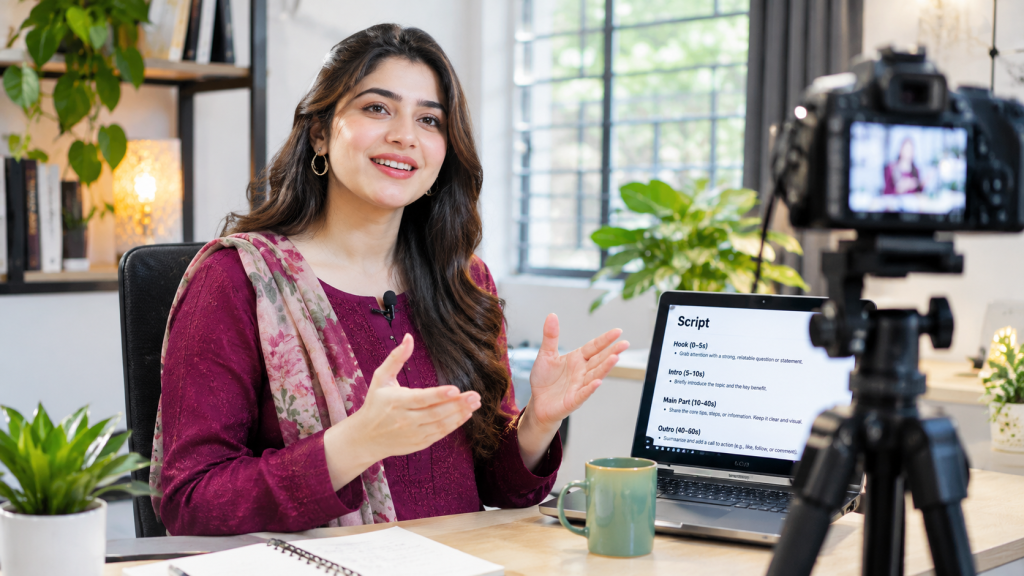
Synthesia is the most direct route from a script to a finished explainer. You type or paste your script, pick one of 125 or more AI avatars on the Starter plan, choose a background or a template, and the avatar presents your words on camera. No filming, no microphone, no editing timeline. When the script changes, you edit the text and re-render, which is exactly how explainer scripts behave in real life.
The avatar quality is the reason Synthesia leads this list. The presenters look and sound like real people, with natural gestures and lip movement, and the Pro plan adds personal avatars, so the presenter can be a digital version of you. Interactive videos on Pro can carry a clickable call to action inside the video, for example a Book a demo button, which turns an explainer into a lead tool rather than a brochure.
Languages are the second strength. Synthesia works in 140 or more languages and voices on all plans, with AI dubbing in 70 or more languages on Basic, Starter and Pro. One-click translation into 140 or more languages is an Enterprise feature, so check your plan before you promise a multilingual version to a client.
Pricing was verified on Synthesia’s official pricing page on 13 November 2026. Basic costs $0 and includes 500 credits a month, 10 minutes of Studio video or dubbing a month, 9 AI avatars and 60 or more templates, but videos carry a watermark and cannot be downloaded, only shared by link. Starter costs $19 a month, or $14 a month billed annually, with $9 for the first month, and includes 1,250 credits a month, about 12 extra minutes of video a month on top of the free allowance, Full HD downloads, no watermark and 125 or more avatars. Pro costs $89 a month, or $59 a month billed annually, with $49 for the first month, and includes 6,000 credits a month, about 60 extra minutes of video a month, 180 or more avatars, 5 personal avatars and interactive videos. Enterprise is a custom quote with unlimited video minutes and one-click translation into 140 or more languages.
The honest limit: Synthesia makes presenter-led videos, an avatar talking to camera with slides and graphics behind them. It is not an animation tool, and it will not generate cinematic scenes of your product in use. For the wider avatar field, read our guide to the best AI avatar video tools: https://zideoai.online/best-ai-avatar-video-tools-explained/
Synthesia best fit
Pick Synthesia if you want a professional presenter without filming, or explainers in several languages. Skip it if you want animated characters or cinematic product scenes.
2. Vyond: the best AI explainer video tool for animated characters

Vyond is the classic animated explainer tool, and it is still the strongest choice when your explainer needs characters. It offers 1,300 or more avatar options plus customisable animated characters in Whiteboard, Contemporary and Business Friendly styles, with charts, infographics, props and scenes you can recolour to match your brand. A character can walk into a scene, point at a chart, and explain a process step by step, which is the format most people picture when they hear the words explainer video.
Vyond Go is the AI side. Give it a prompt, a document, a script or a URL and it generates a script and a video draft. It also turns text into images and avatars, translates captions and on-screen text into 95 languages, and records your screen and webcam for the parts of an explainer that need a real screen. Professional adds team collaboration, 4 million or more Shutterstock assets and instant translation into 95 languages. Enterprise adds voice cloning and brand management.
Pricing is the warning. Vyond is the most expensive tool in this comparison, verified on vyond.com/pricing on 13 November 2026. Business costs $99 a month, or $58 a month billed annually, and includes 10,000 credits a month, 100 video downloads a month and videos up to 25 minutes long. Professional costs $199 a month, or $100 a month billed annually, and includes 20,000 credits a month, 200 downloads a month and videos up to 40 minutes. Enterprise costs $137 a month per user billed annually, annual subscription only, with virtually unlimited credits and videos up to 90 minutes. Agency costs $167 a month per user billed annually, with 400,000 credits a month. There is no free plan listed on the pricing page.
Credit costs matter here. One Vyond Go generation costs 800 credits, so the Business plan’s 10,000 credits buy about 12 generated videos a month. Avatar speech costs 40 to 50 credits per 10 text characters, so a long scripted explainer with an avatar voice can eat credits fast. Budget on credits, not on the headline price.
Vyond best fit
Pick Vyond if your explainer needs animated characters, charts and scenes, and the budget allows it. Skip it if you need a free plan or a cheap monthly subscription.
3. Powtoon: the best AI explainer video tool for fast, colourful explainers

Powtoon is the quickest tool here for a bright, animated explainer. It has been making character-led explainers for years, and its current version adds an AI suite on top: Anything to Video generates a video from a prompt, AI image generation uses Google Nano Banana, AI clip generation uses Veo, text to speech uses ElevenLabs, and avatar lip-sync uses HeyGen. You get the cartoon explainer style with modern AI models doing the heavy work.
The template library is the practical advantage. Powtoon has purpose-built scenes and characters for product explainers, training videos, onboarding and sales pitches, and the editor lets you control camera movement, custom characters, lip-sync and brand colours. Paid plans include commercial rights, so the video can go on a sales page, and exports go to MP4, PowerPoint or PDF, plus direct upload to YouTube and Vimeo.
Pricing was verified on Powtoon’s official pricing page on 13 November 2026, and it carries a Black Friday 2026 offer, so the Advanced price below is a promo price. Free costs $0 and includes 720p video, up to 3 minutes per video, screen recording and basic templates and characters, with a Powtoon watermark. Lite costs $15 a month billed yearly and includes watermark removal on 5 exports a month, MP4 downloads in 1080p, up to 10 minutes per video and 300 AI credits a year. Professional costs $40 a month billed yearly and includes full access to all content and templates, unlimited premium exports, camera movement control, up to 20 minutes per video and 500 AI credits a year. Advanced costs $40 a month billed yearly under the Black Friday offer, against a regular $125 a month billed yearly, and includes full character customisation and branding, character lip-sync, upload of your own fonts, up to 30 minutes per video and 1,200 AI credits a year. Monthly prices are not shown on the pricing page, only yearly billing.
The credit maths needs a warning. Powtoon says 300 credits buy up to 23 Anything to Video generations, so one generation costs about 13 credits. That means Lite’s 300 credits a year buy about 23 AI-generated videos a year, or roughly 2 a month. If you make explainers every week, you will need extra credit packs, sold at 125 credits for $49, 300 credits for $99 and 450 credits for $149.
Powtoon best fit
Pick Powtoon if you want a bright animated explainer fast and cheap, and you make a few a month. Skip it if you make explainers every week, because the yearly credit allowance will run out.
4. Pictory: the best AI explainer video tool for turning documents into video

Pictory is the strongest tool here when your starting point is words you already wrote. Paste a blog post, a help article, a product page URL or a PowerPoint file, and Pictory splits it into scenes, matches stock visuals from Getty Images and Storyblocks, adds an ElevenLabs voiceover, music and captions. It is the fastest way to turn written content into an explainer, and the AI video agent will brief and refine the video it builds.
The stock library is the reason the output looks professional. Starter includes more than 5 million royalty-free videos, Professional raises that to more than 18 million, and the video models include Veo 3.1 for generated clips. Exports run in 16:9, 9:16 and 1:1, so the same explainer can go on your homepage, Reels and a square social post. Professional adds cloned avatars and voice clones, so a presenter can deliver your script without filming.
Pricing was verified on Pictory’s official pricing page on 13 November 2026. Starter costs $29 a month, or $25 a month billed annually, and includes up to 30 video minutes a month, 24,000 generative AI credits a year, 1 user and 1 brand kit. Professional costs $59 a month, or $29.50 a month billed annually as a Black Friday offer, and includes up to 90 video minutes a month, cloned avatars, voice clones and 5 brand kits. Teams costs $199 a month, or $119 a month billed annually, and includes up to 300 video minutes a month and 3 or more users. The free trial gives 14 days, 300 generative AI credits for about 10 minutes of video, no credit card required, with a Pictory watermark and 720p exports.
The honest limit: Pictory builds explainers from stock footage and generated clips, not from a presenter or animated characters, so the result can feel generic if you do not customise the script and the visuals. For the document-to-video workflow in a different niche, our guide to AI video tools for real estate agents shows the same idea applied to listings: https://zideoai.online/best-ai-video-tools-for-real-estate-agents/
Pictory best fit
Pick Pictory if you already have written content and want it turned into explainers with stock footage and a natural voice. Skip it if you need an avatar presenter or animated characters.
5. Animoto: the best AI explainer video tool for simple photo explainers

Animoto is the simplest tool in this comparison, and sometimes simple wins. You upload photos and short clips, add text overlays for the key points, pick licensed music, and export a clean video. Its AI video maker can take a URL and build a video from the page text, photos and videos, which makes it a fast route from a product page to a short explainer.
The strength is speed and polish without a learning curve. There is no timeline to master and no avatar to configure. Professional plans add one-click branding with Saved Brands, a logo watermark, brand colours and custom video landing pages with a call to action button, so the explainer can live on a branded page with a button underneath. All plans advertise unlimited video creation, which is rare in this list.
Pricing was verified in a live browser check on 13 November 2026, because Animoto’s pricing page renders its prices in JavaScript and a text read returns no figures. Free costs $0, makes unlimited videos at 720p with an Animoto watermark, and includes 50 royalty-free music tracks and a limited stock library. Basic costs $19 a month, or $9 a month billed annually, removes the watermark and adds 1080p downloads. Professional costs $29 a month, or $19 a month billed annually, and adds the logo watermark and brand colours, voice-over, 3,000 or more licensed music tracks, more than 1 million Getty Images Select stock photos and videos and 4K export. Professional Plus costs $79 a month, or $39 a month billed annually, and adds 3 user seats, team workspaces and more than 100 million Getty Premium stock photos and videos.
The honest limit: Animoto has no avatar and no animation, so it cannot make a presenter-led or character-led explainer. It is a slideshow and clip tool, and it shows. For social explainers, our guide to the top AI video tools for social media creators covers the wider field: https://zideoai.online/top-ai-video-tools-for-social-media-creators/
Animoto best fit
Pick Animoto if you want the fastest, simplest explainer from photos and clips, with unlimited videos. Skip it if you need a presenter, an avatar or animation.
6. InVideo: the best AI explainer video tool for cinematic AI scenes
InVideo is the most ambitious tool in this comparison, and the one that feels most like a film crew. Its AI agent builds a base cut from your prompt or script, opening on a strong visual, then moving through the scenes. You can upload your own photos and footage and combine both in one timeline. Models including Seedance 2.5, Seedance 2.0 and Veo can animate a still image or generate a hero opener, and the timeline editor supports multiplayer editing with colour, audio and 3D tools.
The cost model is credit-based, so the maths matters. Seedance 2.0 Fast costs about 30 credits per video clip, and the page’s own calculator shows 8 Seedance 2.0 Fast videos using 240 credits. A 2-minute explainer built from 3 generated clips uses roughly 90 credits, plus Nano Banana Pro images at about 2.5 credits each. Editing itself costs nothing, only generation does, and unused credits do not roll over.
Pricing was verified on invideo.io/pricing on 13 November 2026. Starter costs $20 a seat a month, or $10 a seat a month billed annually, and includes 400 credits a seat a month, 100 premium stock footage downloads and 200 GB storage. Plus costs $60 a seat a month, or $30 billed annually, and includes 2,000 credits, 200 stock downloads and 600 GB. Max costs $75 a seat a month billed annually, and includes 5,000 credits, 500 stock downloads and 2,000 GB. The monthly Max price is printed as $150 a seat a month by secondary sources, but the fetched official page text only shows the $75 annual figure and a $885 yearly saving, so treat $150 as the best-supported figure. The free plan costs $0 with no card required, gives limited credits that reset weekly, and exports carry an InVideo watermark. InVideo does not publish the exact free credit amount.
Two warnings from the pricing page itself. First, Seedance 2.5 at 1080p is not on Starter, so the best-looking clips need Plus or Max. Second, the credit prices can change without notice, so check the checkout total before you pay. For the wider generator question, read our comparison of Veo 3, Runway and Kling: https://zideoai.online/veo-3-vs-runway-vs-kling/
InVideo best fit
Pick InVideo if you want the most cinematic explainer scenes and you are comfortable checking every AI-generated detail against the real product. Skip it if you want a simple slideshow tool or a predictable per-video price.
7. Renderforest: the best AI explainer video tool for branded templates

Renderforest is the template specialist in this list. It offers ready-made explainer templates for product launches, service introductions, app promos and company overviews, with your logo, colours and fonts applied across the whole video. You pick a template, swap in your text and images, add a voiceover, and export. It also makes logos, intros, mockups and websites, so a small business can keep its whole brand kit in one place.
The appeal is consistency. A team that needs ten explainers in the same brand style will get them faster from templates than from a blank canvas, and the paid plans remove watermarks and unlock HD and 4K exports. The Business plan is the one Renderforest names for unlimited 4K videos.
Pricing was verified on Renderforest’s official pricing page in a live browser check on 13 November 2026. Free costs $0 and includes template videos in 720p with a small Renderforest watermark, up to 3 minutes per template video, 60 AI credits plus 10 a day, and AI exports in 480p with a watermark. Lite costs $15 a month, or $9 a month billed annually, and includes 5 720p template exports a month with no watermark, 1,000 credits a month and about 4 minutes of 720p AI video a month. Pro costs $39 a month, or $19 a month billed annually, and includes unlimited 1080p template exports and 2,400 credits a month. Business costs $59 a month, or $39 a month billed annually, and includes unlimited 4K template exports and 6,000 credits a month.
Renderforest best fit
Pick Renderforest if you want branded template explainers and you already use it for logos or intros. Skip it if you need an avatar presenter.
What one explainer video really costs
Subscription prices hide the real question, which is what you pay for one finished 2-minute explainer. The table below uses each tool’s entry paid plan on monthly billing, except Powtoon, where only yearly billing is published.
| Tool and plan | Monthly price | 2-minute explainers included | Cost per explainer |
|---|---|---|---|
| Synthesia Starter | $19 | About 11 | About $1.73 |
| Vyond Business, Vyond Go | $99 | About 12 | About $8.25 |
| Powtoon Lite, annual billing | $15 | About 2 a month | About $7.83 |
| Pictory Starter | $29 | About 15 | About $1.93 |
| Animoto Professional | $29 | Unlimited videos | About $2.90 at 10 videos a month |
| InVideo Starter | $20 | About 4 | About $5.00 |
| Renderforest Lite | $15 | About 5 | About $3.00 |
The cheapest subscriptions are not automatically the cheapest videos, because the allowance decides the maths. Powtoon looks cheap at $15 a month, but its yearly credit allowance only buys about 2 AI-generated explainers a month, so the per-video cost is high. Vyond looks expensive, but 12 generated videos a month on Business is a real workload. Synthesia and Pictory are the cheapest per video on their entry plans, because their allowances are generous for 2-minute explainers.
Worked example: 10 explainer videos a month, one video each
Take a real workload: a small business makes 10 two-minute explainers a month, 20 finished minutes in total.
On Synthesia Starter, the free allowance plus 1,250 credits give about 22 minutes a month, so 10 videos fit on the $19 plan. On Pictory Starter, 20 minutes fits inside the 30-minute allowance on the $29 plan. On Animoto Professional, all plans advertise unlimited video creation, so 10 videos fit, and the bill is $29 a month. On Vyond Business, 10 Vyond Go generations use 8,000 of the 10,000 monthly credits, so the workload fits on the $99 plan, or $58 a month billed annually. On InVideo Starter, 10 explainers need about 900 credits against 400 included, so the workload does not fit, and you need Plus at $60 a month, or $30 billed annually, where 2,000 credits cover it easily. On Powtoon Lite, 10 AI-generated explainers a month need about 130 credits a month, but Lite only gives 300 credits a year, so the workload does not fit without buying extra credit packs. On Renderforest Lite, 10 template explainers do not fit, because Lite only includes 5 template exports a month, but they fit on Pro at $39 a month, or $19 a month billed annually, with unlimited 1080p template exports.
The same 10 explainers, and the bill runs from $19 to $99 a month, with Powtoon, InVideo Starter and Renderforest Lite all failing the workload on their entry plans.
How to make an explainer video in 5 steps
- Write the script before you open the tool. Lead with the problem, then the solution, then the three best features, then the call to action. A 2-minute explainer needs about 250 to 300 words of narration. Fix the facts first, because every tool here will repeat your mistakes. For voiceover quality, our guide to AI voiceover for videos covers the wider field: https://zideoai.online/ai-voiceover-for-videos/
- Pick the tool for the explainer, not the brand. A presenter means Synthesia. Animated characters mean Vyond or Powtoon. A document to video means Pictory. Photos and clips mean Animoto. Cinematic scenes mean InVideo. A branded template means Renderforest.
- Make the 16:9 version first, then cut the vertical. Build the full explainer for your homepage and YouTube, then cut a 30-second vertical version for Reels and TikTok with the key point and call to action on screen.
- Check the video against the real product before you publish. Watch it full screen, check the price, the feature list and the web address, and check that any AI-generated scene matches the real product. A wrong price in a video is worse than no video at all.
- Publish with captions on, and put it above the fold. Most social viewers watch on silent, so captions are not optional, and an explainer buried at the bottom of the page helps nobody. For the full checklist before you publish any AI video, read our guide to the 7 AI video mistakes to avoid: https://zideoai.online/7-ai-video-mistakes-to-avoid/
4 mistakes to avoid with AI explainer video tools
- Publishing a watermarked free video on your homepage. Free plans are for testing. A watermark tells visitors you would not spend a few dollars on your own product. Pay for one month and make the video clean, then decide.
- Letting AI invent the product. AI tools hallucinate details, and a generated feature that does not exist is a misrepresentation. Use real screenshots, photos and footage for the product itself, and label AI-enhanced scenes where the tool advises it.
- Buying the wrong plan for your volume. On Powtoon, the yearly credit allowance only covers about 2 AI-generated explainers a month on Lite. On InVideo Starter, 10 explainers a month need more than double the included credits. Count your monthly videos before you pay.
- Making one format and stopping. A 16:9 explainer on your homepage reaches almost nobody on its own. The same explainer needs a vertical cut for Reels and TikTok and a square cut for Facebook.
FAQ
What is the best AI explainer video tool?
Synthesia is the best AI explainer video tool for most people, because a realistic avatar presenter, 140 or more languages and a clean script-to-video workflow cover the most common explainer jobs. Vyond is best for animated character explainers, Powtoon for fast colourful explainers on a small budget, Pictory for turning documents into explainers, Animoto for simple photo explainers, InVideo for cinematic AI scenes and Renderforest for branded templates.
Can I make an explainer video for free?
Yes, with limits. Synthesia, Powtoon, Animoto, InVideo and Renderforest all have free plans, and Pictory offers a 14-day trial. All free options are watermarked or capped, and none is suitable for a homepage or a sales page. Vyond has no free plan listed on its pricing page. Our guide to the best free AI video tools for beginners shows how to test these tools before paying: https://zideoai.online/best-free-ai-video-tools-for-beginners/
How much does one AI explainer video cost?
On the entry paid plans that could be priced on 13 November 2026, a 2-minute explainer costs about $1.73 on Synthesia Starter, about $1.93 on Pictory Starter, about $2.90 on Animoto Professional at 10 videos a month, about $5.00 on InVideo Starter and about $8.25 on Vyond Business. Powtoon Lite works out at about $7.83 per AI-generated explainer on annual billing. Renderforest Lite works out at about $3.00 per template explainer, based on 5 template exports a month for $15.
Do I need to film anything to make an explainer video?
No. Synthesia presents your script with an avatar, Vyond and Powtoon use animated characters, and Pictory, Animoto and InVideo build explainers from text, photos and generated scenes. You only need to film if you want a real walkthrough or a real product demo in the video. For a faceless channel alongside your explainers, our guide to the best AI tools for faceless YouTube channels shows the wider options: https://zideoai.online/best-ai-tools-for-faceless-youtube-channels/
Can AI explainer video tools translate my video into other languages?
Yes. Synthesia dubs into 70 or more languages, with one-click translation into 140 or more on Enterprise. Vyond translates captions and on-screen text into 95 languages on Professional. Powtoon offers AI translation and dubbing through credits. For the full translation comparison, read our guide to the best AI video translation tools: https://zideoai.online/best-ai-video-translation-tools/
Are AI explainer videos good for YouTube?
Yes, if they are specific and honest. A 2-minute explainer that answers one question well can rank and bring traffic for months. A generic slideshow with a robot voice will not. For YouTube editing, our guide to AI video editing tools for YouTube covers the editing side: https://zideoai.online/ai-video-editing-tools-for-youtube/
How we checked the prices
Every price in this guide was checked on 13 November 2026. Synthesia, Vyond, Powtoon, Pictory and InVideo prices were read directly from the vendors’ own pricing pages on that day. Animoto and Renderforest prices were verified in a live browser check on the same day, because Animoto’s pricing page renders prices in JavaScript and a text read returns no figures. Renderforest prices were verified in the live browser on 13 November 2026. Synthesia’s annual prices, Pictory’s Professional price after its Black Friday offer ends and InVideo’s Max monthly price are also flagged as unconfirmed. Always confirm the checkout total before you pay.
Verdict
If you make explainers for a business, a course or a product, start with Synthesia. It is the fastest route from a script to a professional presenter-led video, and at about $1.73 per 2-minute explainer on Starter it is also one of the cheapest per video. If your explainer needs animated characters and the budget allows it, use Vyond. If you want a bright animated explainer fast and cheap, try Powtoon, but count the yearly credits first. If you start from written content, use Pictory. If you start from photos and clips, use Animoto. If you want cinematic AI scenes, use InVideo, and check every generated detail against the real product. If you want branded templates, try Renderforest, and check its prices in a live browser first. Whichever tool you pick, write the script first, verify every fact, and make the vertical cut, because that is where your audience is watching.