Your video is in English, but half your audience speaks Spanish, Hindi or Arabic. Until recently, reaching them meant hiring a studio, paying 50 to 150 dollars per finished minute, and waiting weeks. AI video translation tools changed that. You upload a video, pick a target language, and get back a dubbed version in a clone of the speaker’s voice, sometimes with the lips re-synced to match. On clear audio, AI translation now reaches 90 to 98 percent accuracy, according to translation agency Travod’s 2026 figures, at a fraction of studio prices.
The short answer: HeyGen is the best AI video translation tool for most people, because it combines lip-synced dubbing in 175+ languages with the cheapest real per-minute rate. ElevenLabs has the most natural voices but dubs audio only, with no lip-sync on the video itself. Rask AI is the best choice for translating a whole back catalogue at volume. Synthesia is the right pick when the video is an avatar-led training course. VEED and Kapwing are the best options when you want translation inside a full video editor. Dubverse is the cheapest entry point, and the strongest for Indian languages.
This guide compares 7 AI video translation tools on the things that actually decide the purchase: lip-sync, language count, voice cloning, what a finished dubbed minute costs, and what you can try for free. Every price below was checked on 12 November 2026. Where a vendor’s own pages disagree, or where a page would not load for a direct check, this guide says so instead of printing a guess.
How to pick an AI video translation tool
Five questions decide which of these AI video translation tools fits you.
- Do you need lip-sync? If the video shows a person talking to camera, lip-sync matters, because a dubbed voice over unmoving lips looks wrong. If the video is a voiceover over slides or B-roll, lip-sync is wasted money.
- How many languages? Counts are not comparable across vendors, because they mix languages, dialects and accents, and the longest lists often sit on the highest plan. Check that your exact target languages are covered on the plan you will buy.
- Is the voice cloned, or a stock voice? A clone of the original speaker sounds like the same person in every language. A stock voice sounds like a different narrator. Cloning needs the speaker’s consent, and it usually costs more credits or sits on a higher plan.
- How are minutes counted? Almost every tool counts minutes of finished dubbed output, per target language. A 10-minute video dubbed into 3 languages consumes 30 minutes of allowance, not 10. This is the single most common budgeting mistake.
- What does the free plan actually let you do? Free tiers are for testing, not production. Watermarks, one-minute caps and no commercial use are normal. Test with your real footage before you pay.
The 7 best AI video translation tools at a glance
| Tool | Entry paid plan | Free option | Languages | Lip-sync | Voice cloning | Best for |
|---|---|---|---|---|---|---|
| HeyGen | $29/mo ($24 annual) | 3 videos/mo | 175+ | Yes | Yes | Best overall, lip-synced dubbing |
| Rask AI | $39/mo ($28 annual) | 3-min trial | 135+ | Creator Pro only | Yes, 32 languages | Volume localization |
| ElevenLabs | $6/mo ($5 annual) | 10,000 credits/mo | 90+ | No | Yes | Best voice quality, audio only |
| Synthesia | $19/mo | 10 min/mo | 70+ (140+ Enterprise) | Yes, 2x credits | Yes | Avatar-led training videos |
| VEED | $24/mo annual ($49 monthly) | 1 min voice translation/mo | 125+ subtitles, 50+ dubbing | Yes | Yes | Translation inside an editor |
| Kapwing | $24/mo ($16 annual) | 10 credits | 60+ translate, 40+ dubbing | Business only | Business only | Short social clips |
| Dubverse | $18/mo ($9 annual) | 2-day trial | 60+ | Enterprise only | Supreme only | Cheapest entry, Indian languages |
Prices checked 12 November 2026. Annual prices are the per-month rate when billed yearly.
1. HeyGen: the best AI video translation tool overall
HeyGen is the tool to start with. Its Video Translate feature takes an uploaded video or a YouTube link, translates it into up to 10 languages per job, and returns lip-synced video in the speaker’s cloned voice. On paid plans it covers 175 languages and dialects, the widest list in this comparison, and it also detects multiple speakers, so an interview with two people comes back with two distinct voices.
The pricing is credit-based, and the credits are shared across everything HeyGen does, not just translation. The Free plan costs $0 and gives you up to 3 videos a month, each up to 1 minute, with a watermark and 30+ languages. The Creator plan costs $29 a month, or $24 a month billed annually, and includes 600 credits a month, 1080p export, voice cloning and 175 languages. Pro starts at $49 a month for 1,000 credits and adds 4K export. Business costs $149 a month plus $20 per seat. Unused credits roll over for one more month on monthly billing, and accumulate all year on annual billing. Creator and Pro users cannot buy credit top-ups, so if you run out, the only move is to upgrade. Prices checked on https://www.heygen.com/pricing on 12 November 2026.
What does a translated minute cost? HeyGen charges translation in credits, and the rate rises with lip-sync quality. Published rates put lip-synced translation at about 5 credits a minute, which means Creator’s 600 credits buy about 120 lip-synced minutes a month, or about $0.24 per finished minute. Audio-only translation costs fewer credits per minute. HeyGen shows the exact cost in the app before you generate, and rates can vary by account and region, so treat the 5-credit figure as the published rate, not a promise.
What HeyGen costs
HeyGen’s own pricing page lists Free at $0, Creator at $29 a month or $24 billed annually with 600 credits, Pro from $49 a month with 1,000 credits, and Business at $149 a month plus $20 per seat. If you also generate the video itself, not just translate it, read our comparison of Veo 3, Runway and Kling first, because the tool that makes your video decides how much translation you need: https://zideoai.online/veo-3-vs-runway-vs-kling/
HeyGen best fit
Pick HeyGen if you make talking-head videos, ads, training clips or executive messages and you want the dub to look as well as sound right. Skip it if you only need audio, because you pay for lip-sync and video features you will not use. The free plan is genuinely useful for a real test: translate one minute of your actual footage and watch the lips before you spend anything.
2. Rask AI: the best AI video translation tool for volume
Rask AI is built for one job: taking a library of existing videos into many languages at once. It translates into 135+ languages, clones voices in 32 of them, detects multiple speakers, and lets you edit the transcript and voice settings before the final dub. It also translates on-screen text in your videos and handles batches of videos in several languages in one project, which is why YouTubers and course creators with a back catalogue keep coming back to it.
Rask AI bills in minutes of finished translated video, per target language. The free trial gives you 3 minutes. The Creator plan costs $39 a month for 25 minutes, or $28 a month billed annually ($329 a year for 300 minutes). Creator Pro costs $99 a month for 100 minutes, or $67 a month billed annually ($799 a year for 1,200 minutes), and adds multi-speaker lip-sync. Business costs $249 a month for 250 minutes, or $167 a month billed annually ($1,999 a year for 3,000 minutes). Extra minutes cost $3 each on Creator Pro and Business. On annual plans, unused minutes do not expire at month end, while on monthly plans they are lost at renewal. Prices checked on https://rask.ai/pricing on 12 November 2026.
Two catches decide whether Rask AI fits you. First, lip-sync is not on the Creator plan at all, and on Creator Pro it consumes 3 minutes of quota for every 1 finished minute, so Creator Pro’s 100 minutes become about 33 lip-synced minutes. Second, the per-minute price is high: Creator works out at $1.56 per translated minute, or about $1.10 on annual billing, which is roughly six times HeyGen’s lip-synced rate. Rask AI wins on workflow, not on price.
Rask AI best fit
Pick Rask AI if you have dozens of videos to localize, you need batch processing and a proper editor for the translated script, and your videos are mostly voiceover or B-roll where lip-sync is optional. Skip it if you need lip-sync on a tight budget, or if you translate only a few short videos a month, because the entry plan is expensive for the minutes it gives you. For creators building a faceless channel in several languages, pair it with our guide to the best AI tools for faceless YouTube channels: https://zideoai.online/best-ai-tools-for-faceless-youtube-channels/
3. ElevenLabs: the best voices, but audio only
ElevenLabs has the most natural-sounding AI voices in this comparison, and its Dubbing feature is the benchmark other tools are judged against. Its Dubbing v2 model, the default since May 2026, works from the original audio rather than a transcript, carries the speaker’s intonation and emotion across languages, and times the new speech to the original. It covers 90+ languages and accents, and it clones the speaker automatically.
The catch is in the name. ElevenLabs dubs audio, not video. You upload a video, pick your languages, and download dubbed audio. There is no lip-sync on the video itself, so you need a video editor to put the new audio back onto the picture. In June 2026 ElevenLabs launched Avatars inside ElevenCreative, a talking-head generator that pairs its speech models with lip-synced script-to-video output, but for translating an existing real video, the output is still audio only.
Pricing is credit-based, and every product shares one monthly pool of credits. The Free plan costs $0 and gives 10,000 credits a month. Starter costs $6 a month, or $5 billed annually, for 30,000 credits, and adds the commercial license, instant voice cloning and Dubbing Studio, the editor where you fix lines and timing. Creator costs $22 a month, or $18.33 billed annually, for 121,000 credits, and adds professional voice cloning and 192 kbps audio. Pro costs $99 a month for 600,000 credits. Unused credits on paid plans roll over for up to two months.
Dubbing draws credits fast. Automatic dubbing without a watermark costs 3,000 credits a minute (2,000 with a watermark), and Dubbing Studio costs 10,000 credits a minute without a watermark (5,000 with). That means Starter covers about 10 minutes of automatic dubbing a month, or about 3 minutes in Dubbing Studio, while Creator covers about 40 minutes automatic or about 12 in the Studio. The newer Dubbing v2 engine costs about 13,500 credits a minute on paid plans, or $2.20 a minute through the API, so Starter covers only about 2 minutes of v2 dubbing and Creator about 9. Figures from multiple independent reads of elevenlabs.io/pricing in October 2026. The ElevenLabs site blocks direct reads, so confirm the live figures at https://elevenlabs.io/pricing before you buy.
ElevenLabs best fit
Pick ElevenLabs if voice quality is the whole job: podcasts, narrated courses, explainers and voiceovers where nobody’s lips are on screen. Skip it if you need a finished dubbed video without touching an editor, because the video reassembly is on you. If voiceover is your main work, our guide to AI voiceover for videos covers the wider field: https://zideoai.online/ai-voiceover-for-videos/
4. Synthesia: the best AI video translation tool for training videos

Synthesia is different from the rest of this list, because it does not start with your camera footage. It turns a written script into a studio-style video with an AI avatar presenter, and its 1-Click Translation then renders that same video in another language, with the avatar’s lips re-synced. That makes it the right tool when the video is a training course, an onboarding module, or a product demo that will be updated often, because you change the script, not the shoot.
The pricing changed during 2026, so older roundups quote figures that no longer apply. The current plans, read on https://www.synthesia.io/pricing on 12 November 2026, are: Basic at $0 a month with 500 credits, 10 minutes of Studio video creation or dubbing, 9 avatars and a watermark; Starter at $19 a month ($9 for the first month) with 1,250 credits, up to about 12 minutes of video and up to 16 minutes of dubbing on top of the free allowance, 125+ avatars and 3 guests; Pro at $89 a month ($49 for the first month) with 6,000 credits, up to about 60 minutes of video and up to 78 minutes of dubbing on top of the free allowance, 180+ avatars, 5 personal avatars and API access; Enterprise on a custom quote with unlimited minutes and 1-Click Translation into 140+ languages.
The old Creator plan is now called Pro. Annual billing lowers the monthly rate, and the exact figure is shown at checkout.
Dubbing covers 70+ languages on Basic, Starter and Pro, and 140+ on Enterprise. Lip-sync uses twice the credits when enabled, so a Pro user gets about 39 lip-synced dubbing minutes from the 78-minute allowance. At roughly $1.19 per dubbed minute on Starter credits alone, Synthesia is not the cheapest way to dub a video, but it is the cheapest way to keep a translated training library up to date, because a script change costs minutes, not a reshoot.
Synthesia best fit
Pick Synthesia if your videos are scripted training, onboarding or internal communications in several languages, and you want one place to write, translate and update them. Skip it if you need to dub real camera footage of a person, because Synthesia’s strength is avatar video, not your footage. For the wider avatar field, read our guide to the best AI avatar video tools: https://zideoai.online/best-ai-avatar-video-tools-explained/
5. VEED: translation inside a full video editor
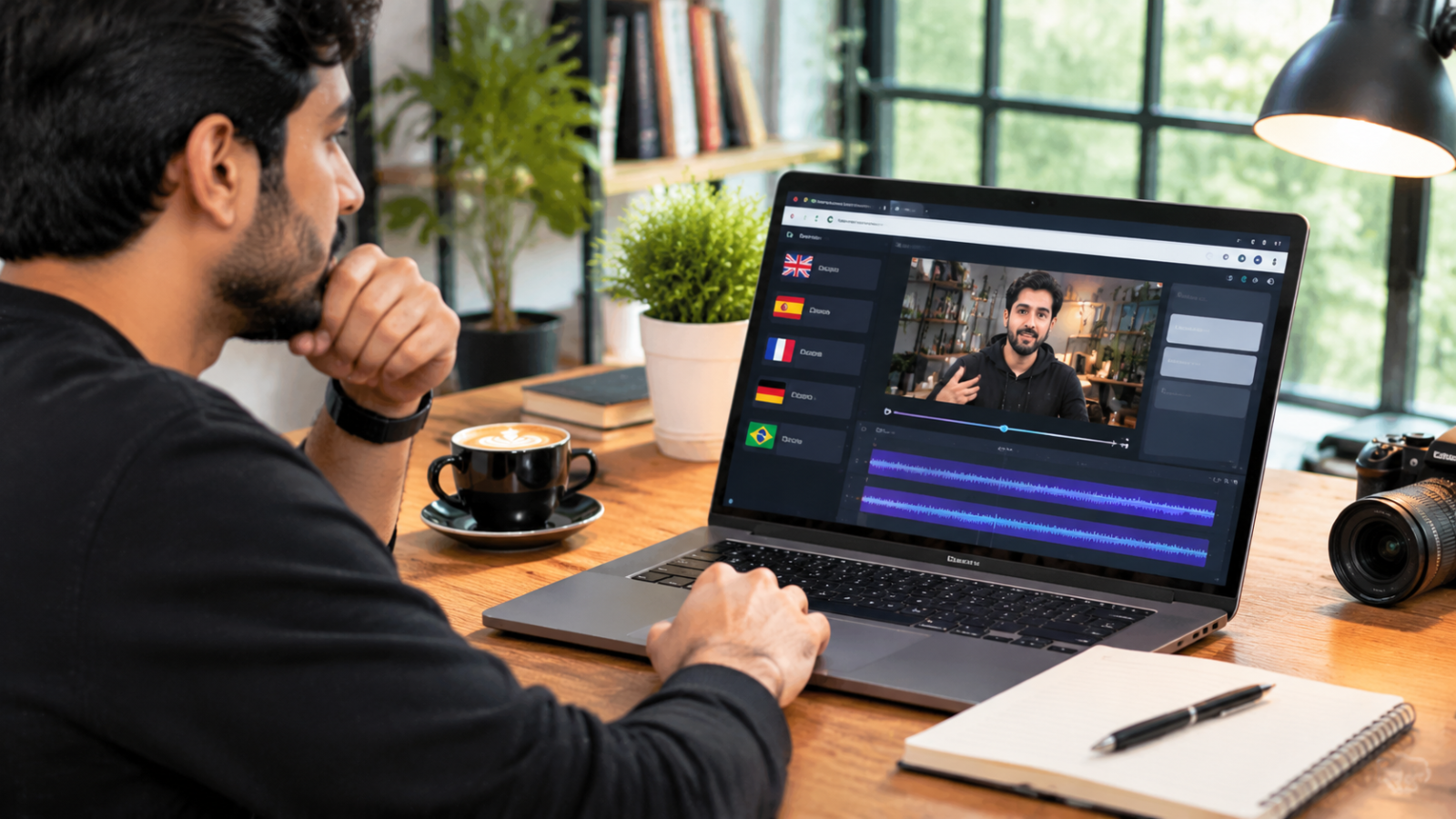
VEED is a browser-based video editor with translation built in, which makes it the practical choice when translation is one step in a longer edit. Its AI translator handles subtitles in 125+ languages and voice translation with dubbing in 50+ languages, with voice cloning and a Dubbing API for teams localizing at scale. You can generate subtitles, translate them, dub the voice, and finish the edit without leaving the browser.
Pricing is where VEED needs a warning. The Free plan costs $0 and gives 2 minutes of auto-generated subtitles a month and 1 minute of voice translation, with watermarked exports. The Lite plan costs $19 a month billed monthly, or about $12 a month billed annually, and removes the watermark with 1080p export. The Pro plan costs $49 a month billed monthly, or about $24 a month billed annually, and adds 4K export, AI avatars, text-to-video generation, dubbing in 50+ languages and 30,000 AI credits a year. VEED’s own blog pages show different Pro figures, including $29 a month, so treat the $49 monthly and $24 annual figures as the ones verified against veed.io/pricing in October 2026, and confirm the live price at https://veed.io/pricing before you buy. Pro’s translation allowance is described as about 20 minutes a month in plan summaries, and the AI credits reset annually rather than monthly, so unused credits do not roll over into the next year.
VEED best fit
Pick VEED if you already edit in the browser and you want subtitles, translation, dubbing and the final cut in one tool, especially for marketing and training videos. Skip it if you only need dubbing, because you pay an editor’s price for a dubbing job, and the credit allowance runs out faster than the plan price suggests. For the editing side of the job, our guide to AI video editing tools for YouTube covers the wider field: https://zideoai.online/ai-video-editing-tools-for-youtube/
6. Kapwing: translation for short social clips
Kapwing is a browser editor aimed at social media teams, and its translation tools fit the same shape: fast, simple, and built for short clips. It auto-translates subtitles into 60+ languages and dubs dialogue into 40+ languages, with text to speech, voice cloning on Business, and lip sync on Business. The whole workflow, subtitles plus translation plus dub, happens in one browser tab, which is why it suits creators who publish a lot of short video every week.
Pricing is credit-based and has not changed since 2024, which is rare in this category. The Free plan costs $0 and gives 10 credits, with watermarked 720p exports up to 4 minutes. The Pro plan costs $24 a month billed monthly, or $16 a month billed annually ($192 a year), and includes 1,000 credits a month: up to 1,000 minutes of auto-subtitles, but only 50 minutes of dubbing, because dubbing costs 20 credits a minute. The Business plan costs $64 a month billed monthly, or $50 a month billed annually ($600 a year), and includes 4,000 credits a month, about 200 dubbing minutes, voice cloning, lip sync and the option to buy extra credit packs. Pro users cannot buy extra credits, so a dub-heavy month forces an upgrade to Business. Prices checked on https://www.kapwing.com/pricing on 12 November 2026, confirmed by multiple reads in October and November 2026.
Kapwing best fit
Pick Kapwing if you make short social clips every week and you want subtitles, translation and a dub in one place without opening another app. Skip it if you dub long videos, because 50 dubbing minutes a month on Pro runs out quickly, and the per-minute cost is high. For the social side, our roundup of the top 10 AI video tools for social media creators shows where Kapwing sits in a full social workflow: https://zideoai.online/top-ai-video-tools-for-social-media-creators/
7. Dubverse: the cheapest way in, and the best for Indian languages
Dubverse is the budget pick in this comparison, and the strongest for Indian languages. It dubs and subtitles videos into 60+ Indian and global languages, including Hindi, Tamil, Telugu, Bengali, Marathi, Urdu and Punjabi, with 450+ human-like AI speakers, and it handles mixed scripts like Hinglish better than the global tools. That matters, because India is one of the largest YouTube audiences in the world, and a Hindi dub of an English video can double its reach.
Pricing is the lowest entry point here, but the allowance is small, so do the maths before you buy. There is no free plan, only a 2-day free trial with no credit card required. The Pro plan costs $18 a month billed monthly, or $9 a month billed annually ($108 a year), and includes 50 credits. The Supreme plan costs $30 a month billed monthly, or $15 a month billed annually ($180 a year), and also includes 50 credits, but adds voice cloning, priority processing and GPT-4 translations. Enterprise is custom priced, and lip-sync is Enterprise only. Dubbing costs 4 credits a minute, so 50 credits cover about 12.5 dubbed minutes a month. Subtitling costs 1 credit a minute and AI voice generation 2 credits a minute. In India, Pro costs Rs 800 a month and Supreme Rs 1,100 a month. Prices from multiple reads of Dubverse’s pricing page between August and November 2026; confirm the live figures at https://dubverse.ai before you buy.
Dubverse best fit
Pick Dubverse if you make videos for Indian audiences, or if you want the cheapest possible start and you only dub a few short videos a month. Skip it if you dub long videos, because 12.5 minutes a month runs out on a single 15-minute video, and the price of extra credits is not published. For creators starting out, our guide to the best free AI video tools for beginners shows how to test these tools before paying: https://zideoai.online/best-free-ai-video-tools-for-beginners/
What one dubbed minute really costs

Subscription prices hide the real question, which is what you pay for one finished dubbed minute. The table below uses each tool’s entry paid plan on monthly billing, and the allowance that plan actually gives you for dubbing.
| Tool and plan | Monthly price | Dubbed minutes included | Cost per dubbed minute |
|---|---|---|---|
| HeyGen Creator, lip-sync | $29 | About 120 | About $0.24 |
| Kapwing Pro | $24 | About 50 | About $0.48 |
| ElevenLabs Starter, automatic v1 | $6 | About 10 | About $0.60 |
| ElevenLabs Creator, automatic v1 | $22 | About 40 | About $0.55 |
| Rask AI Creator, no lip-sync | $39 | 25 | About $1.56 |
| Rask AI Creator Pro, lip-sync | $99 | About 33 | About $3.00 |
| Synthesia Starter | $19 | About 16 from credits | About $1.19 |
| VEED Pro, annual billing | $24 | About 20 | About $1.20 |
| Dubverse Pro | $18 | About 12.5 | About $1.44 |
| ElevenLabs Starter, Dubbing v2 | $6 | About 2 | About $3.00 |
Read the table as cost per finished minute, and the picture is clear. HeyGen is the cheapest real rate in this comparison by a wide margin, because its credits stretch furthest. Kapwing and ElevenLabs sit in the middle. Rask AI and Dubverse look cheap as subscriptions, but their small minute allowances make each finished minute expensive. The most expensive option is not the best one, and the cheapest subscription is not the cheapest minute.
Worked example: one 10-minute video into 3 languages
Take a real job: a 10-minute tutorial dubbed into Spanish, French and Hindi. That is 30 finished dubbed minutes, because every one of these AI video translation tools counts minutes per target language.
On HeyGen Creator, 30 lip-synced minutes use about 150 of the 600 monthly credits, so the job fits easily inside the $29 plan, with credits left over. On Kapwing Pro, 30 of the 50 monthly dubbing minutes are used, so it also fits inside the $24 plan. On ElevenLabs Creator, 30 minutes of automatic v1 dubbing use 90,000 of the 121,000 monthly credits, so it fits inside the $22 plan. On Rask AI Creator, the job needs 30 minutes but the plan only includes 25, and Creator cannot buy extra minutes, so you must upgrade to Creator Pro at $99. On Synthesia Starter, the job needs 30 minutes against about 26 minutes of total allowance, so it just misses, and Pro covers it. On VEED Pro, 30 minutes exceeds the roughly 20-minute monthly allowance. On Dubverse Pro, 30 minutes need 120 credits against 50 included, so the job costs more than two months of allowance. The same video, the same three languages, and the bill runs from $22 to $99 depending on the tool.
How to translate a video in 5 steps
- Clean the source audio first. AI translation is only as good as the audio it hears. Remove background music and noise, and make sure there is one speaker at a time. A clean recording translates far better than a noisy one.
- Pick the AI video translation tool for the job, not the brand. Talking head with lip-sync means HeyGen or Rask AI Creator Pro. Voiceover or podcast means ElevenLabs. Training course means Synthesia. Short social clips mean Kapwing or VEED.
- Translate one language first and watch the whole result. Check names, product terms and jokes, because AI translates literally and brand names get mangled. Fix the transcript before you dub the rest.
- Check the lips and the timing on a real screen, not just in the preview. Lip-sync looks different at full size, and a dub that drifts out of sync by half a second is worse than no dub at all.
- Export, then disclose. If the video will go on YouTube, follow the platform’s AI disclosure rules for realistic AI-generated content, and get the speaker’s consent before you clone their voice. A cloned voice without consent is a legal and reputational risk, not a shortcut. For the full list of things to check before you publish, read our guide to the 7 AI video mistakes to avoid: https://zideoai.online/7-ai-video-mistakes-to-avoid/
4 mistakes to avoid with AI video translation tools
- Counting minutes once, not per language. A 10-minute video into 3 languages is 30 minutes of allowance. This is the mistake that blows the budget in the first month.
- Buying lip-sync for a voiceover video. If nobody’s face is on screen, lip-sync buys you nothing. Spend those credits on more minutes instead.
- Testing with the tool’s demo video instead of your own footage. Demo clips are clean, slow and well-lit. Your footage is not. Translate one minute of your real video on the free plan before you pay.
- Cloning a voice without consent. Voice cloning is powerful, and that is exactly why it needs the speaker’s written permission. Never clone a client, an employee or a public figure without it.
FAQ
What is the best AI video translation tool?
HeyGen is the best AI video translation tool for most people, because it combines lip-synced dubbing in 175+ languages with the cheapest real cost per dubbed minute. ElevenLabs is the best choice if voice quality matters more than video, and Rask AI is the best choice for translating a whole back catalogue at volume.
Can I translate a video for free?
Yes, with limits. HeyGen’s free plan gives 3 short videos a month. Synthesia Basic gives 10 minutes of video or dubbing a month. Kapwing’s free plan gives 10 credits. VEED’s free plan gives 1 minute of voice translation a month. ElevenLabs gives 10,000 credits a month free. Dubverse offers a 2-day trial. All free options are watermarked or capped, and none is a production tier.
How much does it cost to dub a 10-minute video?
It depends on the languages and the tool. A 10-minute video dubbed into one language costs about $2.40 on HeyGen Creator, about $4.80 on Kapwing Pro, about $5.50 on ElevenLabs Creator, about $15.60 on Rask AI Creator, and about $14.40 on Dubverse Pro, using each tool’s entry plan on monthly billing. Into 3 languages, multiply by three, and check the worked example above, because several entry plans run out of minutes first.
Do AI video translation tools do lip-sync?
Some do. HeyGen includes lip-sync on paid plans. Rask AI includes it on Creator Pro and above. Synthesia includes it, at twice the credits. Kapwing includes it on Business. Dubverse reserves it for Enterprise. ElevenLabs dubs audio only, with no lip-sync on the video itself.
How many languages do AI video translation tools support?
HeyGen covers 175+ languages and dialects, Rask AI 135+, VEED 125+ for subtitles and 50+ for dubbing, ElevenLabs 90+, Synthesia 70+ on standard plans and 140+ on Enterprise, Kapwing 60+ for translation and 40+ for dubbing, and Dubverse 60+ with a focus on Indian languages. Counts mix languages, dialects and accents, so check your exact target languages on the plan you will buy.
Is it legal to clone someone’s voice for a dub?
Only with that person’s consent. Voice cloning without permission can break platform rules and, in many places, the law. Get written consent from the speaker before you clone their voice, and disclose AI-generated content where the platform asks for it.
How we checked the prices
Every price in this guide was checked on 12 November 2026. HeyGen, Rask AI and Synthesia prices were read directly from the vendors’ own pricing pages on that day. Kapwing prices were confirmed by multiple independent reads of https://www.kapwing.com/pricing in October and November 2026. Dubverse prices come from multiple reads of its pricing page between August and November 2026. ElevenLabs prices come from multiple independent reads of elevenlabs.io/pricing in October 2026, because the ElevenLabs site blocks direct reads; confirm the live figures at elevenlabs.io/pricing before you buy. VEED’s prices are the ones verified against veed.io/pricing in October 2026, but VEED’s own blog pages show different Pro figures, so confirm the live price at https://veed.io/pricing before you buy. Prices change often, and annual billing is usually cheaper than monthly billing. Always confirm the checkout total before you pay.
Verdict
If you translate talking-head videos, start with HeyGen. It has the widest language list, real lip-sync, and the cheapest cost per finished minute, and its free plan lets you test with your own footage. If voice quality is the job, use ElevenLabs, and accept that you will reassemble the video yourself. If you have a library to localize, use Rask AI, and budget for Creator Pro if you need lip-sync. If you teach, use Synthesia. If you edit in the browser, use VEED or Kapwing. If your audience is in India, try Dubverse first, and watch the 12.5-minute monthly allowance. Whichever AI video translation tool you pick, translate one minute of your real video before you pay, count minutes per language, and get consent before you clone a voice.