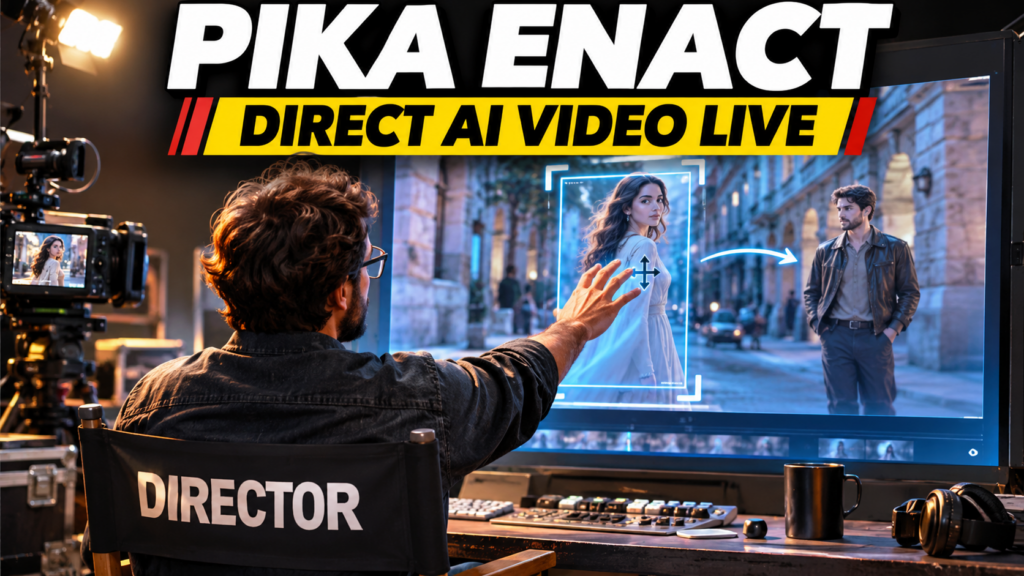
Pika Enact live directing is Pika’s new research preview, and it changes how AI video is made. Instead of typing a prompt and waiting for a finished clip, you direct the scene while it plays. You drag actors across the frame with your mouse, speak notes to them out loud, and move the camera around the set, all in real time. Pika published the preview on 18 November 2026, and it is built on Pika H3 Flex, the company’s open-weight video model.
What Is Pika Enact Live Directing?
Pika Enact live directing is an experimental live-streaming environment, not a finished product you can sign up for today. It generates video and sound in chunks shorter than one second, and it carries the scene forward while it folds your new direction into the generation. That is the idea behind it: the video never stops, so your direction lands in the same take instead of starting a new render. Pika describes it as a step toward making AI creation feel like directing on a real film set, where you work with actors and a camera instead of a prompt box.
Three Ways to Direct a Scene
1. Live Staging: Drag Actors With Your Mouse
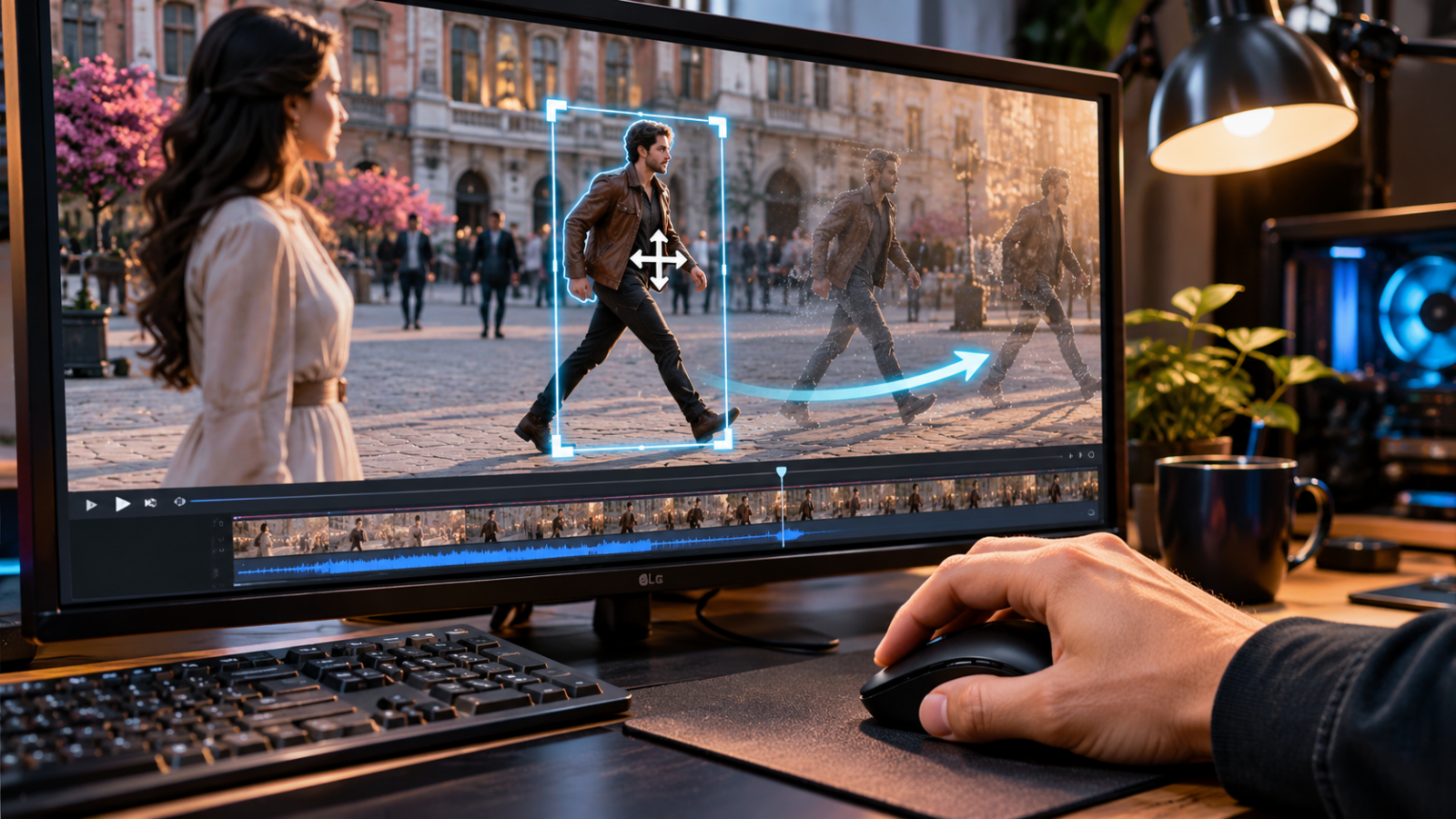
Live Staging lets you grab an actor or an object inside a playing video and move it with your mouse. The scene keeps playing while you drag, and the subject reacts to being moved. It shifts its weight, adjusts its posture in mid-air, and settles naturally where you let go, while its pose, lighting and shadows adapt to the new spot.
Pika says there are no cut-out edges, no hole where the subject stood, and no compositing pass to clean up afterwards. Pika reports the model generates the video 1.8 times faster than it plays, and in its low-latency setting the picture responds in under 0.4 seconds on an Nvidia H100, decoding included. Those are Pika’s own lab figures, not independent benchmarks.
2. Live Actor Direction: Talk to Your Cast
With Live Actor Direction, the people in a video become actors you can talk to. You type or speak a note, such as “move closer to her” or “make it a kitchen at night”, and they play it out while the video keeps running. Each actor is an AI agent with its own personality and memory, so it remembers your notes and answers you in character, in its own voice. You can rehearse a performance line by line, and when it feels right you call “Action”. Everything you rehearsed then becomes one clean take, shot fresh from the first frame. Pika reports picture and sound generate 1.75 times faster than they play in this mode.

3. Live Camera Control: Steer the Lens Live
Live Camera Control lets you steer a virtual camera with your mouse while a scene keeps generating. You can pan, dolly in for a close-up, or orbit around the subjects, and the framing changes as the scene unfolds instead of waiting for an offline render. You do not need an existing video to start. An appearance image anchors the cast and set, while a lightweight 3D motion proxy, such as an untextured Blender viewport, guides the camera path. Pika reports the model renders first frames in 0.51 seconds and then generates at 1.50 times real-time speed at 640 by 480 resolution and 24 frames per second, on a node with eight Nvidia B300 graphics processors.
What You Cannot Do Yet
This is the honest part, and it matters. Pika Enact is a research preview, and Pika says plainly that it is currently unavailable for consumer use. There is no waitlist, no sign-up page, no public price, and no release date. The only route Pika offers is an email address for enterprise demos and integration talks. So you cannot try Enact today, and nobody should pay anyone who claims to sell access to it. The speed and latency numbers above are also Pika’s own measurements on Pika’s hardware, with no published test method, so treat them as the company’s claims rather than proven results.
Why It Matters for Creators
Even as a preview, Enact points at a real shift. Every other AI video tool today works the same way: you write a prompt, wait, watch the result, and start again when it is wrong. Pika Enact live directing removes the waiting from that loop. If live directing like this reaches real products, a creator could fix a scene by moving an actor or changing a camera angle in seconds, instead of re-rolling ten clips and hoping one lands.
That is a different skill too. Prompt writing matters less, and directing matters more, which plays to the strengths of filmmakers, YouTubers and advertisers who already think in shots and performances. It is the same direction the rest of the industry is moving in. Google is shifting video work toward Gemini Omni Flash, and Kling Image 4.0 added native 8K stills, but Enact is the first preview that treats the video itself as a live set you can direct.
What You Can Use Today
While Enact stays in the lab, the model underneath it is already available. Pika H3 Flex, the model Enact is built on, launched on 29 October 2026 as an open-weight text-to-video model, and it is the model Pika users can generate with now. If you want to follow Enact, the place to watch is Pika’s official blog, where the preview was published. We will cover it again here when Pika opens access or announces a release date.
The Bottom Line
Pika Enact live directing is not a tool you can use yet, but it is the clearest preview so far of where AI video is heading: away from the prompt box and toward a live set you direct with your mouse and your voice. Watch for a public release, and do not pay for access that Pika has not announced.