Only about one in ten real estate agents uses video, yet most homebuyers say they prefer to list with an agent who does. That gap is the opportunity. A short listing video shows the light, the size of the kitchen and the feel of the street in a way that twelve still photos never will, and it works while you sleep, on Instagram, YouTube, Facebook and your listing page.
A filmed walkthrough used to mean a videographer, an edit, and a bill of several hundred dollars per listing. AI real estate video tools changed that. You upload your listing photos, paste the listing description, and get back a narrated video with music, captions and your branding in minutes.
The short answer: Animoto is the best AI real estate video tool for most agents, because it was built for property videos, with listing templates, an AI listing URL reader and one-click unbranded copies for MLS. Pictory is best for turning a written listing description into a video. InVideo is best for cinematic AI motion from listing photos. HeyGen is best for a digital version of yourself presenting each listing. Fliki is best for turning a listing link into a narrated video in several languages. Synthesia is best for multilingual avatar videos. VEED is best when you already have walkthrough footage.
This guide compares 7 AI real estate video tools on the things that decide the purchase for an agent: how fast a listing video gets made, what it costs per video, whether it handles photos, video or an avatar, and whether the output is clean enough to show a client. Every price below was checked on 13 November 2026 on the vendors’ own pricing pages.
How to pick AI real estate video tools
Five questions decide which of these AI real estate video tools fits you. Answer them before you pay.
- Do you start from photos, footage or a script? Most agents start from listing photos, and Animoto, Pictory and Fliki are built for that. If you already shoot walkthrough footage, VEED is the better home for it. If you want a presenter without filming, HeyGen and Synthesia give you an avatar.
- How many listings a month? Ten listings a month means ten videos, and the plan allowance matters more than the headline price. A plan that only covers three videos a month will force an upgrade by week two.
- Do you need an unbranded version for MLS? Many MLS rules ban agent branding inside the listing video. Animoto builds this in.
- Do your buyers speak more than one language? A Spanish, Mandarin or Hindi version of the same listing video can double its reach. Fliki, HeyGen and Synthesia all translate, but they charge differently.
- What does the free plan actually let you show a client? Free tiers are for testing, not for client work. Watermarks, 720p exports and no commercial rights are normal. Never send a watermarked video to a seller.
The 7 best AI real estate video tools at a glance
| Tool | Entry paid plan | Free option | Starts from | Avatar presenter | Best for |
|---|---|---|---|---|---|
| Animoto | Basic $19/mo ($9 annual) | Free, 720p, watermark | Photos, listing URL, script | No | Best overall for agents |
| Pictory | $29/mo ($25 annual) | 14-day trial, 300 credits | Script, photos, footage | Stock avatars, voice clone on Pro | Script-to-video listing videos |
| InVideo | $20/seat/mo ($10 annual) | Free plan, limited credits, watermark | Prompt, photos, footage | No | AI-generated cinematic listing videos |
| HeyGen | $29/mo ($24 annual) | 3 videos/mo, 1 min, watermark | Script, photos | Yes, digital twin | Avatar presenter for listings |
| Fliki | Standard $28/mo ($21 annual) | Free, 3 credits/mo, 720p, watermark | Listing URL, script, photos | Yes, stock and photo avatars | Listing link to video, many languages |
| Synthesia | $19/mo ($14 annual) | Basic, 10 min/mo, watermark, no downloads | Script, photos, listing link | Yes, personal avatar on Pro | Multilingual avatar videos |
| VEED | $25/mo ($12.25 annual) | Free, 720p, watermark | Footage, script | Yes, 60+ stock avatars | Editing and captions for walkthroughs |
Prices checked 13 November 2026. Annual prices are the per-month rate when billed yearly.
1. Animoto: the best AI real estate video tool overall
Animoto is the only tool in this comparison that was built with real estate agents in mind from the start. It has purpose-built real estate templates for listings, virtual tours, market expertise, new-listing promos and testimonials, and its AI video maker can take a real estate listing URL and build a video from the page text, photos and videos. Upload your listing photos, add text overlays for the price, bedrooms and square footage, pick licensed music, and export.
The feature that decides this for most agents is the MLS one. Animoto explicitly says it is easy to create unbranded copies of your videos for MLS listings, so you make the branded version for social media and a clean version for the MLS from the same project. Professional plans add one-click branding with Saved Brands, a logo watermark, brand colours and custom video landing pages with a call to action button.
Pricing was verified on Animoto’s official pricing page on 13 November 2026. Basic costs $19 a month, or $9 a month billed annually. Professional costs $29 a month, or $19 a month billed annually. Professional Plus costs $79 a month, or $39 a month billed annually. Annual billing saves up to 50 percent against monthly billing: $120 a year on Basic and Professional, and $480 a year on Professional Plus. The plans are Free, Basic, Professional and Professional Plus.
What is confirmed about the plans: the Free plan costs $0, makes unlimited videos at 720p with an Animoto watermark, includes 50 royalty-free music tracks and a limited stock library. Basic removes the watermark and adds 1080p downloads. Professional adds the logo watermark and brand colours, voice-over, 3,000 or more licensed music tracks, more than 1 million Getty Images Select stock photos and videos and 4K export. Professional Plus adds 3 user seats, team workspaces and more than 100 million Getty Premium stock photos and videos.
Animoto best fit
Pick Animoto if you make listing videos every week and need the MLS unbranded copy and the listing templates. Skip it if you want an AI avatar presenter or a multilingual dub. For the wider social video picture, our guide to the top AI video tools for social media creators: https://zideoai.online/top-ai-video-tools-for-social-media-creators/

2. Pictory: the best AI real estate video tool for script-to-video
Pictory is the strongest tool here when your starting point is words. Paste a listing description and Pictory splits it into scenes, matches stock visuals, adds an AI voiceover, music and captions. It also turns property photos into a slideshow video, and its image-to-video feature can animate a single listing photo with a slow pan or push-in, using models including Veo 3.1. Upload walkthrough or drone footage and edit it by transcript. Starter includes more than 5 million royalty-free videos from Getty Images and Storyblocks, ElevenLabs voices in 29 or more languages, automatic captions, and exports in 16:9, 9:16 and 1:1. Professional raises the stock library to more than 18 million videos and adds voice cloning.
Pricing was verified on Pictory’s official pricing page on 13 November 2026. Starter costs $29 a month, or $25 a month billed annually, and includes up to 30 video minutes a month, 24,000 generative AI credits a year, 1 user and 1 brand kit.
Professional costs $59 a month, or $29.50 a month billed annually as a Black Friday offer, and includes up to 90 video minutes a month, cloned avatars, voice clones and 5 brand kits. Teams costs $199 a month, or $119 a month billed annually, and includes up to 300 video minutes a month and 3 or more users. The $29.50 Professional annual price is shown as a Black Friday offer, and the page does not state when it ends, so do not budget on it. The free trial gives 14 days, 300 generative AI credits for about 10 minutes of video, no credit card required, with a Pictory watermark and 720p exports.
Pictory states it has no dedicated real estate video templates; you build branded intro and outro templates yourself.
Pictory best fit
Pick Pictory if you write good listing descriptions and want them turned into polished videos with stock footage and a natural voice. Skip it if you need an avatar presenter or an unbranded MLS export in one click. For YouTube work, our guide to AI video editing tools for YouTube covers the editing side: https://zideoai.online/ai-video-editing-tools-for-youtube/
3. InVideo: the best AI real estate video tool for cinematic AI generation
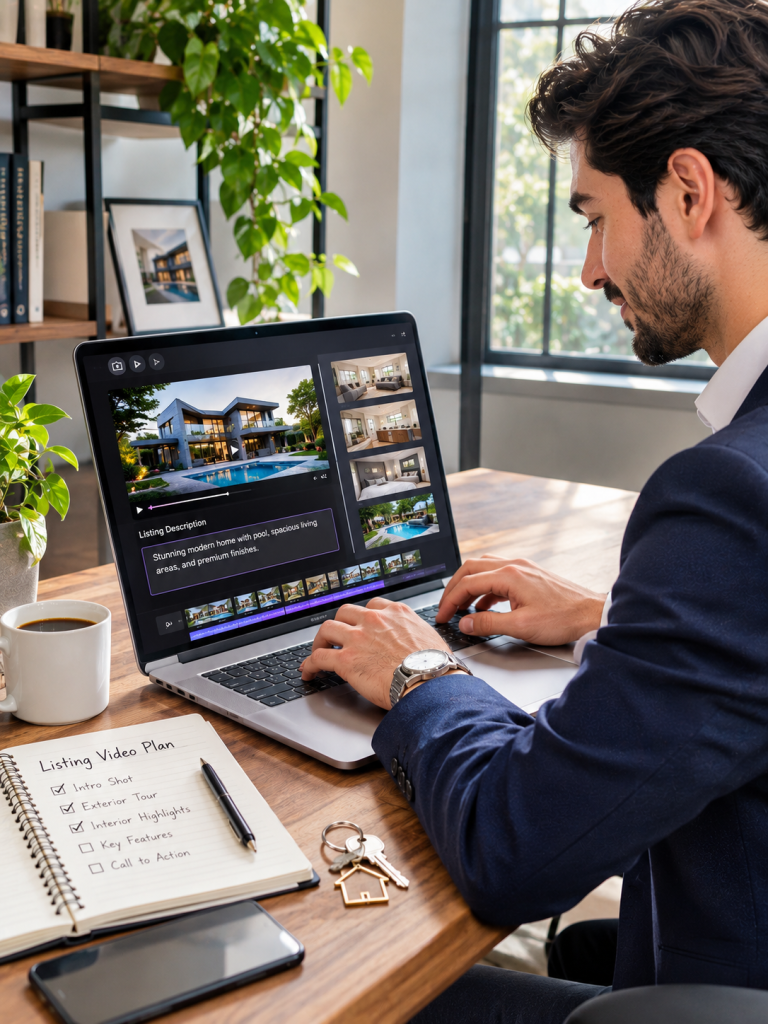
InVideo is the most ambitious tool in this comparison, and the one that feels most like a film crew. Its AI agent builds a base cut from your prompt or listing details, opening on the exterior, then moving through the main living spaces. You can upload your own photos and walkthrough footage and combine both in one timeline. Photo-to-motion features turn two stills into a room-to-room walkthrough, and models including Kling 2.6, Veo 3.1 and Nano Banana Pro can animate a listing photo or generate a hero opener. InVideo lists more than 6,000 templates, including property tours, listing videos, community guides and open-house announcements.
InVideo’s own blog says a 45-second listing video took about 20 minutes to make the first time and about 10 minutes once practised. Voiceover is built in, with an AI co-writer for the script and ElevenLabs text-to-speech voices, and the timeline editor supports multiplayer editing.
Two warnings come from InVideo’s own blog. First, AI hallucinates small details in transition areas, so use actual photos and footage for the property being advertised, and do not present generated scenes as the real layout, condition or views. The blog advises adding an AI-enhanced label. Second, InVideo’s own cost example quotes a $35 a month subscription, which matches no current plan.
Pricing changed recently and is now credit-based, verified on invideo.io/pricing on 13 November 2026. Starter costs $20 a seat a month, or $10 a seat a month billed annually, and includes 400 credits a seat a month, 100 premium stock footage downloads and 200 GB storage.
Plus costs $60 a seat a month, or $30 billed annually, and includes 2,000 credits, 200 stock downloads and 600 GB. Max costs $75 a seat a month billed annually, and includes 5,000 credits, 500 stock downloads and 2,000 GB. The monthly Max price is printed as $150 a seat a month by secondary sources, but the fetched official page text only shows the $75 annual figure and a $885 yearly saving, so treat $150 as the best-supported figure. Credits pay for video creation and generative models, not for downloading or exporting, and unused credits do not roll over. The free plan costs $0 with no card required, gives limited credits that reset weekly, and exports carry an InVideo watermark. InVideo does not publish the exact free credit amount.
InVideo best fit
Pick InVideo if you want the most cinematic listing videos and you are comfortable checking every AI-generated detail against the real property. Skip it if you want a simple slideshow tool, an avatar, or a predictable per-video price. For the wider generator question, read our comparison of Veo 3, Runway and Kling: https://zideoai.online/veo-3-vs-runway-vs-kling/
4. HeyGen: the best AI real estate video tool for an avatar presenter
HeyGen solves a different problem from the slideshow tools: the agent who wants to present every listing on camera but cannot film every listing. Its Avatar V lets you create a digital version of yourself from a short recording, so you can present new scripts without recording yourself from scratch each time. Paste a script, choose your digital twin or a stock avatar, add your brand template and colours, and export. HeyGen’s own real estate guide lists the formats: a full walkthrough tour of 1 to 3 minutes, a cinematic showcase, a photo-to-video listing spotlight, a 15 to 30 second just-listed teaser, an open house invitation and a testimonial video.
The second strength is language. HeyGen translates video into 175 or more languages and dialects on paid plans, with two options: video dubbing, which translates the speech, clones your voice and re-syncs the lips, or audio dubbing, which changes the audio only. Two engines are offered: Speed at 6 credits a minute and Precision at 10 credits a minute.
Pricing is credit-based, verified on heygen.com/pricing on 13 November 2026. The Free plan costs $0, no card required, and gives up to 3 videos a month, each up to 1 minute, with a watermark, 500 or more stock avatars, 1 custom video avatar, 1 voice clone and 30 or more languages.
Creator costs $29 a month, or $24 a month billed annually, and includes 600 credits a month, 1080p export, voice cloning and 175 languages. Pro starts at $49 a month with from 1,000 credits a month and 4K export. Business costs $149 a month plus $20 per extra seat. The annual figures for Pro and Business, $41 and $119, appear in secondary sources but could not be verified on the official page text that day, so confirm them at checkout. Creator and Pro cannot buy one-off credit packs, so if you run out, the only move is to upgrade.
Credit costs matter for agents. Avatar IV video looks cost 31 credits a minute, Avatar III video looks cost 4 credits a minute. A 2-minute avatar listing video at Avatar IV rates costs 62 credits, so Creator’s 600 credits buy about 9 such videos a month. At Avatar III rates the same video costs 8 credits, so the allowance stretches much further. HeyGen states one limit plainly on its own blog: it does not pull property information from any MLS or IDX feed, so the agent must supply and verify all listing facts, photos and claims, and check brokerage and MLS rules before publishing.
HeyGen best fit
Pick HeyGen if you want to present listings on camera without filming, or sell to buyers in several languages. Skip it if you want a photo slideshow or an editor. For the wider avatar field, read our guide to the best AI avatar video tools: https://zideoai.online/best-ai-avatar-video-tools-explained/
5. Fliki: the best AI real estate video tool for listing links and many languages
Fliki has a dedicated AI Real Estate Video Maker page, and it is the only tool here that starts from a listing link. Paste an Airbnb or compatible listing URL and Fliki pulls the property details, photos and amenities and drafts a script automatically. For private MLS listings, paste the listing description text instead, or upload the property photos. Photo-to-video turns those photos into a walkthrough with transitions.
The voice offering is the widest here: more than 2,000 AI voices in 80 or more languages and 100 or more dialects and accents, with voiceover translation and dubbing into 80 or more languages, including Spanish, Mandarin and Hindi, which Fliki names specifically for real estate.
Voice cloning is on paid plans, 1 clone on Standard and 3 on Premium, and a photo avatar can present the listing with lip-sync. A brand kit saves your colours, fonts, logo, contact info, agent name and licence number and applies it as a lower-third on every property video. One-click resize covers 16:9 for YouTube and MLS, 9:16 for Reels and TikTok, and 1:1 for Facebook and Instagram feeds, with burn-in subtitles for silent scrolling. If a listing changes, you swap a photo, update the price, rewrite a line and re-render in minutes without redoing the project.
Pricing was verified on Fliki’s official pricing page on 13 November 2026. Standard costs $28 a month, or $21 a month billed annually ($252 a year). Premium costs $88 a month, or $66 a month billed annually ($792 a year). Enterprise is custom pricing, billed yearly. There are four tiers: Free, Standard, Premium and Enterprise.
Free costs $0, no card required, gives 3 credits a month, 300 voices across 80 or more languages, exports up to 5 minutes at 720p with a Fliki watermark, and no commercial rights. Standard includes 180 credits a month, up to 15-minute videos, 1080p export, 1,000 voices, 1 voice clone, 1 brand kit and commercial rights. Premium includes 600 credits a month, 2,000 or more voices, 3 voice clones and 3 brand kits. Fliki’s own example says Standard’s 180 credits cover about 60 to 90 minutes of finished video, so the allowance covers dozens of 2-minute listings a month.
Fliki best fit
Pick Fliki if you list properties on Airbnb or public listing sites and want the fastest path from a link to a narrated video, or if your buyers speak several languages. Skip it if you want an AI avatar presenter or a full video editor. For voiceover work in general, our guide to AI voiceover for videos covers the wider field: https://zideoai.online/ai-voiceover-for-videos/
6. Synthesia: the best AI real estate video tool for multilingual avatar videos
Synthesia is a script-to-avatar-video tool with a dedicated real estate page. Its Syren feature turns your photos and listing details into a finished video, with a realistic presenter talking viewers through the listing photos, narration, music, motion graphics and on-screen text for location, size and key features. It also covers market updates, neighbourhood guides and open-house promos as short vertical videos. Output is 16:9 or 9:16, up to 1080p, with Syren videos up to 3 minutes long.
The personal avatar is the draw for agents who want consistency. Record yourself once and get an avatar that looks and sounds like you, then present listings without filming each time. Pro includes 5 personal avatars. Multilingual output covers 140 or more languages and voices on all plans, with AI dubbing in 70 or more languages on Basic, Starter and Pro, and lip-sync at twice the credits. One nuance: full one-click translation into 140 or more languages is an Enterprise feature. Interactive videos on Pro can carry a call to action button inside the video, for example a Book a viewing button.
Pricing was verified on synthesia.io/pricing on 13 November 2026. Basic costs $0 and includes 500 credits a month, 10 minutes of Studio video or dubbing a month, 9 AI avatars, 60 or more templates and 140 or more languages and voices, but videos carry a watermark and cannot be downloaded, only shared by link
Starter costs $19 a month, or $14 a month billed annually, with $9 for the first month, and includes 1,250 credits a month, Full HD downloads, no watermark, 125 or more avatars and about 12 extra minutes of video a month. Pro costs $89 a month, or $59 a month billed annually, with $49 for the first month, and includes 6,000 credits a month, 180 or more avatars, 5 personal avatars, interactive videos and about 60 extra minutes of video a month. Enterprise is a custom quote with unlimited video minutes and one-click translation into 140 or more languages.
The honest limit for agents: Synthesia makes presenter-led videos, an avatar talking about a property, not a property walkthrough. There is no MLS or IDX integration on any official page, and no real estate-specific templates are listed.
Synthesia best fit
Pick Synthesia if you want a consistent on-screen presenter for market updates, neighbourhood guides and multilingual listing videos. Skip it if your buyers expect to see the actual rooms on video. For a faceless channel alongside your listings, our guide to the best AI tools for faceless YouTube channels shows the wider options: https://zideoai.online/best-ai-tools-for-faceless-youtube-channels/

7. VEED: the best AI real estate video tool for editing and captions
VEED is the editor in this list, and it is the right pick when you already have walkthrough footage. It is a full browser timeline editor with trim, cut, crop, layers, transitions and effects, plus screen and webcam recording, Magic Cut, filler-word and silence removal and background removal. Its Gen-AI Studio, included on all paid plans, turns a prompt into an editable script, then a video with a chosen character, voice, music and subtitle style, in 30 languages. AI avatars cover 60 or more stock presenters or a custom digital clone from your own photo and voice recording.
The feature that earns VEED its place is captions. One-click auto subtitles with styled and animated caption presets, unlimited subtitle generation on all paid plans subject to a 50-hour a month fair-use limit, and translation to 50 or more languages on Pro and Studio. One-click resize covers YouTube 16:9, Instagram Story and Reel 9:16, TikTok 9:16, Facebook Cover and square 1:1, and VEED’s stock library holds more than 2 million media assets on its own claim.
Pricing was verified from VEED’s own published pricing data file on 13 November 2026, because the live pricing page renders its plan table in JavaScript and a text read returns only the FAQ. Free costs $0 and includes 50 AI credits a month, auto subtitles for 10 minutes a month and watermarked exports at 720p.
Creator costs $25 a month, or $12.25 a month billed annually, and includes 500 AI credits a month, no watermark, unlimited auto subtitles and Gen-AI Studio. Pro costs $45 a month, or $22.08 a month billed annually, and includes 2,500 AI credits a month, multiple brand kits and translation to 50 or more languages. Studio costs $79 a month, or $38.75 a month billed annually, and includes 15,000 AI credits a month and custom templates.
One warning: VEED’s own pages disagree on the starting price, with a newsroom article updated 12 November 2026 saying plans start at $20 a month while the pricing data file says $25, so confirm the checkout total before you pay. Credits do not carry over, and VEED Fabric video costs 8 credits a second at 720p, so Creator’s 500 credits buy about 1 minute of Fabric-generated video a month.
VEED has no real estate templates, no MLS integration and no property-specific offering on any official page.
VEED best fit
Pick VEED if you shoot walkthroughs on your phone and want the best captions, the cleanest edit and one-click social formats. Skip it if you want a slideshow from photos or a listing link. For YouTube editing, our guide to AI video editing tools for YouTube covers the wider field: https://zideoai.online/ai-video-editing-tools-for-youtube/
What one listing video really costs
Subscription prices for AI real estate video tools hide the real question, which is what you pay for one finished 2-minute listing video. The table below uses each tool’s entry paid plan on monthly billing.
| Tool and plan | Monthly price | 2-minute listing videos included | Cost per listing video |
|---|---|---|---|
| Pictory Starter | $29 | About 15 | About $1.93 |
| InVideo Starter | $20 | About 13 generative clips | About $1.54 |
| HeyGen Creator, Avatar IV | $29 | About 9 | About $3.22 |
| HeyGen Creator, Avatar III | $29 | About 75 | About $0.39 |
| Synthesia Starter | $19 | About 11 | About $1.73 |
| VEED Creator, editing own footage | $25 | Unlimited edits, 500 AI credits | About $2.50 at 10 videos a month |
| Animoto Professional | $29 | Unlimited videos on all plans | About $2.90 at 10 videos a month |
| Fliki Standard | $28 | About 30 to 45 | About $0.62 to $0.93 |
The cheapest subscriptions are not automatically the cheapest videos, because the allowance decides the maths. HeyGen’s cost swings from $3.22 to $0.39 per video depending on the avatar model, so pick Avatar III when the simpler avatar is good enough. VEED’s credits only matter if you generate video with Fabric. Animoto Professional is unlimited, so its per-video cost falls the more videos you make, and Fliki Standard is the cheapest per video here, at about $0.62 to $0.93.
Worked example: 10 listings a month, one video each
Take a real workload with AI real estate video tools: an agent lists 10 homes a month and makes one 2-minute video per listing, 20 finished minutes in total.
On Animoto, all plans advertise unlimited video creation, so 10 videos fit on any plan; Professional costs $29 a month, or $19 a month billed annually. On Pictory Starter, 20 minutes fits inside the 30-minute allowance on the $29 plan. On InVideo Starter, 10 generative clips at about 30 credits each use about 300 of the 400 monthly credits, so the workload fits on the $20 plan.
On HeyGen Creator, 10 videos at Avatar IV rates need 620 credits against 600 included, so the workload just misses, unless you use Avatar III at 4 credits a minute, which uses only 80 credits. On Fliki Standard, 20 minutes fits easily inside the 60 to 90 minutes that 180 credits cover, at $28 a month, or $21 a month billed annually. On Synthesia Starter, 20 minutes fits just inside the roughly 22 minutes of total allowance. On VEED Creator, editing 10 walkthroughs fits easily, because editing is not metered per minute.
The same 10 listings, and the bill runs from $19 to $29 a month on the entry paid plans. Annual billing cuts Pictory Starter to $25, InVideo Starter to $10, Synthesia Starter to $14, Animoto Professional to $19 and Fliki Standard to $21.
How to make a listing video in 5 steps
- Pick the tool for the listing, not the brand. Photos only means Animoto, Pictory or Fliki. Walkthrough footage means VEED. A presenter without filming means HeyGen or Synthesia. Cinematic AI motion means InVideo.
- Write the script before you open the tool. Lead with the hook, the price and the location, then the three best features, then the call to action. A 2-minute video needs about 250 to 300 words of narration. Fix the facts first, because every tool here will repeat your mistakes. The same script-first workflow works for product videos too, and our guide to AI product video tools shows how: https://zideoai.online/ai-product-video-tools-how-to-make-product-videos/
- Make the 16:9 version first, then cut the vertical. Build the full tour for YouTube and your listing page, then cut a 30-second vertical version for Reels and TikTok with the price and call to action on screen.
- Check the video against the real property before you publish. Watch it full screen, check the price, the bedroom count, the square footage and the address, and check that any AI-generated scene matches the home. A wrong price in a video is worse than no video at all.
- Publish with captions on, and post the unbranded copy to the MLS. Most social viewers watch on silent, so captions are not optional. If your MLS bans agent branding, export the clean version for the listing and keep the branded version for social media. For the full checklist before you publish any AI video, read our guide to the 7 AI video mistakes to avoid: https://zideoai.online/7-ai-video-mistakes-to-avoid/
4 mistakes to avoid with AI real estate video tools
- Sending a watermarked free video to a seller. Free plans are for testing. A watermark tells the seller you would not spend a few dollars on their listing. Pay for one month and make the video clean, then decide.
- Letting AI invent the property. AI tools hallucinate details, and a generated room that does not exist is a misrepresentation. Use real photos and footage for the property itself, and label AI-enhanced scenes where the tool advises it.
- Buying the wrong avatar quality. On HeyGen, Avatar IV costs nearly eight times the credits of Avatar III per minute. Test both on the same script before you pay for the expensive one every month.
- Making one format and stopping. A 16:9 tour on YouTube reaches almost nobody. The same listing needs a vertical cut for Reels and TikTok and a square cut for Facebook.
FAQ
What is the best AI video tool for real estate agents?
Animoto is the best AI real estate video tool for most agents, because it has listing templates, an AI listing URL reader and one-click unbranded copies for MLS. Pictory is best for script-to-video, InVideo for cinematic AI generation, HeyGen for an avatar presenter, Fliki for listing links in many languages, Synthesia for multilingual avatar videos and VEED for editing walkthroughs with captions.
Can I make a real estate video for free?
Yes, with limits. Animoto, HeyGen, Synthesia, Fliki and VEED all have free plans, Pictory offers a 14-day trial, and InVideo has a free plan with limited credits. All free options are watermarked or capped, and none is suitable for client-facing work. Our guide to the best free AI video tools for beginners shows how to test these tools before paying: https://zideoai.online/best-free-ai-video-tools-for-beginners/
How much does one AI listing video cost?
On the entry paid plans, a 2-minute listing video costs about $1.93 on Pictory Starter, about $1.54 on InVideo Starter, about $1.73 on Synthesia Starter and about $3.22 on HeyGen Creator with Avatar IV, or about $0.39 with Avatar III. Animoto Professional costs about $2.90 per video at 10 videos a month, and Fliki Standard about $0.62 to $0.93 per video.
Do I need to film anything to make a listing video?
No. Animoto, Pictory, Fliki and InVideo can all build a video from listing photos and a written description, and HeyGen and Synthesia can present it with an avatar. You only need to film if you want a real walkthrough, in which case VEED is the best editor here.
Can AI video tools translate a listing video into other languages?
Yes. Fliki dubs into 80 or more languages, HeyGen into 175 or more with lip-sync, and Synthesia dubs into 70 or more, with one-click translation into 140 or more on Enterprise. Check that your exact target languages are covered on the plan you will buy. For the full translation comparison, read our guide to the best AI video translation tools: https://zideoai.online/best-ai-video-translation-tools/
Are AI listing videos allowed on the MLS?
It depends on your MLS rules. Many MLS systems ban agent branding inside the listing video, which is why Animoto’s one-click unbranded copy matters. Always check your brokerage and MLS rules before you publish, and verify every price, bedroom count and square footage figure against the real listing.
How we checked the prices
Every price for these AI real estate video tools in this guide was checked on 13 November 2026. Animoto, Fliki, Pictory, InVideo, HeyGen, Synthesia and VEED prices were read directly from the vendors’ own pricing pages or official pricing files on that day. Animoto’s and Fliki’s prices were read from the live pricing pages in a browser, after the JavaScript price tables finished rendering. HeyGen’s Pro and Business annual prices, InVideo’s Max monthly price and Pictory’s Professional price after its Black Friday offer ends are also flagged as unconfirmed. Always confirm the checkout total before you pay.
Verdict
If you are an agent making listing videos every week, start with Animoto. It is the only tool here built for property videos, with listing templates, an AI listing reader and the MLS unbranded copy. Professional costs $29 a month, or $19 a month billed annually. If you start from written descriptions, use Pictory. If you want cinematic AI motion from your photos, use InVideo, and check every generated detail against the real home. If you want to present listings without filming, use HeyGen, and pick Avatar III unless you can see the difference. If your buyers speak several languages, try Fliki or Synthesia. If you shoot walkthroughs, edit them in VEED and never publish without captions.
Whichever of these AI real estate video tools you pick, test it with your real listing photos, verify every fact, and make the vertical cut, because that is where your buyers are watching.