A training video has a harder job than a marketing video. It has to teach, not just impress. The learner must finish the lesson understanding something they did not understand before, and the video has to hold their attention for ten minutes, not ten seconds. That is why recording every lesson yourself does not scale. One course with twenty lessons means twenty recordings, twenty retakes and twenty edits.
AI training video tools change the maths. You write the lesson script once, and the tool turns it into a finished video with a presenter, slides, captions and a quiz. When the facts change, you edit the text and re-render, instead of re-recording the whole lesson. A teacher, a trainer, a course creator or a small team can now ship a full course in weeks, not months.
The short answer: Synthesia is the best AI training video tool for most people, because a realistic avatar presenter, 140 or more languages and a clean script-to-video workflow cover the most common training jobs. Colossyan is best for full online courses with SCORM export and quizzes. Elai is best for interactive training videos on a small budget. HeyGen is best for avatar quality and translation. Vyond is best for animated training videos with characters. Pictory is best for turning slides and documents into lessons. Descript is best for editing recorded lessons by editing text.
This guide compares 7 AI training video tools on the things that decide the purchase: how the lesson gets made, what a 10-minute lesson really costs, whether the video works in your LMS, and whether learners can be tested on what they watched. Every price below was checked on 13 November 2026. Where a vendor’s own pricing page would not show its prices in a readable form, this guide says so instead of printing a guess.
How to pick AI training video tools
Five questions decide which of these AI training video tools fits you. Answer them before you pay.
- Who should teach the lesson? A realistic presenter means Synthesia, Colossyan, Elai or HeyGen. Animated characters mean Vyond. Your own recorded face and voice mean Descript. No presenter at all, just scenes and text, means Pictory.
- Does the video need to work in an LMS? If your course lives in Workday, Cornerstone, Docebo or another LMS, you need SCORM export. Colossyan exports SCORM on Professional and Enterprise, and HeyGen lists SCORM export too. The rest export video files, which you host yourself or upload to a course platform.
- Do learners need to be tested? A quiz inside the video keeps learners honest. Colossyan has interactive videos and Elai has image-based quizzes. The others rely on your course platform for testing.
- How long and how many? One lesson a month is a different budget from ten. Minute-based plans punish long lessons, so check the allowance, not just the headline price.
- Does it need to work in more than one language? A team spread across three countries needs three versions. Synthesia, Colossyan, Elai and HeyGen translate, but they charge differently, and the per-minute cost of a translated lesson adds up fast.
The 7 best AI training video tools at a glance
| Tool | Entry paid plan | Free option | Starts from | Presenter style | Best for |
|---|---|---|---|---|---|
| Synthesia | Starter $19/mo ($14 annual) | Basic $0, watermark, share link only | Script | Realistic AI avatar | Best overall training tool |
| Colossyan | Professional $59/mo annual | Starter $0, 20 min/mo, watermark | Script, PPT, PDF | Realistic AI avatar | Full courses with SCORM |
| Elai | Creator $29/mo ($23 annual) | Free $0, 1 minute a month | Script | Realistic AI avatar | Interactive training on a budget |
| HeyGen | Creator $29/mo ($24 annual) | Free, 3 videos a month, 1 min max | Script, PPT, PDF | Realistic AI avatar | Avatar quality and translation |
| Vyond | Business $99/mo ($58 annual) | No free plan | Prompt, script, document | Animated characters | Animated training videos |
| Pictory | Starter $29/mo ($25 annual) | 14-day trial, 300 credits | Script, slides, URL | Stock scenes, no presenter | Slides and documents to lessons |
| Descript | Hobbyist $24/mo ($16 annual) | Free, 60 min media a month | Your recording | You, recorded | Editing recorded lessons |
Prices checked 13 November 2026. Annual prices are the per-month rate when billed yearly. Colossyan Professional is $59 a month on the annual plan; the page does not show a monthly-billing price.
1. Synthesia: the best AI training video tool overall
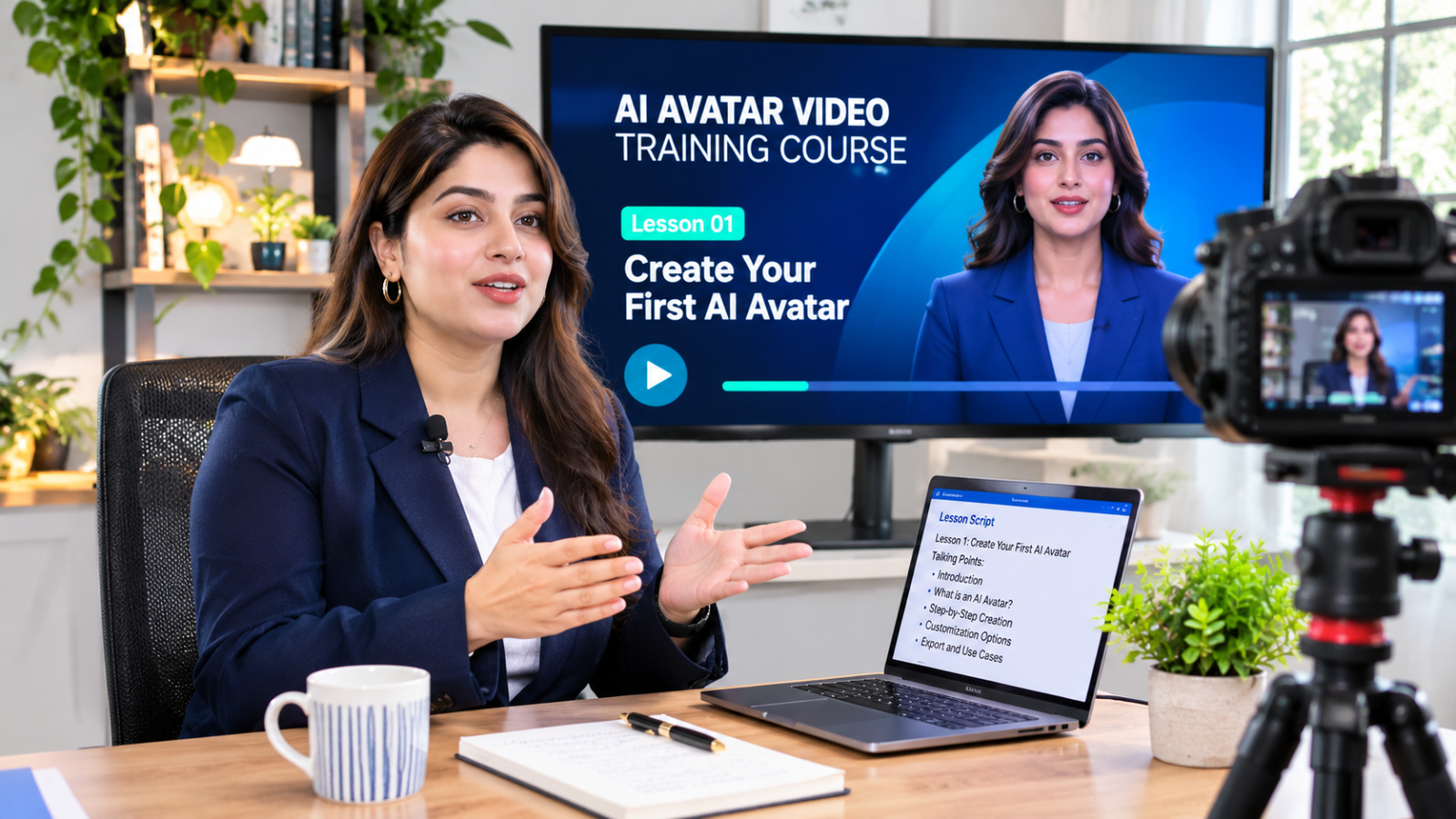
Synthesia is the most direct route from a lesson script to a finished training video. You type or paste your script, pick one of 125 or more AI avatars on the Starter plan, add slides or a template, and the avatar teaches your words on camera. No filming, no microphone, no editing timeline. When the training material changes, you edit the text and re-render, which is exactly how training content behaves in real life.
The avatar quality is the reason Synthesia leads this list. The presenters look and sound like real people, with natural gestures and lip movement, and the Pro plan adds personal avatars, so the teacher can be a digital version of you. Interactive videos on Pro can carry a clickable call to action inside the video, for example a Book a demo button, which turns a lesson into a lead tool as well as a teaching tool.
Languages are the second strength. Synthesia works in 140 or more languages and voices on all plans, with AI dubbing in 70 or more languages on Basic, Starter and Pro. One-click translation into 140 or more languages is an Enterprise feature, so check your plan before you promise a multilingual course to a client.
Pricing was verified on Synthesia’s official pricing page on 13 November 2026. Basic costs $0 and includes 500 credits a month, 10 minutes of Studio video or dubbing a month, 9 AI avatars and 60 or more templates, but videos carry a watermark and cannot be downloaded, only shared by link. Starter costs $19 a month, or $14 a month billed annually, with $9 for the first month, and includes 1,250 credits a month, about 12 extra minutes of video a month on top of the free allowance, Full HD downloads, no watermark and 125 or more avatars. Pro costs $89 a month, or $59 a month billed annually, with $49 for the first month, and includes 6,000 credits a month, about 60 extra minutes of video a month, 180 or more avatars, 5 personal avatars and interactive videos. Enterprise is a custom quote with unlimited video minutes and one-click translation into 140 or more languages.
The honest limit: Synthesia makes presenter-led videos, an avatar talking to camera with slides and graphics behind them. It is not a course platform, so quizzes and SCORM export are not its job, and it will not record your screen. For the wider avatar field, read our guide to the best AI avatar video tools.
Synthesia best fit
Pick Synthesia if you want a professional presenter for your lessons without filming, or training in several languages. Skip it if you need SCORM export for an LMS or built-in quizzes.
2. Colossyan: the best AI training video tool for full online courses

Colossyan is the only tool in this list built as a course platform first and a video tool second. It does not just make videos, it builds video-first courses with chapters, interactive videos, quizzes and SCORM export, so the finished course drops straight into your LMS. If your goal is a complete training programme rather than a single video, Colossyan is the most complete answer here.
The course builder is the practical advantage. You can create unlimited courses on every plan, including the free Starter plan, with a course outline editor, PowerPoint and PDF import, and a multilingual player. Interactive videos let learners click, choose and answer inside the lesson, and SCORM export on Professional gives 5 exports a month in streaming format, with unlimited exports on Enterprise in streaming and self-contained formats, compatible with SCORM 1.2 or 2004 LMS platforms including Workday, Cornerstone, Docebo, Litmos and Absorb.
The avatar system has two generations. NEO avatars are the standard presenters, and NEO2 is the newer, more expressive generation. The free Starter plan gives 20 minutes a month with NEO, while Professional gives 30 minutes a month with NEO and 10 minutes a month with NEO2. Translation is built in, with 120 or more languages, 15 auto translations a month on Starter and 20 a month on Professional, and lip-sync in every language.
Pricing was verified on Colossyan’s official pricing page on 13 November 2026. Starter costs $0 and includes 20 minutes a month with NEO, 300 or more stock avatars, 700 or more stock voices, 15 custom avatars and 3 cloned voices, 10 interactive videos a month, 15 auto translations a month, unlimited course creation and unlimited viewers, but videos carry a watermark and export is limited to 1080p. Professional costs $59 a month on the annual plan, and the page does not show a monthly-billing price, and includes 30 minutes a month with NEO, 10 minutes a month with NEO2, unlimited MP4 downloads, watermark removal, 5 SCORM exports a month, AI image generation, 20 custom avatars and 5 cloned voices, 20 auto translations a month and 15 interactive videos a month, with up to 3 editors. Enterprise is a custom quote with unlimited minutes with NEO and NEO2, unlimited SCORM exports, unlimited custom avatars and voices, unlimited auto translations, 4K video, analytics, branded avatars, custom studio avatars and SOC 2 Type II compliance.
The honest limit: the minute allowance is the tightest in this list for long courses. Professional’s 30 minutes a month buys three 10-minute lessons, so a 20-lesson course needs Enterprise or several months of rendering. Minutes do not roll over, and deleting a video does not refund the minutes. For the wider question of how to make an explainer for a product, which is a different job from training, read our comparison of AI explainer video tools.
Colossyan best fit
Pick Colossyan if you run a real course or training programme and need SCORM, quizzes and chapters in one place. Skip it if you make single standalone videos, because the minute allowance will feel small.
3. Elai: the best AI training video tool for interactive training on a budget

Elai is the cheapest way into interactive training video. Its headline feature is the quiz: image-based quizzes let learners answer questions from visual clues inside the video, which keeps engagement higher than a passive watch. For a trainer who wants learners to prove they paid attention, Elai offers the most testing for the least money.
The pricing model is the simplest here to understand, because it is sold by the minute. One minute of rendered video is one minute of your allowance, and every render counts, even a re-render of the same video, so fix the script before you click render. If you run out of minutes before renewal, you can top up at $2 per extra minute on a paid plan, which is a fair price for an urgent extra lesson.
Pricing was verified in a live browser check of Elai’s official pricing page on 13 November 2026, because a text read of the page returns only the FAQ section. Free costs $0 and includes 1 minute a month, 1 user, 80 or more avatars, 75 or more languages and all Creator features. Creator costs $29 a month, or $23 a month billed annually, $276 billed annually, and includes 15 minutes a month, 1 user, Full HD video and the full avatar, voice and language library. Team costs $125 a month, or $100 a month billed annually, $1,200 billed annually, at the base 50-minute level, and includes 3 editors and 3 guests, custom images and fonts, Ultra 4K HD video, premium voices, and 1 selfie avatar and 1 voice clone on the annual subscription. The page’s slider also offers 100 and 150 minute levels for Team. Enterprise is a custom quote with custom minutes, unlimited users, 3 voice clones, 3 selfie avatars, premium avatars, a Brand Kit, workspaces, SSO and premium support. Annual add-ons are listed separately: a Studio Avatar at $500 a year, a Selfie Avatar at $199 a year and Voice Cloning at $200 a year.
The honest limit: 15 minutes a month on Creator is one and a half 10-minute lessons. Elai is honest about it, because the price is per minute, but a full course needs Team or Enterprise, and Team’s $125 a month is a big jump from Creator’s $29. For the translation side of training, our guide to the best AI video translation tools covers the wider field.
Elai best fit
Pick Elai if you want quizzes inside your training videos and a simple per-minute price. Skip it if you make more than one or two lessons a month, because Creator’s 15 minutes will run out fast.
4. HeyGen: the best AI training video tool for avatar quality and translation
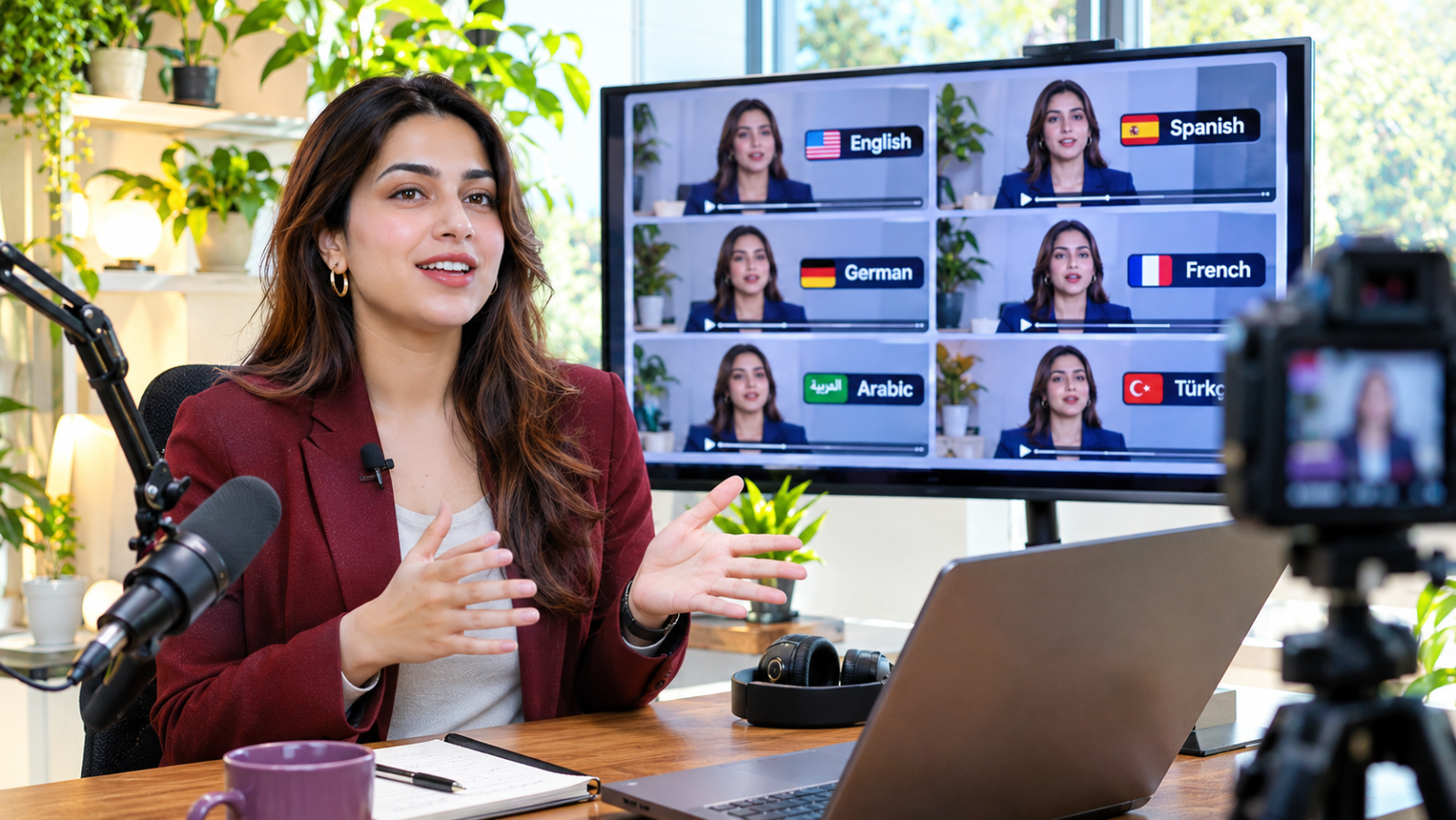
HeyGen is the strongest choice when the presenter has to look and sound perfect, and when the same lesson must exist in many languages. Its avatar library runs to 700 or more stock avatars on paid plans, with 1,000 or more AI voices, custom video avatars, photo avatars, voice cloning and 175 languages and dialects. A trainer who teaches a global team will get the most natural multilingual lessons here.
The translation workflow is the reason HeyGen earns its place. The Global Language Suite covers 175 languages and dialects on paid plans, with lip-sync translation, script proofreading and voice switching, so the same lesson can be re-voiced without re-recording. Credits roll over, which is rare in this list: monthly subscribers keep unused credits for one more month, and annual subscribers accumulate credits until renewal, so a quiet month is not wasted money.
HeyGen also lists the training features that matter: interactive quizzes, video branching and decisioning, and SCORM export in its plan comparison table. That makes it a real alternative to Colossyan for LMS-based training, with stronger avatars and weaker course-building.
Pricing was verified on HeyGen’s official pricing page on 13 November 2026. Free costs $0 with no credit card required and includes up to 3 videos a month, a maximum of 1 minute per video, 500 or more stock avatars and standard processing speed. Creator costs $29 a month, or $24 a month billed annually, and includes up to 30 minutes per video, up to 1080p export, 700 or more stock avatars, fast processing and 175 languages. Pro starts at $49 a month and scales through tiers with more credits, from 1,000 credits a month at $49 to 100,000 credits a month at $4,300, all with the same features, including 4K export, faster processing and maximum voice cloning usage. Business costs $149 a month plus $20 per seat a month and adds team workspaces, brand kits, role controls, admin controls and centralised billing. Enterprise is a custom quote.
The honest limit: HeyGen sells credits, but the pricing page does not publish how many credits one minute of training video costs, so the cost of one 10-minute lesson cannot be calculated from the page. Do not budget on a per-lesson figure from a secondary source. Check the credit cost in the app before you commit to a plan. For the voiceover side of your lessons, our guide to AI voiceover for videos covers the wider field.
HeyGen best fit
Pick HeyGen if avatar quality and multilingual lessons matter most, and you want credits that roll over. Skip it if you need a firm per-lesson price before you buy, because the credit cost per minute is not published.
5. Vyond: the best AI training video tool for animated lessons

Vyond is the classic animated explainer tool, and it is still the strongest choice when your training needs characters. It offers 1,300 or more avatar options plus customisable animated characters in Whiteboard, Contemporary and Business Friendly styles, with charts, infographics, props and scenes you can recolour to match your brand. A character can walk into a scene, point at a chart, and explain a process step by step, which is the format that works best for compliance training, safety training and software walkthroughs.
Vyond Go is the AI side. Give it a prompt, a document, a script or a URL and it generates a script and a video draft. It also turns text into images and avatars, translates captions and on-screen text into 95 languages, and records your screen and webcam for the parts of a lesson that need a real screen. Professional adds team collaboration, 4 million or more Shutterstock assets and instant translation into 95 languages. Enterprise adds voice cloning and brand management.
Pricing was verified on Vyond’s official pricing page on 13 November 2026. Business costs $99 a month, or $58 a month billed annually, and includes 10,000 credits a month, 100 video downloads a month and videos up to 25 minutes long. Professional costs $199 a month, or $100 a month billed annually, and includes 20,000 credits a month, 200 downloads a month and videos up to 40 minutes. Enterprise costs $137 a month per user billed annually, annual subscription only, with virtually unlimited credits and videos up to 90 minutes. Agency costs $167 a month per user billed annually, with 400,000 credits a month. There is no free plan listed on the pricing page.
Credit costs matter here. One Vyond Go generation costs 800 credits, so the Business plan’s 10,000 credits buy about 12 generated videos a month. Avatar speech costs 40 to 50 credits per 10 text characters, so a long scripted lesson with an avatar voice can eat credits fast. Budget on credits, not on the headline price. For the animated side of video in a different niche, our comparison of AI explainer video tools shows the same tools applied to marketing.
Vyond best fit
Pick Vyond if your training needs animated characters, charts and scenes, and the budget allows it. Skip it if you need a free plan or a cheap monthly subscription.
6. Pictory: the best AI training video tool for turning slides into lessons

Pictory is the strongest tool here when your starting point is material you already wrote. Paste a lesson plan, a slide deck, a help article or a product page URL, and Pictory splits it into scenes, matches stock visuals from Getty Images and Storyblocks, adds an ElevenLabs voiceover, music and captions. It is the fastest way to turn written training content into video, and the AI video agent will brief and refine the video it builds.
The stock library is the reason the output looks professional. Starter includes more than 5 million royalty-free videos, Professional raises that to more than 18 million, and the video models include Veo 3.1 for generated clips. Exports run in 16:9, 9:16 and 1:1, so the same lesson can go on your course platform, Reels and a square social post. Professional adds cloned avatars and voice clones, so a presenter can deliver your script without filming.
Pricing was verified on Pictory’s official pricing page on 13 November 2026. Starter costs $29 a month, or $25 a month billed annually, and includes up to 30 video minutes a month, 24,000 generative AI credits a year, 1 user and 1 brand kit. Professional costs $59 a month, or $29.50 a month billed annually as a Black Friday offer, and includes up to 90 video minutes a month, cloned avatars, voice clones and 5 brand kits. Teams costs $199 a month, or $119 a month billed annually, and includes up to 300 video minutes a month and 3 or more users. The free trial gives 14 days, 300 generative AI credits for about 10 minutes of video, no credit card required, with a Pictory watermark and 720p exports.
The honest limit: Pictory builds lessons from stock footage and generated clips, not from a presenter or animated characters, and it has no quizzes and no SCORM export, so the result can feel generic if you do not customise the script and the visuals, and your course platform must handle testing. For the document-to-video workflow in a different niche, our guide to AI video tools for real estate agents shows the same idea applied to listings.
Pictory best fit
Pick Pictory if you already have written training content and want it turned into lessons with stock footage and a natural voice. Skip it if you need an avatar presenter, quizzes or SCORM export.
7. Descript: the best AI training video tool for editing recorded lessons
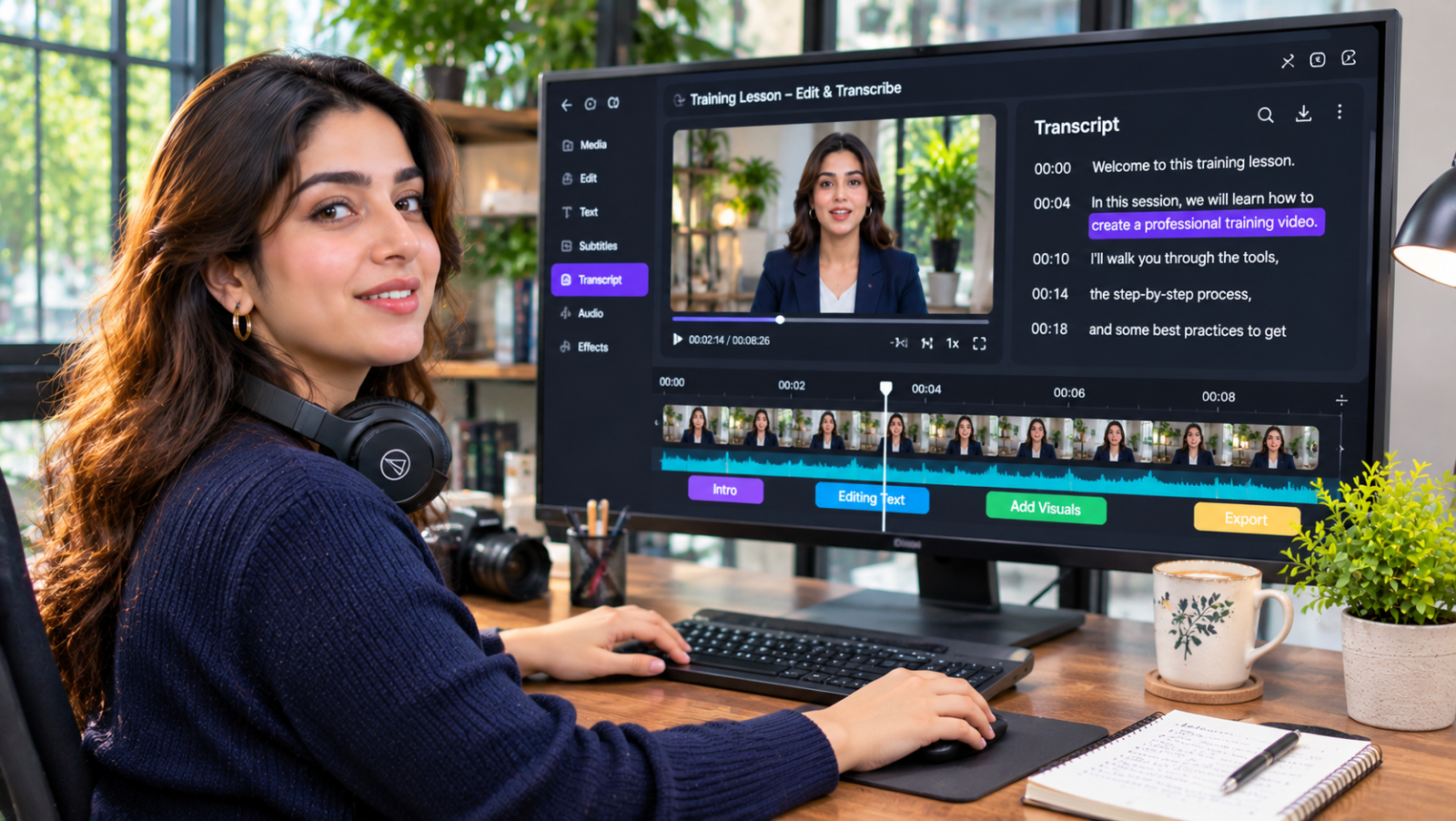
Descript is the odd one out in this list, and it earns its place because most trainers still record themselves. If you teach on camera, on a screen share, or on a webcam plus slides, Descript is the fastest editor for that footage, because you edit the video by editing the transcript. Delete a sentence from the text and it disappears from the video. Remove filler words with one click. Fix a misspoken word by typing the correction and letting AI Speech re-voice it in your voice.
The AI tools are built for lesson editing. Studio Sound cleans up bad room audio with one click, Eye Contact adjusts your gaze so it looks like you are reading the script while looking at the camera, Green Screen removes the background without a physical screen, and Underlord, the AI co-editor, can polish an edit, create clips, write a script outline or summarise a lesson. Transcription covers 25 languages, and the Business plan translates and dubs video in 30 or more languages with proofreading.
Pricing was verified in a live browser check of Descript’s official pricing page on 13 November 2026, because a text read of the page shows the plan names but no dollar figures. Free costs $0 and includes 60 minutes of media a month and 100 AI credits, one time. Hobbyist costs $24 a person a month, or $16 a person a month billed annually, and includes 10 media hours a month, 400 AI credits a month, 1080p export with no watermark and Underlord access. Creator costs $35 a person a month, or $24 a person a month billed annually, and includes 30 media hours a month, 800 AI credits a month, 4K export with no watermark, full Underlord access and an unlimited royalty-free stock library. Business costs $65 a person a month, or $50 a person a month billed annually, and includes 40 media hours a month, 1,500 AI credits a month, team-wide Brand Studio, translation and dubbing in 30 or more languages with proofreading, and custom avatars from a photo upload or text. Enterprise is a custom quote with AI credits and media hours sized to the team.
The honest limit: Descript does not generate a presenter for you, so you still have to record the lesson yourself, and it has no quizzes and no SCORM export. It is an editor, not a generator, and it only saves money if you are willing to be on camera. For the editing side of video in a different niche, our guide to AI video editing tools for YouTube covers the wider field.
Descript best fit
Pick Descript if you record your own lessons and want the fastest edit, with text-based cutting and AI clean-up. Skip it if you want an AI presenter to teach for you.
What one training video really costs
Subscription prices hide the real question, which is what you pay for one finished 10-minute lesson. The table below uses each tool’s entry paid plan on monthly billing, except Colossyan, where only the annual rate is published.
| Tool and plan | Monthly price | 10-minute lessons included | Cost per lesson |
|---|---|---|---|
| Synthesia Starter | $19 | About 2 | About $9.50 |
| Colossyan Professional, annual billing | $59 | About 3 | About $19.67 |
| Elai Creator | $29 | About 1.5 | About $19.33 |
| HeyGen Creator | $29 | Credit cost per minute not published | Not calculable |
| Vyond Business, Vyond Go | $99 | About 12 | About $8.25 |
| Pictory Starter | $29 | About 3 | About $9.67 |
| Descript Hobbyist, editing model | $24 | About 60 recorded lessons | About $0.40 |
The cheapest subscriptions are not automatically the cheapest lessons, because the allowance decides the maths. Elai looks cheap at $29 a month, but 15 minutes a month only buys one and a half 10-minute lessons. Colossyan looks expensive at $59 a month, but it is the only plan here that includes SCORM export and a course builder, so the price buys more than video minutes. Descript looks cheapest of all at about $0.40 a lesson, but it is an editor, not a generator: you still have to record the lesson yourself, and the 10 media hours cover the footage you bring, not video it creates.
Worked example: 10 lessons a month, one course
Take a real workload: a course creator makes 10 ten-minute lessons a month, 100 finished minutes in total.
On Synthesia Starter, 22 minutes a month covers about 2 lessons, so the workload does not fit. On Pro, about 70 minutes a month covers about 7 lessons, so the workload still does not fit, and Enterprise is a custom quote. On Colossyan Professional, 30 minutes a month covers 3 lessons, so the workload does not fit, and Enterprise with unlimited minutes is a custom quote. On Elai Creator, 15 minutes covers 1.5 lessons, and Team’s 50-minute base level covers 5 lessons, so the workload does not fit on either; higher Team slider levels exist on the pricing page, so check those prices before you buy. On HeyGen, the workload cannot be priced, because the credit cost per minute of video is not published. On Vyond Business, 10 Vyond Go generations use 8,000 of the 10,000 monthly credits, so the workload fits on the $99 plan, or $58 a month billed annually. On Pictory Starter, 30 minutes covers 3 lessons, and Professional covers 90 minutes, so neither fits; Teams with 300 minutes covers it, at $199 a month, or $119 a month billed annually. On Descript Hobbyist, 10 media hours is 600 minutes of recorded footage, so the workload fits easily at $24 a month, or $16 a month billed annually.
The same 10 lessons, and only three published plans cover the workload: Vyond Business at $99 a month, Pictory Teams at $199 a month, and Descript Hobbyist at $24 a month. The cheapest plan that generates lessons for you is Vyond, and the cheapest plan overall is Descript, if you are willing to record yourself.
How to make a training video in 5 steps
- Write the lesson script before you open the tool. Lead with what the learner will be able to do after the lesson, then the three key points, then a worked example, then a short recap. A 10-minute lesson needs about 1,300 to 1,500 words of narration. Fix the facts first, because every tool here will repeat your mistakes. For voiceover quality, our guide to AI voiceover for videos covers the wider field.
- Pick the tool for the lesson, not the brand. A presenter means Synthesia, Colossyan, Elai or HeyGen. Animated characters mean Vyond. Slides and documents mean Pictory. Your own recording means Descript. An LMS course with quizzes means Colossyan.
- Build one lesson end to end before you build the course. Make the full lesson, watch it, test the quiz, and check the export in your LMS or course platform. A problem found in lesson one is cheap; the same problem in lesson twenty is a rebuild.
- Test it with one real learner. Watch where they pause, rewind or look confused, and fix those exact spots. A lesson that nobody tested is a guess, not a course. For the common traps, read our guide to the 7 AI video mistakes to avoid.
- Publish with captions and chapters on, and a quiz at the end. Most learners watch on silent at least some of the time, so captions are not optional, and chapters let a learner jump back to the part they forgot. A lesson without a quiz teaches, but it never proves the learner learned.
4 mistakes to avoid with AI training video tools
- Publishing a watermarked free video in a paid course. Free plans are for testing. A watermark tells learners you would not spend a few dollars on your own course. Pay for one month and make the lesson clean, then decide.
- Letting AI invent the facts in a lesson. AI tools hallucinate details, and a wrong fact taught to a learner is worse than a missing fact. Check every number, name and step against a real source before you render.
- Buying the wrong plan for your volume. On Elai Creator, 15 minutes a month is one and a half lessons. On Colossyan Professional, 30 minutes is three lessons. On Synthesia Starter, 22 minutes is two lessons. Count your monthly lessons before you pay.
- Making a video and calling it a course. A course needs structure, chapters, a quiz and a place for learners to ask questions. A single video, however good, is a lesson, not a course, and learners can tell the difference.
FAQ
What is the best AI training video tool?
Synthesia is the best AI training video tool for most people, because a realistic avatar presenter, 140 or more languages and a clean script-to-video workflow cover the most common training jobs. Colossyan is best for full online courses with SCORM export and quizzes, Elai for interactive training on a small budget, HeyGen for avatar quality and translation, Vyond for animated training videos, Pictory for turning slides into lessons and Descript for editing recorded lessons.
Can I make training videos for free?
Yes, with limits. Synthesia, Colossyan, Elai, HeyGen and Descript all have free plans, and Pictory offers a 14-day trial. All free options are watermarked, capped by minutes or limited to short videos, and none is suitable for a paid course. Vyond has no free plan listed on its pricing page. Our guide to the best free AI video tools for beginners shows how to test these tools before paying.
How much does one 10-minute training video cost?
On the entry paid plans that could be priced on 13 November 2026, a 10-minute lesson costs about $8.25 on Vyond Business, about $9.50 on Synthesia Starter, about $9.67 on Pictory Starter, about $19.33 on Elai Creator and about $19.67 on Colossyan Professional. Descript Hobbyist works out at about $0.40 per lesson in plan terms, but it is an editor for your own recording, not a generator. HeyGen could not be priced per lesson, because its credit cost per minute is not published.
Do AI training video tools work with an LMS?
Some do. Colossyan exports SCORM on Professional and Enterprise, compatible with SCORM 1.2 or 2004 platforms including Workday, Cornerstone, Docebo, Litmos and Absorb, and HeyGen lists SCORM export in its plan comparison. The other tools export video files, which you upload to your course platform or LMS as a video lesson. Check your LMS accepts MP4 uploads before you commit to a tool without SCORM.
Can AI training video tools quiz my learners?
Yes, on two of these tools. Colossyan has interactive videos with clickable choices inside the lesson, and Elai has image-based quizzes built from visual clues. HeyGen lists interactive quizzes and video branching in its plan comparison. The other tools rely on your course platform for testing, so check what your platform offers before you assume the quiz is included.
Do I need to film anything to make a training video?
No, except with Descript. Synthesia, Colossyan, Elai and HeyGen present your script with an avatar, Vyond uses animated characters, and Pictory builds lessons from stock footage and generated clips. Descript is the exception: it edits a lesson you record yourself, with your own face and voice on camera. For a faceless channel alongside your courses, our guide to the best AI tools for faceless YouTube channels shows the wider options.
How we checked the prices
Every price in this guide was checked on 13 November 2026. Synthesia, Colossyan, HeyGen, Vyond and Pictory prices were read directly from the vendors’ own pricing pages on that day. Elai and Descript prices were verified in a live browser check on the same day, because a text read of those pricing pages returns no figures. Colossyan’s monthly-billing price is not shown on its pricing page, only the $59 a month annual rate. HeyGen does not publish the credit cost per minute of video, so no per-lesson price is given for HeyGen. Pictory’s Professional price of $29.50 a month billed annually is a Black Friday offer, and the regular price after it ends is not stated on the page. Elai’s Team 100 and 150 minute slider levels are priced on the page, but those figures were not recorded for this guide. Always confirm the checkout total before you pay.
Verdict
If you make training videos for a course, a team or a product, start with Synthesia. It is the fastest route from a script to a professional presenter-led lesson, and at about $9.50 per 10-minute lesson on Starter it is also one of the cheapest per lesson. If you run a real course with an LMS, use Colossyan, and count the 30 minutes first. If you want quizzes inside the video on a small budget, try Elai, but watch the 15-minute allowance. If your lessons must exist in many languages, use HeyGen, and check the credit cost in the app first. If your training needs animated characters and the budget allows it, use Vyond. If you start from slides and documents, use Pictory. If you record yourself, use Descript, and edit by editing the text. Whichever tool you pick, write the script first, test one lesson with a real learner, and verify every fact, because a lesson that teaches the wrong thing is worse than no lesson at all.