A faceless YouTube video is a video with no presenter on camera. The viewer hears a voice and watches footage, animation, text or screen recordings. You never appear, never record yourself, and never need a camera. That is the whole format, and it is the reason so many new creators start here: the only barrier to a normal channel is the camera, and a faceless channel removes it.
Learning how to make faceless YouTube videos with AI is a practical skill, not a get-rich-quick scheme. The workflow is six steps: write a script with ChatGPT, record a voiceover with ElevenLabs, build the visuals with Pictory and free stock footage, edit and caption it in CapCut, design the thumbnail in Canva, and publish it with TubeBuddy for YouTube SEO. One person can finish a five-minute video in a day, and the free route costs $0 if you use your own voice.
The short answer: start with ChatGPT Free for the script, ElevenLabs Starter at $6 a month for a commercial voice, Pictory Starter at $25 a month billed annually for script-to-video, CapCut Free for editing and captions, Canva Free for the thumbnail, and TubeBuddy Free for upload SEO. That stack costs $31 a month on the cheapest paid route, or about $11 per video if you publish eight videos a month. The worked example in this guide is a five-minute video, “5 Money Habits That Keep You Poor”, built with exactly this stack.
This guide is a tutorial, not a tools list. Every step tells you what to click, what settings to use, and what the step costs. Every price was checked on 14 November 2026. Where a vendor’s own pages disagree, this guide says so instead of printing one number as certain. If you want the wider tools comparison first, read our guide to the best AI tools for faceless YouTube channels: https://zideoai.online/best-ai-tools-for-faceless-youtube-channels/
Faceless channels in 2026: what the numbers say
Faceless channels are a large share of YouTube now. TubeMind’s State of YouTube 2026 report, built from 558,739 videos and 6,663 channels and checked on 29 October 2026, found that 43% of the channels in its index are faceless, and 81% of those showed monetization signals. The median faceless channel had 30,350 subscribers, against 103,000 for channels with a presenter. Faces still build bigger audiences on average, because people connect with people, but faceless channels do get monetized. Treat these as third-party estimates, not YouTube’s own figures.
YouTube’s own rule is the one that matters. YouTube does not ban faceless channels as a category. It bans mass-produced, templated and repetitive content. A channel with no presenter, running on original scripts, real curation and a consistent editorial voice, remains eligible for monetization. A channel that uploads the same slideshow with a robot voice a hundred times does not. The difference is originality, not faces.
That is why this tutorial insists on one thing at every step: write your own script, pick your own clips, and edit every video by hand. AI does the heavy lifting, but the decisions are yours. If you skip that, you build a channel YouTube will not monetize.
Before you start: pick a niche you can illustrate

A faceless video needs pictures. That decides your niche more than passion does. A history channel works because old photos, maps and paintings exist. A finance channel works because charts, coins and city footage exist. A channel about your own daily life does not work faceless, because there is no footage of it.
Pick a niche with three tests. First, can you find ten free stock clips for it on Pexels in five minutes? If not, every video becomes a fight for pictures. Second, does the niche pay? Finance, technology, business and health pay higher ad rates than vlogs and pranks, with RPM estimates for faceless-heavy niches running from $3.67 to $8.23 per 1,000 US views in TubeMind’s 2026 data. Treat that as an estimate. Third, can you write twenty video ideas in it without repeating yourself? If you run out of ideas in week two, the niche is too narrow.
Four niches that pass all three tests for beginners: personal finance habits, history stories, health explainers, and tech how-to videos. Our worked example uses personal finance, “5 Money Habits That Keep You Poor”, because the footage is easy to find and the audience is large.
Check demand before you commit. Open Google Trends, switch the dropdown from Web Search to YouTube Search, and compare your niche phrase with two alternatives. Trends shows relative interest on a 0 to 100 scale, not real search volume, so use it for direction, not size. Then type the phrase into the YouTube search bar: if autocomplete suggests it, people are searching for it. If the top results are old or weak, you have found a content gap, which is the easiest place for a small channel to win.
The 6 steps at a glance
| Step | What you do | Tool | Free option | Paid plan used |
|---|---|---|---|---|
| 1 | Idea and script | ChatGPT | Free $0 | Plus $20/mo |
| 2 | AI voiceover | ElevenLabs | Free $0, no commercial use | Starter $6/mo ($5 annual) |
| 3 | Visuals and footage | Pictory + Pexels | Pexels free, Pictory 14-day trial | Pictory Starter $29/mo ($25 annual) |
| 4 | Edit and captions | CapCut | Free $0 | Pro $19.99/mo ($179.99/yr) |
| 5 | Thumbnail | Canva | Free $0 | Pro $18/mo ($144/yr) |
| 6 | Upload and YouTube SEO | TubeBuddy | Free $0 | Pro $15/mo ($12 annual) |
Prices checked 14 November 2026. Annual prices are the per-month rate when billed yearly.
Step 1: Write the script with ChatGPT
A faceless video lives or dies on its script. There is no presenter to save a weak script, no face to hold attention. The script is the video. Spend half your time here and the other five steps become easy.
The script formula
Use one structure for every video: hook, promise, points, loop, call to action. The hook is the first 15 seconds and it must contain one surprising claim, not an introduction. “Most people stay poor because of five small habits, and the third one costs you money every single day” is a hook. “Welcome back to my channel, today we will talk about money” is not a hook, and half your viewers leave before the video starts.
The promise is one sentence that tells the viewer what they will have by the end: “By the end of this video you will know all five habits and how to fix each one this week.” Then the points: one idea per 60 seconds, each with its own example. A five-minute video has five points at most, never eight. The loop is a short tease before each point, “the third habit is the one nobody notices”, which keeps viewers watching to the next section. The call to action is one line at the end: subscribe, and watch the next video, which you name.
One rule controls length: a spoken script runs at about 150 words per minute. A five-minute video needs about 750 words. A ten-minute video needs about 1,500. Count the words before you record, or your five-minute video becomes an eight-minute video with a rushed ending.
The exact prompt to use
Open ChatGPT and paste this prompt, replacing the bracketed parts with your own topic:
“Write a 750-word YouTube script about [5 money habits that keep you poor]. The audience is [beginners aged 20 to 35]. Structure: a 15-second hook with one surprising claim, a one-sentence promise, five numbered points with one concrete example each, a short tease before point 3, and a one-line call to action at the end. Simple words, short sentences, no jargon, no introduction like ‘welcome to my channel’. Write it to be read aloud.”
Read the result out loud before you accept it. If a sentence is hard to say, it will be hard to listen to. Cut it. If two points say the same thing, merge them. ChatGPT writes a good first draft, not a finished script, and the read-aloud test is where you make it yours. That test is also what keeps your video original, which is what YouTube’s monetization rules require.
ChatGPT pricing
Pricing was verified on OpenAI’s pricing page on 14 November 2026: https://chatgpt.com/pricing Free costs $0 and covers everyday writing with limits. Plus costs $20 a month, billed monthly only, with no annual discount, and adds advanced reasoning models, expanded messages and uploads, and more image creation. Go costs $8 a month. Pro costs $100, $200 or $500 a month. For script writing, Free is enough to start: the Plus upgrade buys higher limits, not better scripts. For the wider text-to-video field, our guide to how to make AI videos from text covers the same script-first workflow: https://zideoai.online/how-to-make-ai-videos-from-text/
Step 1 best fit
Use ChatGPT Free for every script until you hit its limits several days in a row. Pay $20 for Plus only when the limits, not the quality, slow you down.
Step 2: Record the voiceover with ElevenLabs
The voice is the presenter in a faceless video. Viewers hear it for five minutes straight, so a bad voice kills the video faster than bad footage. ElevenLabs makes the most natural AI voices available to a solo creator, and it is the standard choice for faceless channels in 2026.
How to do it
Paste your script into ElevenLabs Studio, one section at a time, not the whole script at once. Long pastes make the voice drift in tone halfway through. Pick one narrator voice and use the same voice for every video on the channel: consistency is what makes listeners subscribe, because they recognise the voice before they recognise the channel name. Keep the default stability and similarity settings for the first video, then adjust only if the voice sounds flat or robotic. Generate each section, listen to it once, and regenerate any sentence that mispronounces a word or pauses in the wrong place. Export as MP3.
Two details matter. First, add natural pauses. Put a comma where you want a short pause and a full stop where you want a longer one, because the voice model follows your punctuation. A script with no punctuation sounds like a machine reading a list. Second, keep the voice at the same volume across sections. If one section is louder than the next, the edit sounds amateur, and no caption trick fixes it.
The commercial license trap
This is the most expensive mistake in this tutorial, and it costs nothing to avoid. ElevenLabs Free costs $0 and includes 10,000 credits a month, but it has no commercial license. Content made on the free plan cannot be used commercially, which includes a monetized YouTube video. If your channel earns money, your voiceover must come from Starter or above. Starter also adds Instant Voice Cloning, 20 Studio projects, Dubbing Studio and commercial use of music.
The honest free route for a monetized channel is your own voice. Record it on your phone in a quiet room with a blanket over your head and shoulders to kill echo, and it will sound better than a free AI voice with no license. The $0 route in this guide uses your own voice, not ElevenLabs Free.
ElevenLabs pricing
Pricing was verified on ElevenLabs’ official pricing page on 14 November 2026: https://elevenlabs.io/pricing Free costs $0 and includes 10,000 credits a month, 3 Studio projects, and no commercial license. Starter costs $6 a month, or $5 a month billed annually (ElevenLabs charges ten months for a year), and includes 30,000 credits a month, a commercial license, Instant Voice Cloning, 20 Studio projects and Dubbing Studio. Creator costs $22 a month, or $18.33 billed annually, and includes 121,000 credits a month and Professional Voice Cloning. Pro costs $99 a month. One credit is one character on the standard models, so 30,000 credits is about 30 minutes of voice a month, and a 750-word script of about 4,500 characters costs about $0.90 of a Starter plan. For the wider voiceover field, our guide to AI voiceover for videos covers the same tools in depth: https://zideoai.online/ai-voiceover-for-videos/
Step 2 best fit
Use your own voice if you pay nothing, and ElevenLabs Starter at $6 a month the moment your channel is monetized or you want a consistent narrator voice. Never publish an ElevenLabs Free voiceover on a video you plan to monetize.
Step 3: Build the visuals with Pictory and Pexels
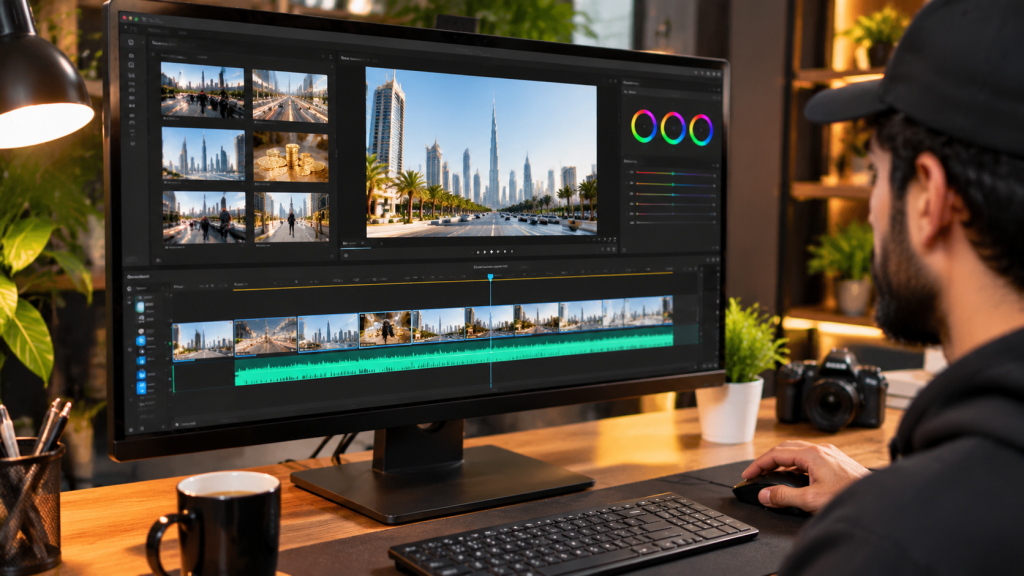
A faceless video is a slideshow that moves. Each scene lasts 5 to 10 seconds, shows one clear image or clip, and matches one or two sentences of the script. When the picture and the words match, viewers stay. When they do not, viewers leave, even if the script is good.
How to do it in Pictory
Open Pictory, choose Script to Video, and paste your script. Pictory splits it into scenes, one or two sentences per scene, and picks a stock clip for each one. Then do the work Pictory cannot do for you: watch every scene and swap any clip that does not match its sentence. A sentence about saving money with a clip of a beach is worse than no clip at all, because the mismatch tells the viewer nobody checked the video. Add B-roll every 8 to 10 seconds, which means a second angle or a close-up over the main footage, so the picture never sits still long enough to bore anyone.
Import your ElevenLabs voiceover as an MP3 instead of using Pictory’s built-in voices. The built-in voices are fine, but your own ElevenLabs audio keeps the voice identical across all your videos, which is what builds a recognisable channel. Pictory’s Starter plan includes ElevenLabs voices and stock footage from Getty Images and Storyblocks, 5 million videos and more, so you rarely need to leave the app for pictures.
Use Pexels as the free alternative. Download the clips you need from Pexels, free with no attribution required, and assemble them in CapCut in step 4. Pexels is the honest $0 route for visuals, and its footage is real camera footage, which suits faceless videos better than AI-generated clips that can look strange on close inspection.
Pictory pricing
Pricing was verified on Pictory’s official pricing page on 14 November 2026: https://pictory.ai/pricing The free trial lasts 14 days and includes 3 videos of up to 5 minutes at 720p, with downloads blocked until you subscribe. Starter costs $29 a month, or $25 a month billed annually ($300 a year), and includes up to 30 video minutes a month, 24,000 generative credits a year, 5 GB of storage, 1 brand kit, 1080p export, and stock video from Getty Images and Storyblocks. Professional costs $59 a month, or $29.50 a month on the Black Friday annual offer, and includes up to 90 minutes a month and 72,000 credits a year. Teams costs $199 a month, or $119 billed annually. There is no free plan, only the trial. For the wider generator field, our guide to the best AI video generator tools compares Pictory with the alternatives: https://zideoai.online/best-ai-video-generator-tools-in-2026-compared/
Step 3 best fit
Use Pexels plus CapCut if you pay nothing, and Pictory Starter at $25 a month billed annually when you want script-to-video in one place. Never leave a mismatched stock clip in the video: one wrong picture costs more viewers than a slow edit.
Step 4: Edit and add captions in CapCut
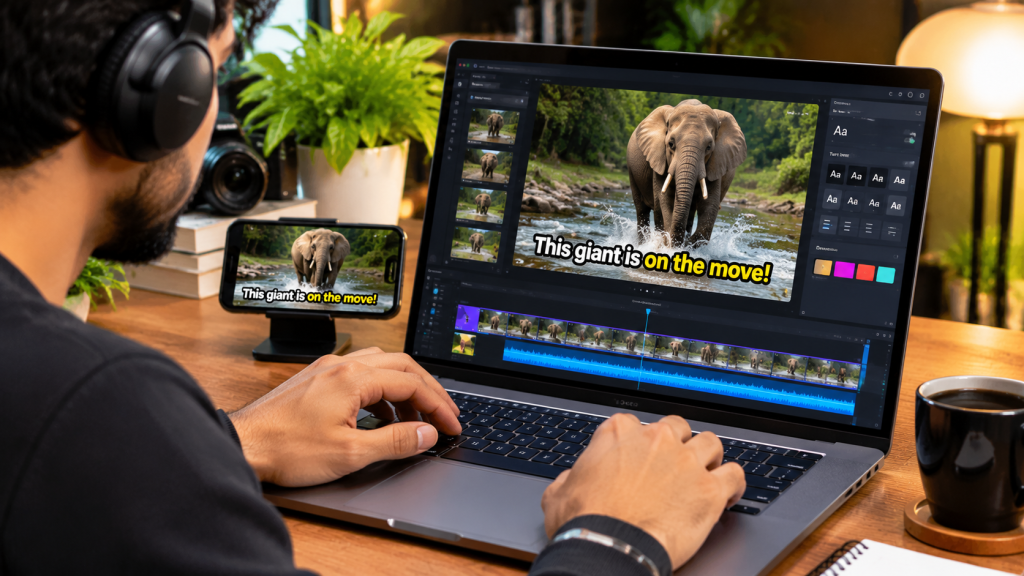
Editing is where a faceless video becomes watchable. The raw Pictory export is a sequence of clips with a voiceover. The edit adds pace, captions and music, and pace is what keeps viewers past the first 30 seconds.
How to do it
Import your Pictory export into CapCut, or assemble Pexels clips on the timeline if you took the free route. First, cut every silence longer than half a second. Dead air is the fastest way to lose a viewer. Second, add auto captions, then fix them by hand: CapCut’s auto captions are good, but they misspell names and numbers, and a wrong number in a finance video destroys trust. Keep captions to two lines at most, in a bold font, with the key word in each sentence highlighted in a different colour. Third, add a zoom cut every 3 to 5 seconds, a small push-in on the picture, so the frame is always moving slightly. Fourth, add background music at a low volume, low enough that the voice is always clearly louder than the music. If you notice the music, it is too loud. Export at 1080p and 30 frames per second.
One rule for captions: most viewers watch with the sound off first, then turn it on. If your captions tell the story on their own, the silent scroller stays long enough to turn the sound on. If they do not, the scroller is gone in three seconds.
CapCut pricing
Pricing was checked on CapCut’s official pricing page on 14 November 2026: https://www.capcut.com/pricing Free costs $0 and includes basic editing, templates and auto captions, with a watermark on some exports. Pro costs $19.99 a month or $179.99 a year, and includes 1,200 AI credits a month, 1 TB of cloud storage, 4K export, the full template and effects library and commercial use. CapCut says its prices are for reference only and the final price depends on your region, device and account, so confirm the figure at checkout before you pay. For the wider editing field, our guide to AI video editing tools for YouTube covers the same caption workflow: https://zideoai.online/ai-video-editing-tools-for-youtube/
Step 4 best fit
Use CapCut Free for every video until you need 4K export, the full template library or commercial-use cover. Pay $19.99 a month for Pro only when a free export limit, not a missing feature, blocks a video.
Step 5: Design the thumbnail in Canva

The thumbnail decides whether anyone clicks. YouTube shows your title and thumbnail together, and viewers decide in about one second. A faceless channel cannot use a face to win that second, so the thumbnail has to work harder: one clear image, three words at most, and one big number or bold claim.
How to do it
Open Canva, search for “YouTube Thumbnail”, and start from a blank 1280 by 720 canvas, not a busy template. Pick one background image that shows the video’s subject, a wallet, a chart, a clock, and darken it slightly so text reads clearly. Add three words at most, in a heavy bold font, in white or yellow, with a dark outline. “5 HABITS MAKE YOU POOR” is five words and it works because the number does the work. Add one visual cue, an arrow, a red circle or a big number, and nothing else. Then check it at small size: shrink it to the size of a phone notification and read it. If you cannot read it, the words are too small or too many.
Make two thumbnails for every video, not one. Change only one thing between them, the words or the image, and swap to the second one if the first thumbnail’s click-through rate is low after a few days. As a rule of thumb, a click-through rate below 4% after a few days means the thumbnail is the problem, not the video. Canva Pro adds Magic Resize, background remover and premium stock, but the free plan makes a good thumbnail already: the design skill matters more than the plan.
Canva pricing
Pricing was verified on Canva’s official pricing page on 14 November 2026: https://www.canva.com/pricing Free costs $0. Pro costs $18 a month, or $144 a year ($12 a month billed yearly), for one person only, and includes premium templates and assets, 5 Brand Kits, 100 GB of storage and a 30-day free trial. Business costs $25 a month per person, or $250 a year. One check from September 2026 showed Pro at $180 a year instead of $144, so confirm the yearly figure at checkout before you pay. Canva prices by region, so your checkout may differ from the US figures above.
Step 5 best fit
Use Canva Free for every thumbnail. Pay $18 a month for Pro only when you need premium stock photos or background remover several times a week.
Step 6: Upload and do YouTube SEO with TubeBuddy

Upload day is where most beginners waste the video. They upload with a weak title, no description and three random tags, then wonder why nobody finds it. YouTube is a search engine as well as a feed, and the upload settings are the search part.
How to do it
Title first. Put the search phrase at the start, then add a curiosity gap, and keep it under 60 characters so it does not get cut off on a phone. “5 Money Habits That Keep You Poor” is a good title: the number, the topic, and a problem the viewer already has. “How to Make Faceless YouTube Videos with AI” works the same way for this kind of tutorial. Do not put the whole video in the title, and do not use clickbait that the video does not deliver, because YouTube measures whether viewers stay, and a misleading title kills retention.
Description second. The first two lines carry the search phrase and the promise, because those two lines show in search results. Write two short paragraphs after them, then add timestamps for each point, then links to two of your own older videos. Tags third: five to eight tags, a mix of broad and specific, like “money habits”, “personal finance”, “how to save money”, “money mistakes”, “faceless YouTube”. TubeBuddy’s Keyword Explorer scores each tag for search volume against competition, so check the score instead of guessing.
Then the settings that beginners skip: set the language, upload a captions file from CapCut, add an end screen pointing to your next video, add one card in the middle pointing to a related video, and pick the right category. After publishing, reply to every comment in the first 24 hours. Comments in the first day tell YouTube the video is alive, and they cost you nothing but time.
TubeBuddy pricing
Pricing was verified on TubeBuddy’s official pricing page on 14 November 2026: https://www.tubebuddy.com/pricing Free costs $0 and includes the browser extension, the mobile app and basic tools. Pro costs $15 a month, or $12 a month billed annually ($144 a year), and includes Keyword Explorer, SEO Studio, tag lists and the Best Practice Audit. Legend costs $32.99 a month, or $26.39 billed annually ($316.68 a year), and adds A/B thumbnail testing, bulk processing and 2 seats. Enterprise is custom. Two warnings: TubeBuddy’s own pages show different prices in different places, and older pages quote Pro at $3 to $4.50 a month. Those older figures do not match the current pricing page, which shows $15 a month or $12 billed annually, so use those. Confirm at checkout before you pay.
Step 6 best fit
Use TubeBuddy Free for your first ten videos. Pay $12 a month billed annually for Pro when keyword research, not guessing, starts deciding your titles.
What one faceless video really costs
A five-minute video with a 750-word script. Monthly stack costs use annual billing where it saves money.
| Route | Monthly cost | Cost per video (8 videos a month) | Cost per video (4 videos a month) |
|---|---|---|---|
| Free route (own voice) | $0 | $0 | $0 |
| Paid stack | $89 a month | About $11.13 | About $22.25 |
The paid stack, on annual billing: ChatGPT Plus $20, ElevenLabs Starter $5, Pictory Starter $25, CapCut Pro $15.00 ($179.99 a year), Canva Pro $12 ($144 a year), TubeBuddy Pro $12 ($144 a year). Total: $89 a month. On monthly billing the same stack costs $20 + $6 + $29 + $19.99 + $18 + $15, which is $107.99 a month, so annual billing saves about $19 a month.
The free route is real, with one condition: use your own voice. ChatGPT Free writes the script, Pexels supplies the footage for free, CapCut Free edits and captions, Canva Free makes the thumbnail, and TubeBuddy Free handles upload SEO. The only tool in this guide with no usable free route for a monetized channel is ElevenLabs, because its free plan has no commercial license. Your own voice is the free replacement, and it has a second advantage: it is unmistakably yours, which is exactly what YouTube’s originality rules reward.
One video’s voice cost on ElevenLabs Starter: a 750-word script is about 4,500 characters, and Starter charges about $0.20 per 1,000 characters on the standard models, so the voiceover for one video costs about $0.90 of the $6 plan. Pictory Starter gives 30 video minutes a month for $25, so one five-minute video uses about $4.17 of the plan. The rest of the stack is flat monthly pricing, which is why publishing more videos a month makes each video cheaper.
A simple 7-day plan for your first video
Day 1: pick the niche and the topic, check it on Google Trends set to YouTube Search, and write the script in ChatGPT. Read it out loud twice. Day 2: record the voiceover, your own voice or ElevenLabs, one section at a time. Day 3: build the visuals in Pictory, or download Pexels clips and lay them on the CapCut timeline. Day 4: edit in CapCut, cut the silences, add captions, fix every name and number by hand, add music. Day 5: design two thumbnails in Canva and pick the stronger one at phone size. Day 6: upload with TubeBuddy, write the title, description and tags, add the end screen and cards. Day 7: publish, reply to every comment, and cut one 30-second Short from the best moment of the video. That Short is your next video, and it costs nothing extra. For the Shorts workflow, read our guide to how to create AI Shorts and Reels in minutes: https://zideoai.online/how-to-create-ai-shorts-and-reels-in-minutes/
3 mistakes that get faceless channels rejected
First, copying scripts. If you paste another channel’s script into ChatGPT and ask it to rewrite the words, the video is still copied content in YouTube’s eyes, and the channel will not be monetized. Write from your own notes and examples, even when the topic is the same as a hundred other videos.
Second, a voice with no pauses. A flat AI voiceover with no commas, no full stops and no breathing room sounds like a machine, and viewers leave in 20 seconds. Punctuate the script like speech, not like an essay, and listen to every section once before you export.
Third, a slideshow with no editing. Stock footage with no cuts, no captions, no zooms and no music is not a video, it is a presentation, and YouTube treats it as low-effort content. The edit in step 4 is not optional decoration. It is the difference between a video and a slideshow. For the full list of mistakes, read our guide to 7 AI video mistakes to avoid: https://zideoai.online/7-ai-video-mistakes-to-avoid/
Frequently asked questions
Can faceless YouTube channels get monetized?
Yes. YouTube does not ban faceless channels. The YouTube Partner Program bar is 1,000 subscribers plus 4,000 valid public watch hours in 12 months, or 10 million valid public Shorts views in 90 days. What YouTube rejects is mass-produced, templated and repetitive content. Original scripts, a consistent voice and hand-edited videos pass. Copied scripts and unedited slideshows do not.
Can I make faceless YouTube videos for free?
Yes, if you use your own voice. ChatGPT Free, Pexels, CapCut Free, Canva Free and TubeBuddy Free cover the whole workflow at $0. The only catch is ElevenLabs Free, which has no commercial license, so a monetized channel needs Starter at $6 a month or a human voice. Pictory has no free plan, only a 14-day trial.
How long should a faceless YouTube video be?
Five to eight minutes is the best length for a beginner. It is long enough to cover one topic properly and short enough to hold retention. Under three minutes, you cannot cover a topic. Over fifteen minutes, a new channel cannot hold viewers. Publish five-minute videos until your retention data says viewers want longer ones.
Which AI voice is best for faceless videos?
ElevenLabs Starter at $6 a month, because it sounds the most natural and carries a commercial license. Pick one voice and use it for every video, so listeners recognise your channel by sound. Test two or three voices on the same paragraph before you commit to one.
Do I need to show my face ever?
No. No step in this workflow needs a face, and YouTube’s rules never mention faces. Some faceless creators add a hand, a whiteboard or a screen recording later, but none of it is required. The voice and the edit carry the channel.
How many videos before a faceless channel grows?
Expect 20 to 30 videos before you can judge the channel. YouTube needs that many to learn who your audience is, and you need that many to learn which topics and thumbnails work. One viral video is luck. Twenty consistent videos is a channel.
How we checked the prices
Every price in this guide was checked on 14 November 2026: ChatGPT on chatgpt.com/pricing and OpenAI’s Help Center, ElevenLabs on elevenlabs.io/pricing, Pictory on pictory.ai/pricing read directly, CapCut on capcut.com/pricing, Canva on canva.com/pricing, and TubeBuddy on tubebuddy.com/pricing. Annual prices are the per-month rate when billed yearly. Where a vendor’s own pages disagreed, this guide says so: Canva Pro showed $180 a year in one September 2026 check against $144 in the October checks, and TubeBuddy’s older pages quote Pro at $3 to $4.50 a month against $15 on the current pricing page. Prices change, and regional and account differences apply, so confirm the figure at checkout before you pay.
The bottom line
Learning how to make faceless YouTube videos with AI comes down to six steps and one rule. The steps are script with ChatGPT, voice with ElevenLabs, visuals with Pictory and Pexels, edit and captions in CapCut, thumbnail in Canva, and upload SEO with TubeBuddy. The rule is that AI does the work, but you make the decisions: your script, your clips, your edit. Start with the $0 route and your own voice, publish five-minute videos on a fixed schedule, and pay for a tool only when a free limit, not a missing feature, blocks a video. Your first video takes seven days. Your tenth takes two.